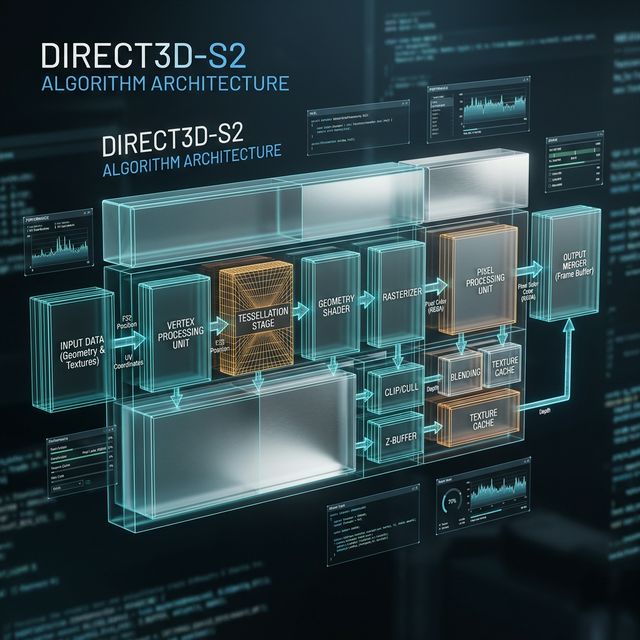
The debate over Meshy vs Neural4D often centers on one question: is the goal a pretty picture or a usable asset? While many tools prioritize speed, professional pipelines require deterministic results. This technical analysis explores how Neural4D (N4D) addresses the limitations found in standard AI diffusion models.
Production-Ready Assets vs. Rapid Prototyping
When comparing Meshy vs Neural4D, the intended use case is the primary differentiator. Meshy excels at rapid prototyping and early-stage visualization. It provides a fast way to see a concept in three dimensions. However, these models often require significant manual cleanup before they can enter a production pipeline.
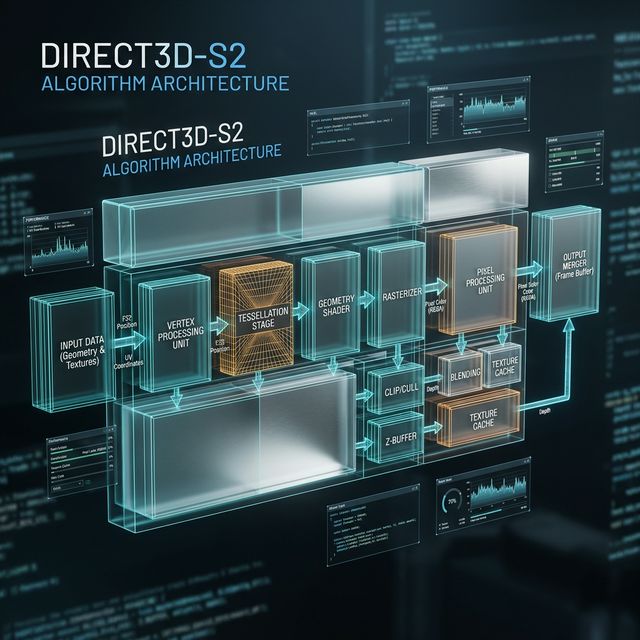
Neural4D focuses on the “finished asset” philosophy. By using the Direct3D-S2 reconstruction engine, N4D generates models that are engine-ready from the start. For a technical artist, this means less time fixing non-manifold edges and more time on high-level design.
Topology Quality: Quad-Dominant vs. Triangle Soup
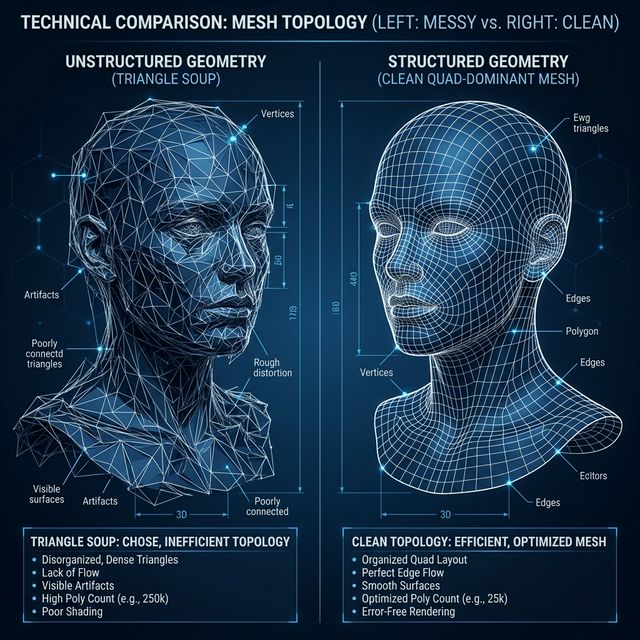
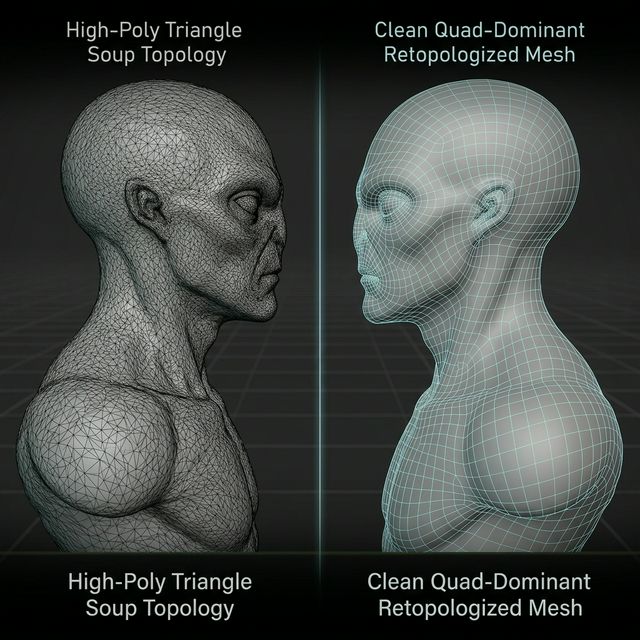
A major pain point in the Meshy vs Neural4D landscape is topology. Standard AI generators often output what developers call “triangle soup”—a dense, unorganized mesh that is impossible to rig or skin.
Neural4D utilizes Spatial Sparse Attention (SSA) to ensure quad-dominant topology. This ensures that edge loops follow the logical flow of the object. Whether you are creating environmental props or background characters, the N4D output supports subdivision surfacing without shading artifacts. This represents a 70 percent reduction in manual retopology time.
PBR Synthesis: Pure Albedo vs. Baked Shadows
A final critical factor in Meshy vs Neural4D is the quality of the PBR (Physically Based Rendering) maps. Many tools generate textures with “baked-in” shadows, making the assets difficult to light in dynamic environments like Unreal Engine 5.
Neural4D performs a complete delighting process. It independently calculates Albedo, Roughness, and Metallic channels. The result is a pure texture set that reacts naturally to any lighting setup. This ensures that your assets maintain visual consistency across different game levels and lighting conditions.
Link: Best Image to 3D Model AI](https://blog.neural4d.com/image-to-3d/best-image-to-3d-model-ai/)
Link: 3D Character Creator Comparison](https://blog.neural4d.com/comparisons/3d-character-creator-online-free/)
Stop Settling for Visual ups
The choice between Meshy vs Neural4D depends on your technical requirements. If you need assets that work directly in Unity, Blender, or UE5 without hours of repair, Neural4D is the clear choice. Join the early access today and start building production-ready 3D content.
Ready to skip the manual retopology?