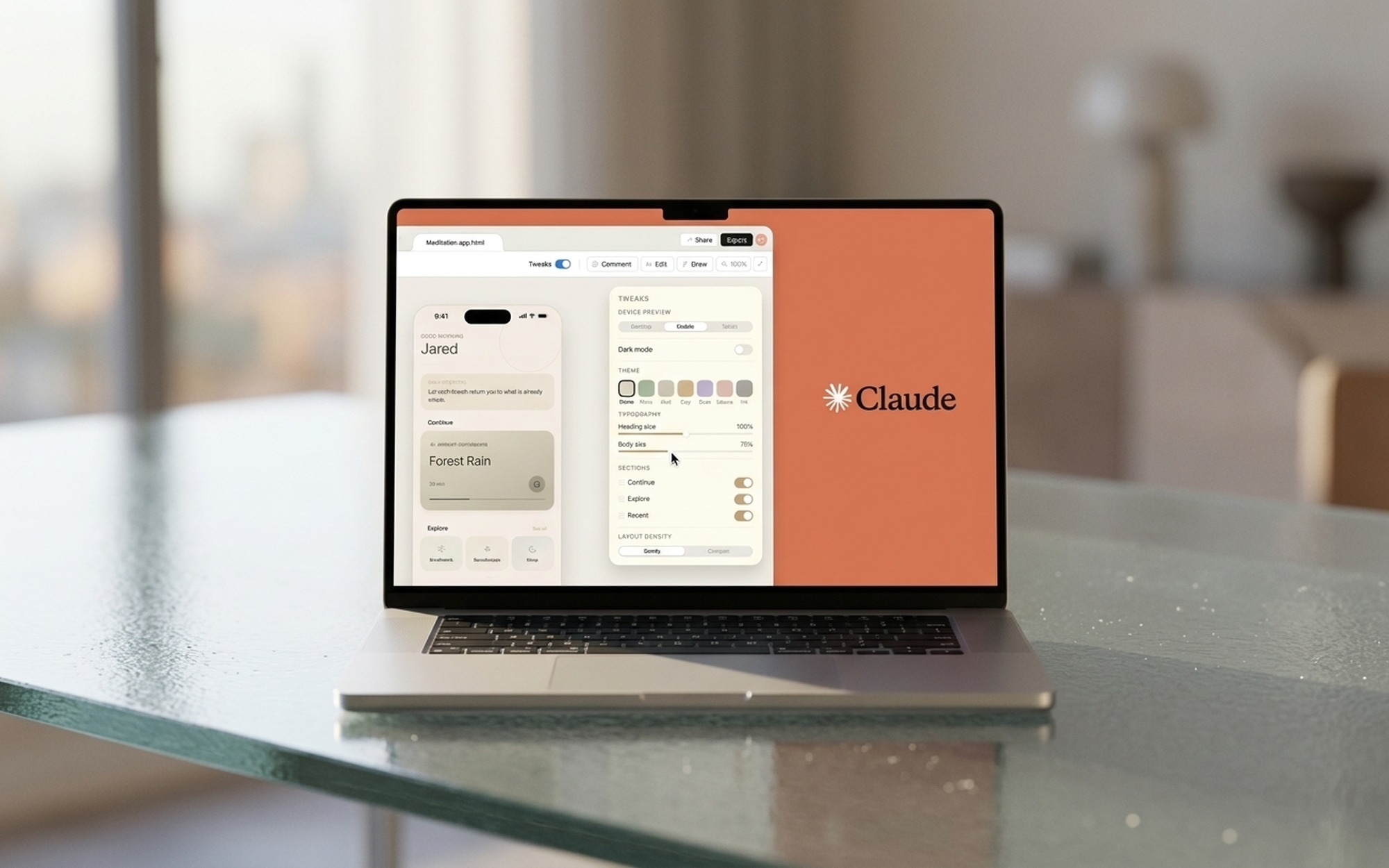
Claude Design is Anthropic’s AI-powered design tool, launched April 17, 2026 at claude.ai/design. Powered by Claude Opus 4.7, it converts natural language prompts into interactive prototypes, slide decks, landing pages, and marketing materials – entirely in the browser. No desktop app, no installation required.
The tool positions itself as the missing link between idea and implementation. Where traditional design tools require you to manually assemble every component, Claude Design takes a description and builds a working, interactive layout. Once you’re satisfied, you export directly to HTML or hand off to Claude Code for production-ready React or vanilla JS – a pipeline no competing tool currently offers end-to-end.
Access requires a paid subscription: Pro ($20/mo), Max ($100/mo), Team, or Enterprise. Free accounts cannot access the tool. Each plan includes a separate weekly token allowance that resets every seven days – Pro users get roughly 20 full prompts per week before throttling begins. First-time users receive a one-time credit covering ~20 additional prompts (expires July 17, 2026).
How to Use Claude Design – Step-by-Step
Step 1: Import Your Design System First
Before writing any prompt, spend 15–20 minutes setting up brand assets. Three import methods:
- GitHub URL – auto-extracts colors, typography, and components from your repo
- Local folder upload – accepts Figma exports, Sketch files, or CSS
- Brand kit – upload logo, hex codes, and font stack manually
Skipping this step means Claude defaults to its built-in aesthetic (teal gradients, serif fonts). Teams with pre-imported design systems complete first drafts 60–70% faster than those starting from scratch, according to Anthropic’s official documentation at support.claude.com.
Step 2: Write a Specific Prompt
Describe your target layout, content, and audience. A strong prompt looks like:
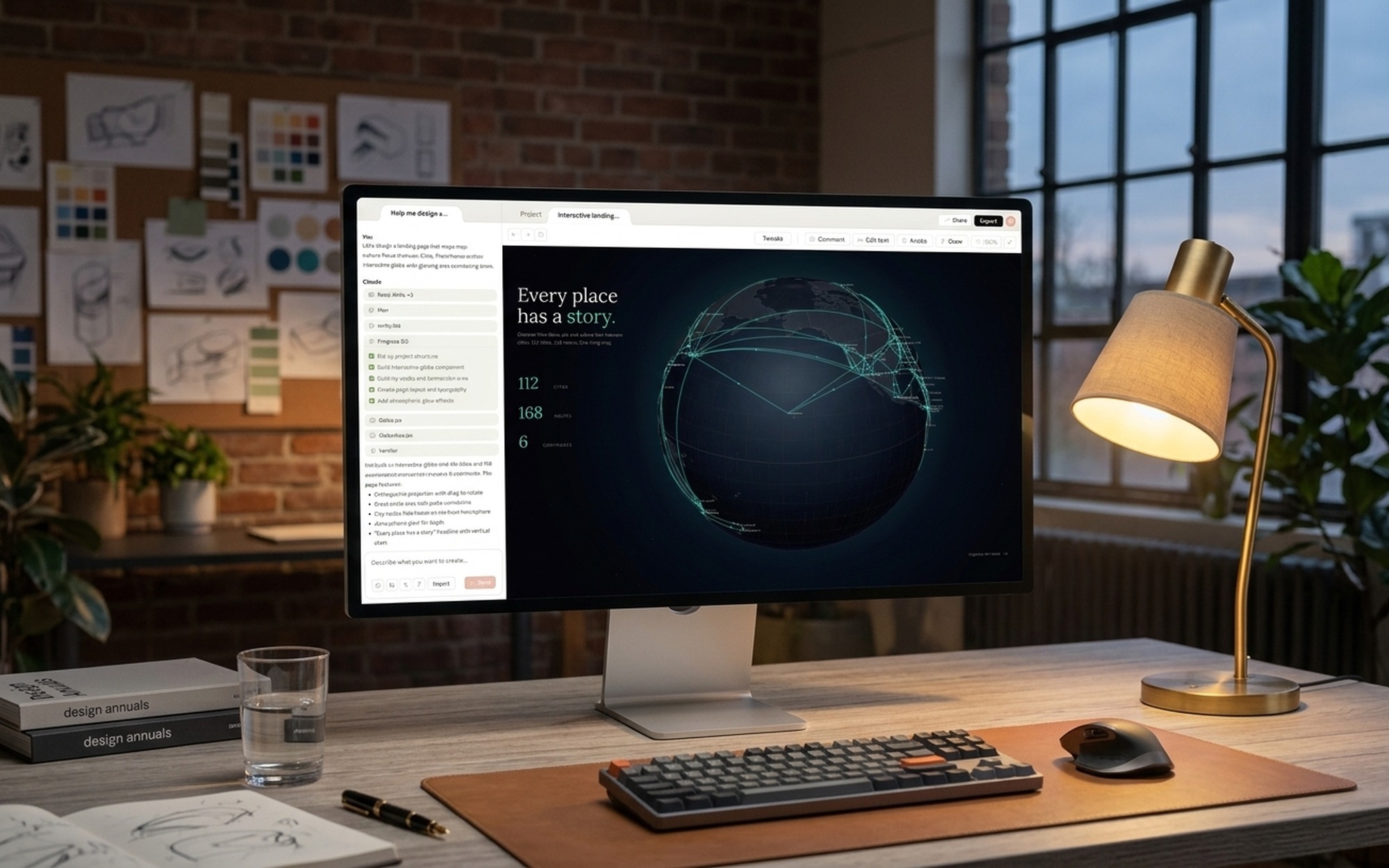
“Create a SaaS dashboard with sidebar navigation, three metric cards showing revenue, users, and conversion rate, and a 30-day line chart. Apply our imported brand colors.”
Claude renders the initial design on the canvas in 8–12 seconds. If your prompt is ambiguous, Claude will ask one or two clarifying questions before generating – this is intentional and usually worth answering, as it surfaces design decisions you haven’t considered yet.
What makes a good prompt:
– State the goal (what are you building and for whom)
– Describe the layout (how should content be arranged)
– List key content sections (what information must be visible)
– Reference existing examples if you have them (“similar to Stripe’s dashboard”)
Step 3: Iterate With the Right Mode
Two modes serve different purposes:
- Chat mode – structural changes: reorganize layout, add entire sections, shift overall style
- Inline Comments – click any canvas element and type a targeted fix: “increase padding to 24px” or “change button to outlined style”
Inline comments consume fewer tokens than chat prompts. For Pro users managing a tight weekly quota, batch all structural changes into one chat prompt and use inline comments for everything else.
Step 4: Export
Available formats: PDF, PPTX, standalone HTML, Canva connector, or Send to Claude Code for production implementation. HTML export is the most reliable path for immediate deployment. Claude Code handoff converts your design into React, Vue, or vanilla JS – though complex layouts may need a 10–15% manual cleanup pass.

What Claude Design Can Build
Claude Design supports five main output types, each with different practical limitations:
Interactive Prototypes – Multi-screen app flows with tap-through navigation. Export to HTML preserves interaction logic. Best use case: validating a product concept before handing to a developer. Current limitation: complex animations require a separate tool after handoff.
Slide Decks – Presentation layouts with consistent typography and spacing, exportable to editable PPTX. Limitation: static compared to video output. Workaround: export PPTX and save as MP4 via PowerPoint for a narrated walkthrough video.
Landing Pages – Marketing-ready layouts with hero sections, feature grids, and CTAs, auto-styled to imported brand guidelines. Strong output quality here, especially for SaaS and product pages.
Marketing Materials – Social media graphics, email templates, and promotional banners with dimension presets for common platforms. Useful for rapid content production but lacks Canva’s template breadth for varied campaigns.
Design Systems – Claude can generate a starter component library from a brief description or codebase import, which then becomes the foundation for all subsequent outputs in the same project.
Claude Design vs. Figma vs. Canva – 2026 Comparison
| Feature | Claude Design | Figma | Canva |
|---|---|---|---|
| AI prompt-to-design | ✓ Core feature | Plugin only | Basic |
| Interactive prototypes | ✓ | ✓ Manual | ✗ |
| Code export | HTML + Claude Code | Dev Mode inspect | ✗ |
| Multiplayer editing | ✗ | ✓ | ✓ |
| Desktop / offline app | ✗ | ✓ | ✓ |
| Template library | ✗ | Community files | 600K+ |
| Bundled pricing | ✓ (with Claude sub) | $15/editor/mo | Free–$15/mo |
Claude Design wins on speed-to-prototype and the AI-to-code pipeline – no other tool today takes you from a text description directly to deployable HTML or a Claude Code handoff. Figma wins on production precision and team collaboration. Canva wins on marketing templates and print-ready export.
Figma in detail: Figma controls 80–90% of professional UI/UX workflows with production-grade vector editing, real-time multiplayer collaboration for entire design teams, and 2,000+ third-party plugins covering everything from accessibility audits to icon management. Its core strength is the full pipeline – design, prototype, developer inspect, and handoff annotations all in one place. The tradeoff: it requires 15–20 hours to reach working proficiency, and every element must be manually constructed. Figma’s AI features (via plugins like Figma AI and Figma Make) add text-to-design capabilities but don’t match Claude’s conversational fluency.
Canva in detail: Canva serves 265 million monthly active users with a drag-and-drop interface built for non-designers and marketing teams. Its 600,000+ templates, brand kit management, and print-ready exports make it unbeatable for social media graphics, presentations, and campaign assets that need to stay visually consistent at volume. It cannot generate interactive prototypes or export production code – it’s fundamentally a content creation tool, not a product design tool.
Google Stitch: Launched around the same period, Stitch targets Google Workspace users with AI-generated presentation and document design. Its integration with Docs and Slides is seamless but the scope remains narrow – it doesn’t compete with Claude Design on prototyping or code export capabilities.
For a broader view of where AI tools stand in 2026, see our GPT-5.4 benchmark analysis and Gemini AI Agent review.
Recommended 2026 stack: Claude Design for rapid ideation and pitch decks → Figma for production UI/UX → Canva for marketing assets.
7 Official Tips from Anthropic’s Design Team
From 600+ hours of internal testing:
- Front-load the design system – 15–20 min upfront eliminates 70–80% of style corrections later
- Co-design with engineers live – 30-minute sessions where devs review generated markup in real time cuts implementation time 40–50%
- Use inline comments for all tweaks – faster and token-cheaper than chat for small changes
- Export PPTX → Save as MP4 – creates a video walkthrough of your prototype without editing software
- Connect Google Docs or Slack – Claude reads your requirements directly from docs, reducing revision requests ~30%
- Build custom tools via API – useful for batch social media exports or automated layout generation at volume
- Import icons, don’t generate them – AI-generated icons trend generic; use Heroicons or your own brand icon set
What Real Users Say
Community feedback from Reddit and 71 YouTube comments across three channels tells a consistent story:
The speed advantage is real. Multiple users documented functional prototypes in under 10 minutes – a task that takes 90–120 minutes in Figma from scratch. This advantage is strongest in early-stage ideation, not final production polish.
The style gets repetitive. Outputs default to teal-to-purple gradients and serif headings regardless of prompt specificity. Reddit users called it “container soup” – same card layouts, same blinking status dot, across every project. A strong imported design system reduces this, but doesn’t fully eliminate it.
Token limits hit fast on Pro. The most-liked comment (353 likes) describes hitting the weekly Pro cap in a single session while testing a multi-page prototype. Pro tier is tight for intensive work; Max or Team is the realistic minimum for agency-level use.
One unexpected finding: developers use Claude Design to mock interfaces without needing a designer, while designers use it to generate code snippets for handoff documentation. This bidirectional utility suggests the tool’s primary value is bridging skill gaps between roles, not replacing specialized expertise. The Gemini AI Agent review documents similar role-bridging behavior across AI tools in the current stack.
A community-discovered workflow worth noting: Claude Design cannot natively export animations as video, but slides exported to PPTX retain animation timing data that PowerPoint converts to MP4 through its built-in export. This two-step method produces usable demo videos in under 15 minutes – a use case absent from official documentation but independently confirmed across multiple user threads.
Subscription Plans and Token Limits
| Plan | Monthly Cost | Approx. Weekly Design Prompts | Best For |
|---|---|---|---|
| Pro | $20 | ~20 prompts | Freelancers, solo builders |
| Max | $100 | ~100 prompts | Power users, small teams |
| Team | Custom | Per-seat allocation | Agencies, product teams |
| Enterprise | Custom | Custom quota | Large organizations |
New users receive a one-time credit covering ~20 prompts (expires July 17, 2026), consumed before your regular weekly allowance begins.
For context on how AI subscription models compare across the ecosystem, see our Google Gemini 3.1 Flash image generation review.
Is Claude Design Worth It?
Use it if you need rapid prototyping and already pay for Claude Pro or Max – Design is effectively free if you’re an existing subscriber.
The prototype-in-minutes claim is legitimate. First drafts that take 90+ minutes in Figma take under 10 minutes here. The Claude Code handoff is genuinely unique – no other AI tool today closes the design-to-implementation gap end-to-end.
The limitations are real but solvable. Weekly token limits require discipline on prompt batching. Aesthetic sameness requires a strong design system import. Preview-stage bugs require occasional manual saves. These are first-generation friction points, not architectural dead ends.
Supplement with Figma when your team needs multiplayer collaboration, unlimited iteration cycles, or production-grade component management at scale. According to VentureBeat’s launch coverage, Claude Design challenges Figma on speed while Figma retains its edge on depth – and for most teams in 2026, both tools earn a place in the stack.
Who benefits most from Claude Design right now:
- Solo founders and indie builders who need a polished prototype or pitch deck quickly and already pay for Claude Pro – zero additional cost, high speed advantage
- Product managers who want to validate ideas before involving designers, compressing the concept-to-feedback cycle from days to hours
- Frontend developers who can read generated HTML and use Claude Code handoff to bootstrap implementation from a visual reference
- Small agencies on Max or Team plans who need rapid client concept mockups without committing designer hours to early-stage exploration
Who should wait or use alongside other tools:
- Design teams requiring real-time multiplayer editing on shared files – Figma remains the clear choice
- Agencies producing high-volume, varied marketing collateral – Canva’s template library is still unmatched
- Users on Pro tier planning intensive sprint work – weekly token limits will create friction; Max is the realistic floor for sustained professional use
Claude Design is a research preview, not a finished product. The rough edges – token ceilings, aesthetic sameness, occasional save bugs – reflect that status. The core capability, however, is already functional and genuinely useful. For teams willing to work within the current constraints, it delivers on its central promise: from prompt to prototype in minutes, with a path all the way to production code.
- Converts natural language to clickable prototypes in under 3 minutes
- Direct Claude Code handoff creates end-to-end design-to-code pipeline
- Design system auto-import from GitHub reduces setup time by 60-70 percent
- Included with existing Claude Pro/Max subscription at no extra cost
- Dual iteration modes optimize weekly token usage effectively
- Weekly token limits (~20 prompts on Pro) throttle heavy users
- Outputs trend toward teal gradients and serif fonts regardless of prompt
- No multiplayer editing, single-seat conversational interface only
- Browser-only, no desktop app or offline functionality
- Preview-stage bugs including comment disappearance and save errors
Frequently Asked Questions
How do you use Claude Design?
Go to claude.ai/design, create a new project, and type a natural language description of your interface. Claude generates a design on the canvas in 8-12 seconds. Use Chat mode for structural changes and Inline Comments for component-level edits like colors or spacing. Export to PDF, PPTX, HTML, or hand off to Claude Code when done.
Is Claude Design free?
No. Claude Design requires a paid subscription: Pro ($20/month), Max ($100/month), Team, or Enterprise. Free-tier users cannot access the tool. Each plan includes a weekly token allowance that resets every seven days.
What is the difference between Claude Design and Figma?
Claude Design generates designs from natural language with direct code export, making it fastest for prototyping. Figma is production-grade with multiplayer editing, 2,000+ plugins, and precise component management. Most teams use both: Claude Design for rapid ideation, Figma for production delivery.
What can you build with Claude Design?
Claude Design supports five use cases: interactive prototypes, slide decks (exportable to PPTX), landing pages, marketing materials (social graphics, email templates), and animation workflows using CSS micro-interactions.
Does Claude Design have token limits?
Yes. Claude Design uses a separate weekly token allowance from your main Claude chat quota. Pro users get approximately 20 full-prompt credits per week. Max subscribers receive roughly 5x that amount. Use Inline Comments instead of Chat for small edits to preserve your weekly allocation.