Disroot Review: A Honest Look at Privacy Trade-Offs
Disroot is a community-funded, open-source email provider that promises freedom from corporate surveillance – but that freedom comes with real strings attached. This Disroot review cuts through the hype to answer the key question: does manual PGP encryption and a Netherlands-based server stack up against Proton Mail or Tuta for your specific threat model?

The short answer: it depends. Disroot’s libre ethos is admirable – everything from email to cloud storage to pastebin runs on open-source code, funded by donations, not ads. But its reliance on you to manually encrypt (or use IMAP/POP3 with a client like Thunderbird) means stored emails are plaintext. And the Netherlands is a Nine Eyes jurisdiction with the 2017 Wiv surveillance law, giving authorities broad data access. This review walks you through the real-world privacy calculus, comparing Disroot head-to-head with paid alternatives, so you can decide if the trade-offs fit your needs.
What is Disroot?
Disroot is a community-run, donation-funded platform that provides a suite of privacy-respecting, libre (free and open-source) online services. Founded in 2015 by activists in the Netherlands, it’s built entirely on free software and operates without venture capital or advertising revenue. Think of it as a cooperative alternative to Google Workspace – but with a much smaller budget and a steeper learning curve.
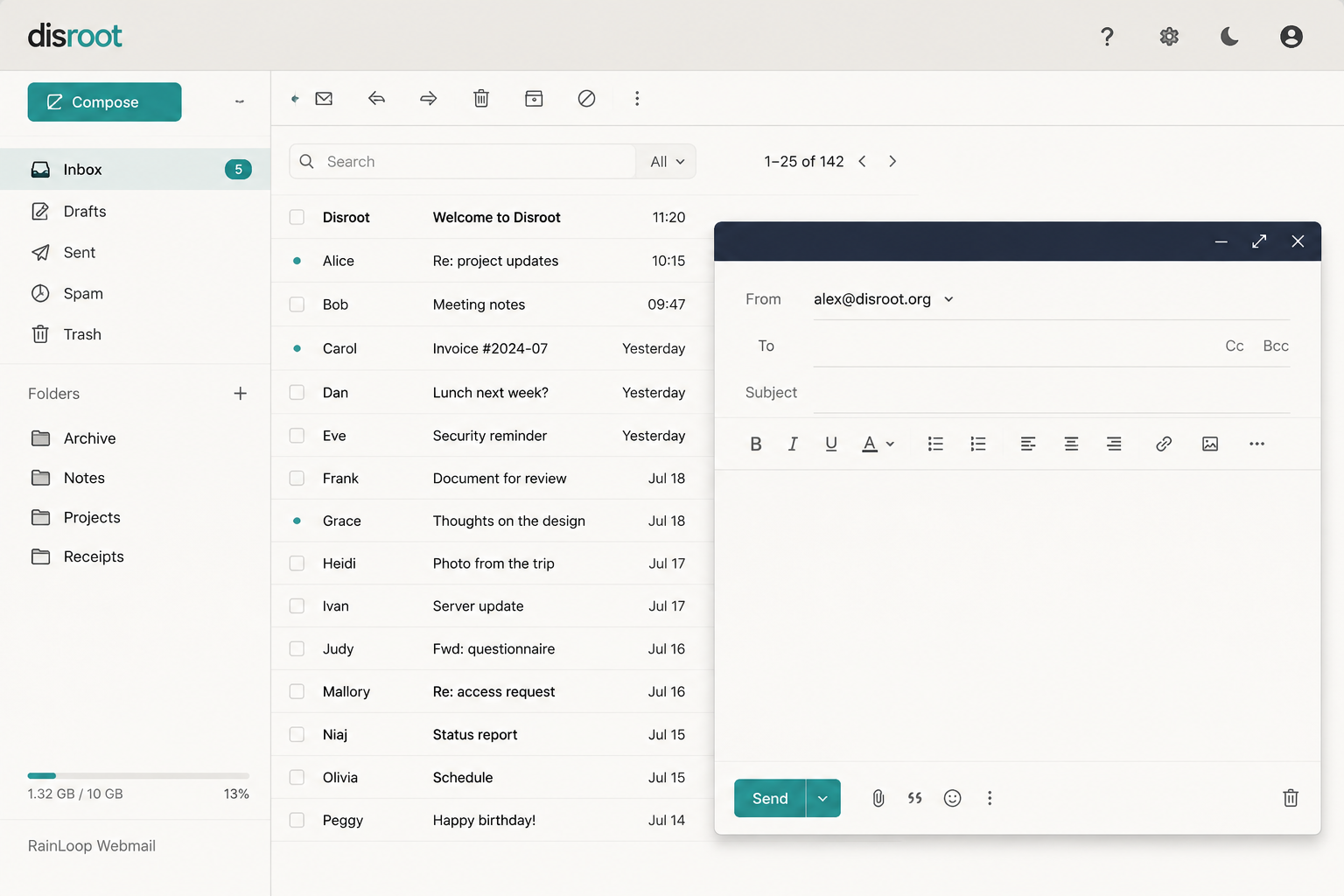
The core offering is email, accessed through RainLoop, a lightweight open-source webmail client. You also get standard IMAP/POP3 support, meaning you can connect Disroot to desktop clients like Thunderbird or mobile apps. That’s a real advantage over privacy-first competitors like Tuta, which locks you into its proprietary protocols.

But here’s the critical catch: Disroot does not offer zero-access encryption by default. Your emails are stored as plaintext on their servers. The service supports OpenPGP, but you must manually generate keys and configure encryption yourself – either through RainLoop’s built-in PGP plugin or a client like Thunderbird. This is a stark contrast to Proton Mail or Tuta, where end-to-end encryption is automatic and mandatory.
Beyond email, Disroot runs a full ecosystem: cloud storage (Nextcloud), collaborative office (Etherpad/EtherCalc), a pastebin (PrivateBin), a forum, and even XMPP chat. All services share a single login.

For this Disroot review, the key takeaway is simple: you get a functional, free email account with solid IMAP support, but you trade away automatic encryption for the privilege. That trade-off makes sense only if you’re willing to invest time in manual PGP setup – or if your threat model doesn’t require encryption at rest.
Standout features
Disroot’s value proposition rests on a few specific technical decisions that set it apart from the mainstream privacy pack. You get native IMAP/POP3 access – no proprietary bridge software required. That means you can plug Disroot directly into Thunderbird, Outlook, or any standard mail client without jumping through hoops. The webmail client is RainLoop, a lightweight, open-source interface that loads fast and works well on old hardware. Storage is capped at 1GB on the free tier, but that’s enough for thousands of plain-text emails.
The headline feature is manual PGP encryption. Disroot does not encrypt your emails by default. You must generate your own OpenPGP key pair and share your public key with contacts. Here’s the exact workflow:
- Generate your key pair – Install Thunderbird (version 115+) or Kleopatra (Windows). In Thunderbird, go to Account Settings > End-to-End Encryption > Add OpenPGP Key. Choose “Create a new key pair” and set an expiration date (1 year is standard). Use a strong passphrase – 20+ characters with mixed case and symbols.
- Export your public key – In Thunderbird, right-click your key and select “Export Public Key.” Save the .asc file. Upload it to a public keyserver like keys.openpgp.org, or send it directly to contacts in a separate message.
- Configure Disroot – In Thunderbird, set up your Disroot account via IMAP (imap.disroot.org, port 993, SSL/TLS) and SMTP (smtp.disroot.org, port 465, SSL/TLS). Your password is your Disroot account password.
- Encrypt a message – Compose a new email. Click the lock icon in Thunderbird’s toolbar to enable encryption. If the recipient’s public key is in your keyring, the message will be encrypted automatically. If not, you’ll need to import their key first.
- Verify keys – Before encrypting, verify the fingerprint of any new key via an out-of-band channel (phone call, Signal message, physical meeting). A fingerprint looks like
A1B2 C3D4 E5F6 G7H8 I9J0 K1L2 M3N4 O5P6 Q7R8 S9T0.
The most common user errors are predictable and costly:
- Lost private keys – If you lose your private key file or forget your passphrase, every email encrypted to that key becomes permanently unreadable. There is no recovery. Proton Mail’s zero-access encryption stores your private key on their servers (encrypted with your login password), so a password reset can recover access.
- Key verification failures – Most users skip the fingerprint verification step. Without it, a man-in-the-middle attack is trivial: an attacker could swap their public key for your contact’s, and you’d encrypt messages to the wrong person. Proton Mail’s trusted key system automatically verifies keys through their directory, flagging mismatches.
- Expired keys – If your key expires and you haven’t created a new one, outgoing encryption fails silently in some clients. Proton Mail handles key rotation automatically.
This manual workflow is the polar opposite of Proton Mail’s zero-access encryption. With Proton, you log in, compose, and hit send. The server encrypts your message using your public key (generated on their infrastructure) and never holds the private key in plaintext. The trade-off: Proton generates and stores your private key on their servers (encrypted by your password). If their infrastructure is compromised, that encrypted key could be brute-forced. Disroot’s approach means your private key never touches their servers – period.
The security implications are nuanced. Client-side encryption (Disroot) gives you full control over key material – no server can ever decrypt your messages without your key. But it places the entire burden of key management on you. Server-side key generation (Proton) is more convenient and prevents the most common user errors, but introduces a trust assumption: you must believe Proton’s claim that they never store your decryption password. Both models are secure against passive surveillance. Against an active adversary who compromises the server, Proton’s model has a smaller attack surface because the private key is never exposed in plaintext during transmission.
The broader Disroot ecosystem is a real bonus – you get free cloud storage (2GB), a pastebin, a forum, and a collaborative pad service, all under one account. For someone already invested in libre software, that replaces several separate tools. But this Disroot review must note the trade-off: all these services store data in the Netherlands, subject to the 2017 Wiv surveillance law. If your threat model includes state-level adversaries, that’s a critical weakness. Proton Mail’s Swiss jurisdiction offers stronger legal protections against data requests, and Tuta’s German jurisdiction is bound by strict EU privacy regulations.
For most users, Proton Mail or Tuta offer better default security with less friction. Disroot is for the tinkerer who values transparency over convenience and already manages their own PGP keys. If you’re comfortable with the manual workflow and your threat model doesn’t include state surveillance, Disroot’s community-funded model and full ecosystem make it a compelling choice.
Pricing
Disroot is free – no paid tiers, no credit card required. The project runs entirely on donations and volunteer labor. You get 1 GB email storage, 2 GB cloud storage, and access to all ecosystem services (pastebin, forum, collaborative docs) at no cost.

This is a stark contrast to the competition. Proton Mail’s free tier gives you 500 MB storage, but requires upgrading to Proton Unlimited ($11.99/month) for 15 GB and advanced features like custom domains and VPN access. Tuta’s free plan offers 1 GB storage and a single calendar, with paid plans starting at €3/month (12 GB storage, custom domains).
| Plan | Price | Storage | Key Features |
|---|---|---|---|
| Disroot Free | $0 | 1 GB email, 2 GB cloud | Full ecosystem access, no ads |
| Proton Mail Free | $0 | 500 MB | Limited to 150 messages/day |
| Tuta Free | $0 | 1 GB | One calendar, no custom domains |
For this Disroot review, the value proposition is clear: you trade advanced encryption defaults and premium support for a completely free, community-driven service. If your threat model doesn’t require zero-access encryption by default, the cost savings are undeniable.
Who should use Disroot?
Disroot is not for everyone. It is for the libre software diehard who values community governance over corporate convenience. If you already run Linux, use Thunderbird with OpenPGP, and distrust any service that monetizes your metadata, Disroot fits your ethos perfectly.
You should consider Disroot if:
- You want a full ecosystem (cloud, pastebin, forum, email) under one volunteer-run roof.
- You are comfortable manually encrypting every email with PGP – there is no zero-access default.
- You accept the Netherlands’ Nine Eyes jurisdiction and the 2017 Wiv surveillance law, which can compel data access. Disroot stores plaintext emails on disk unless you encrypt client-side.
Who should skip Disroot
If you need “it just works” encryption like Proton Mail or Tuta, pass. Disroot’s manual PGP workflow is a friction point for anyone not already using a desktop client. Mobile users face even more friction – no native push notifications without a third-party IMAP app.
This Disroot review is blunt: the service is excellent for its niche but dangerous for casual users who assume encryption is automatic. Your threat model must account for the Netherlands’ legal reach. If you are a journalist or activist facing state-level adversaries, Proton Mail’s Swiss jurisdiction and zero-access defaults are safer bets.

Bottom line
This Disroot review surfaces a hard trade-off: you get a genuinely free, community-run ecosystem with native IMAP/POP3 support, but encryption is manual-only and your data sits in the Netherlands – a Nine Eyes jurisdiction with the 2017 Wiv surveillance law. There’s no zero-access protection by default. For low-risk users who value libre software and don’t fear state-level adversaries, Disroot’s value is unmatched. But if you need guaranteed privacy against government requests, Proton Mail or Tuta are safer bets. Disroot excels where trust and openness matter more than legal immunity.