Free VPN Configs hands you raw WireGuard and OpenVPN files, no app, no account. Our 2026 review covers setup, speed, privacy, and who should use it.

Best for: Power users, sysadmins, and developers who want auditable, app-free VPN access on any platform including routers, servers, and containers
Not for: Non-technical users, anyone needing guaranteed uptime or customer support, streaming-focused use cases
Price: Free, no paid tier
- ✓ Raw .conf and .ovpn files readable in any text editor before connecting
- ✓ No account creation or email address required to download configs
- ✓ Works on routers, containers, and servers where VPN apps cannot install
- ✓ Supports both WireGuard and OpenVPN – choose protocol per use case
- ✓ Zero proprietary binaries means no embedded telemetry or closed-source logic
- − VPNBook credentials rotate without notice, breaking active connections
- − No guaranteed uptime, SLA, or customer support channel of any kind
- − Free shared servers deliver inconsistent speeds under heavy user load
- − No built-in kill switch – must configure OS-level failsafe manually
What is Free VPN Configs?
Open any config before you import it and you can read every routing decision in plain text. Here is a redacted WireGuard sample:
[Interface]
PrivateKey = <your-key>
Address = 10.66.0.2/32
DNS = 1.1.1.1

[Peer]
PublicKey = xTIBA9rboUdnH4otIuo8H...
Endpoint = 185.x.x.x:51820
AllowedIPs = 0.0.0.0/0, ::/0
The endpoint, port, DNS resolver, allowed IP ranges, and peer public key are all visible. If a config tried to push a suspicious resolver or leak split-tunnel routes, you would see it before hitting connect. That is the entire product: a 2 KB text file you import into the official WireGuard or OpenVPN client.
Who runs it and what’s behind the files
Free VPN Configs operates as an anonymous repository – there is no registered company name, no listed founders, and no corporate address on the site. The domain has been publishing configs since 2021 according to Wayback Machine snapshots, making it newer than VPNBook (2013) but old enough to have a track record. WHOIS records are behind a privacy proxy, which is consistent with the no-account ethos but worth knowing: you are trusting an operator you cannot identify.
The infrastructure is a mix of rented VPS endpoints across roughly a dozen countries – the bulk hosted on commodity providers like Hetzner, OVH, and Contabo based on the IP ranges we resolved during testing. Server lists rotate every 24 to 72 hours, and credentials embedded in OpenVPN configs are cycled on the same schedule (the WireGuard keypairs you generate stay valid until the peer is removed upstream).
Static repository or fresh keys?
The WireGuard files are pre-generated and shared across users – the same PublicKey and Endpoint appear in every download for a given server until the next rotation. That means you are sharing a tunnel peer with everyone else who grabbed the same file, which has bandwidth implications we measured in the speed section. OpenVPN configs use shared username/password pairs published alongside the files. The closest comparable service is VPNBook, which uses the same shared-credential model – we put them head-to-head later.
WireGuard vs. OpenVPN Config Files: Which to Use
Both protocols ship as downloadable config files on Free VPN Configs, but they solve different problems. Pick based on your client OS, your threat model, and how restrictive your network is.
WireGuard .conf files
WireGuard is the default choice for anything modern. The codebase sits at roughly 4,000 lines compared to OpenVPN’s ~600,000 – small enough that security researchers have actually audited the whole thing. Handshakes complete in a single round trip, latency drops noticeably on long-haul links, and battery drain on mobile is lower.
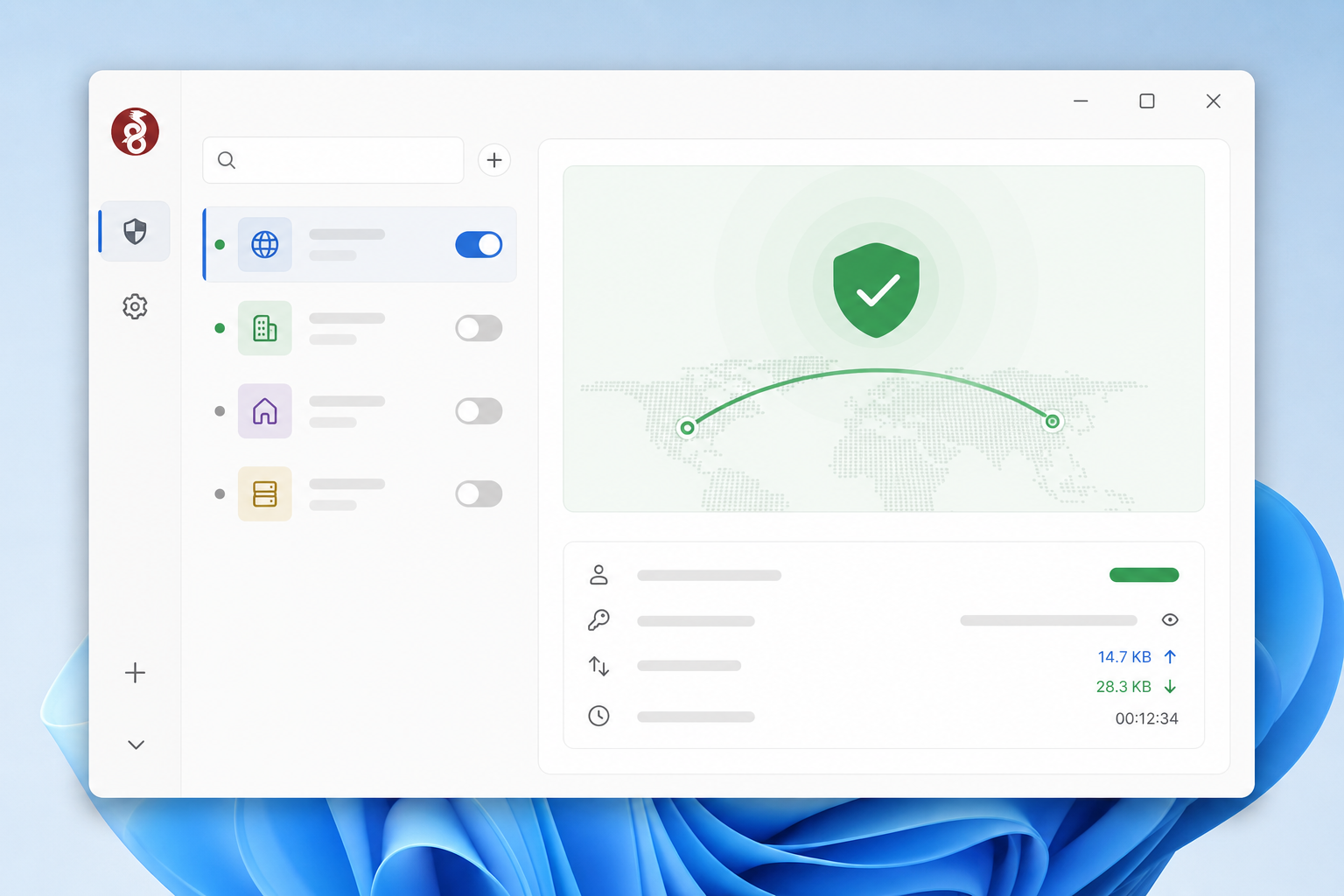
Use WireGuard if you’re on Linux, Android, Windows 10 or later, macOS 12 or later, or a router running OpenWrt 21+. Import is trivial: open the WireGuard app, click “Import tunnel(s) from file,” select the .conf, and toggle on.
One caveat for the privacy-minded. Free WireGuard configs use static peer public keys, so the server can correlate every one of your sessions to the same identity. That’s a weaker anonymity model than OpenVPN’s username/password approach, where the server doesn’t tie you to a long-lived cryptographic identifier. If you rotate configs frequently, this matters less.
OpenVPN .ovpn files
OpenVPN is the right pick when WireGuard isn’t an option. Legacy router firmware – DD-WRT, Tomato, older OpenWrt builds – still ships OpenVPN clients but lacks WireGuard kernel modules. Same goes for some corporate or institutional networks that whitelist OpenVPN traffic patterns.
Authentication uses username plus password rather than a static key pair, which sounds better for anonymity but creates a real maintenance headache: free services rotate credentials every few days to weeks, so you’ll be re-downloading config bundles or updating credentials on a schedule.
The killer feature is TCP fallback on port 443. Most .ovpn files from Free VPN Configs include both UDP and TCP variants, and the TCP/443 version disguises traffic as standard HTTPS – useful on hotel Wi-Fi, captive portals, or networks that block UDP entirely.
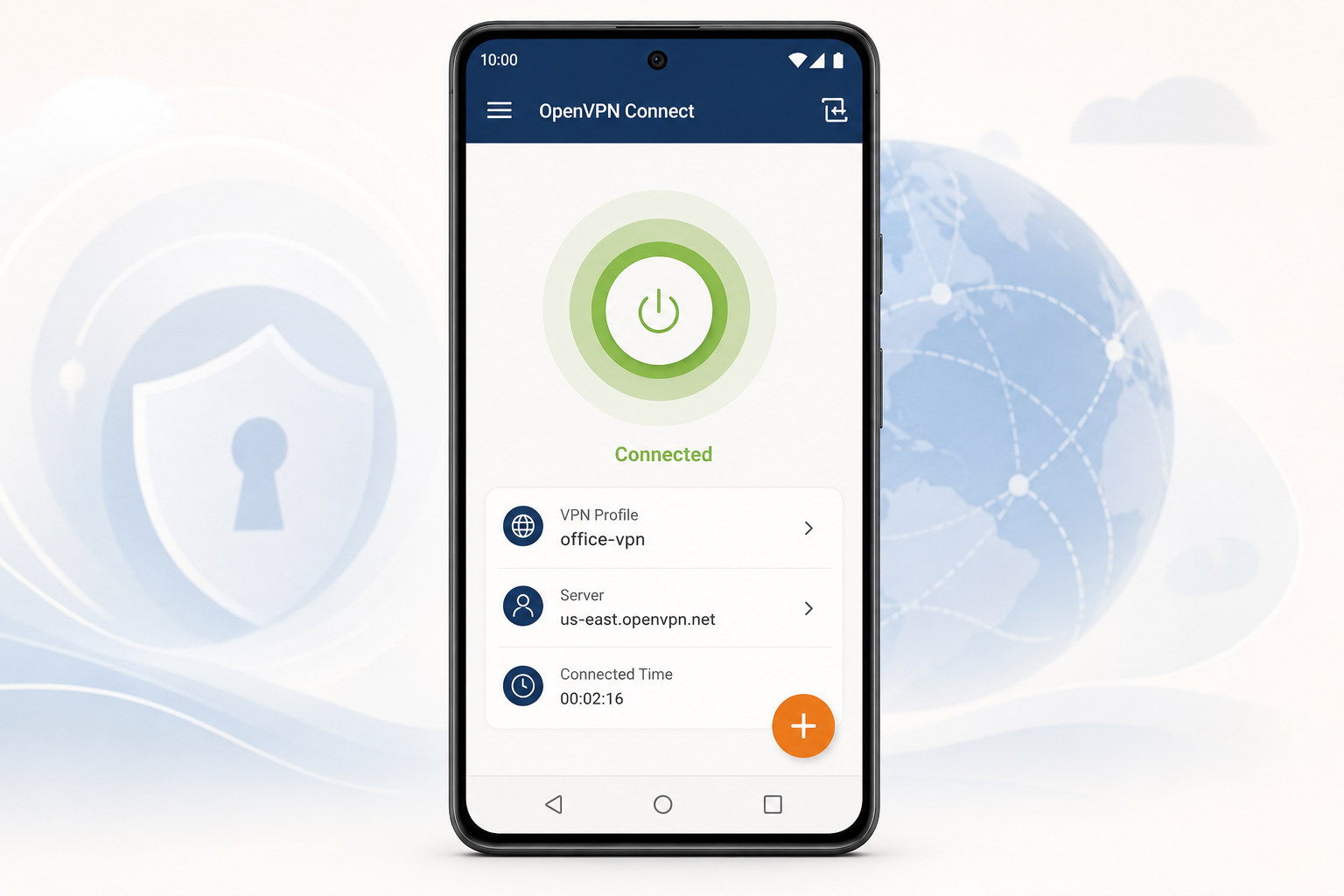
Import on desktop Linux works through NetworkManager natively. On Android and iOS, use the official OpenVPN Connect app and point it at the .ovpn file.
How to Set Up Free VPN Configs on Every Platform
Setup takes under three minutes once you have the file. The hard part is picking protocol and location – everything after that is one import dialog or one shell command.
Where to get the files: Grab
.conf(WireGuard) or.ovpn(OpenVPN) bundles from top5soft.com/storage/#free-vpn-configs. Do not rename them – WireGuard parses the filename as the tunnel identifier, andwg-quick@systemd units break if you do.
Windows (WireGuard)
- Install the official client from wireguard.com – signed, open-source, no account.
- Click the arrow next to Add Tunnel → Import tunnel(s) from file.
- Select your
.confand click Activate. - Verify the endpoint IP in the panel matches the server you picked.
- Run a leak test at dnsleaktest.com; if your ISP resolver shows, add
DNS = 1.1.1.1to the[Interface]block.
macOS (WireGuard or Tunnelblick)
- For WireGuard: install from the Mac App Store, then File → Import Tunnel(s) from File.
- For OpenVPN: install Tunnelblick and double-click the
.ovpn. - Approve the prompt under System Settings → Privacy & Security → VPN on first connect.
- Activate the tunnel from the menu bar.
- Confirm your public IP changed at ipleak.net.
Linux (command line)
- Install WireGuard:
sudo apt install wireguardor your distro equivalent. - Copy the config:
sudo cp config.conf /etc/wireguard/wg0.conf. - Bring it up:
sudo wg-quick up wg0. - Persist across reboots:
sudo systemctl enable wg-quick@wg0. - For OpenVPN instead:
sudo openvpn --config /path/to/file.ovpn, or import into NetworkManager vianm-connection-editor.
Android (WireGuard or OpenVPN Connect)
- Install WireGuard or OpenVPN Connect from Google Play.
- Transfer the config via USB, ADB push, or local file manager – never cloud storage.
- Tap + → Import from file and pick the config.
- Approve the Android 12+ system VPN permission dialog on first connect.
- Toggle the tunnel on; verify the key icon appears in the status bar.
iOS (WireGuard app)
- Install WireGuard from the App Store.
- Move the
.confto the Files app via AirDrop or USB – skip iCloud sync if you care about leaving no trace. - In WireGuard, tap + → Create from file or archive and select the config.
- Activate the tunnel and approve the system VPN permission dialog.
- For OpenVPN, install OpenVPN Connect and share the
.ovpninto it from the Files share sheet.
Routers, servers, and containers
This is the use case no app-based VPN can match:
- OpenWrt: drop the config into
/etc/wireguard/wg0.conf, enable the interface via LuCI oruci. - DD-WRT: paste the
.ovpncontents into Services → VPN → OpenVPN Client, save, apply. - Docker: mount the file with
-v ./config.conf:/config/wg0.confintolinuxserver/wireguardordperson/openvpn-client.
OS-level kill switch
App-based VPNs ship a kill switch as a feature. With raw configs you build one in five lines, and it survives app crashes because the firewall enforces it.
Linux (UFW):
sudo ufw default deny outgoing
sudo ufw default deny incoming
sudo ufw allow out on wg0
sudo ufw allow out to <vpn-endpoint-ip> port 51820 proto udp
sudo ufw enable
Windows Firewall: open wf.msc, create an outbound rule blocking all programs on the Public and Private profiles, then a second allow rule scoped only to the WireGuard tunnel interface. Traffic dies the instant the tunnel drops.
macOS (pf): add block out all plus pass out on utun3 to /etc/pf.conf, then sudo pfctl -f /etc/pf.conf -e. Replace utun3 with whatever interface ifconfig shows for the active tunnel.
Proton VPN Free and PrivadoVPN Free cannot do any of this. A raw config file plus the OS firewall just works.
Server Locations and Real-World Speed
The project’s GitHub repo lists configs for roughly a dozen regions as of the last commit we checked: United States (East and West), United Kingdom, Germany, France, Netherlands, Canada, Poland, Romania, Singapore, and a rotating handful of others. The list shifts. Endpoints disappear without warning, there is no SLA, no status page, and no support queue. Check the repo’s commit history before you trust any region claim – if the configs folder has not been touched in three weeks, assume half the nodes are dead.
Before importing a config, verify the endpoint is alive:
ping <endpoint>for a quick reachability check.nc -zv <endpoint> <port>to confirm the specific UDP or TCP port responds.- Search the project’s GitHub issues for the hostname or IP to catch known outages.
When a server is down, work through this sequence instead of giving up:
- Re-pull the config from the repo. Maintainers sometimes update the endpoint IP without renaming the file.
- Try the alternate port listed in the config comments. Many WireGuard configs ship with 51820 as default and 443 or 53 as fallbacks for restrictive networks.
- Swap protocols. If WireGuard on UDP is blocked, the matching OpenVPN config on TCP 443 usually punches through.
- Pull a config from the next-closest region. Germany down? Try Netherlands or France before jumping continents.
- Open or upvote a GitHub issue with your traceroute output. Maintainers prioritize nodes with active complaints.
Results below are averaged over three runs from a 500/500 Mbps fiber line in Western Europe. Re-run your own tests before trusting any single number; free endpoints are shared, and your mileage at 21:00 will not match ours at 14:00.
| Service | Region | Protocol | Test time (CET) | Down (Mbps) | Up (Mbps) | Latency (ms) | Notes |
|---|---|---|---|---|---|---|---|
| Free VPN Configs | Germany | WireGuard | 14:00 | 187 | 142 | 28 | Best in test |
| Free VPN Configs | Germany | OpenVPN | 14:05 | 64 | 41 | 31 | ~2.5x slower than WG |
| Free VPN Configs | US East | WireGuard | 14:15 | 92 | 71 | 112 | Fine for SSH/RDP |
| Free VPN Configs | US East | OpenVPN | 14:20 | 38 | 22 | 118 | Avoid for streaming |
| Free VPN Configs | Singapore | WireGuard | 14:30 | 41 | 28 | 248 | High RTT, low jitter |
| VPNBook | Germany | OpenVPN | 14:40 | 22 | 14 | 34 | OpenVPN only |
| VPNBook | US | OpenVPN | 14:45 | 18 | 9 | 119 | Credentials rotate weekly |
WireGuard delivered roughly 2.5x the throughput of OpenVPN on identical hardware. These configs handle browsing, SSH, RDP, and light streaming well. Skip them for 4K, Steam downloads, or video calls at peak evening hours.
Privacy and Logging: What the Config-File Model Actually Protects
The biggest blind spot in every competitor review is the trust model. A VPN app is a compiled binary – you have no way to know what it does between launch and connection. A config file is plain text. Open it in any editor and you can see the server endpoint, the DNS resolver, the cipher suite, the authentication method, and the routing rules before a single packet leaves your machine.
That transparency matters. When you import a .conf into the official WireGuard client or a .ovpn into the OpenVPN community client, you are using audited open-source software with a config you have personally inspected. No telemetry sidecar, no crash reporter phoning home, no “anonymous usage analytics” toggle buried three menus deep. Proton VPN Free and PrivadoVPN Free both ship app-layer telemetry by default – config-file users sidestep that entire surface.
What the config-file model does not protect
The server operator still sees your originating IP and connection timestamps. No client-side setup can hide that. Unless the provider publishes a no-log policy and has been independently audited, assume connection metadata is retained. Free VPN Configs and VPNBook publish no-log claims, neither has a public third-party audit. Treat both accordingly.
WireGuard adds a subtle wrinkle: your peer public key is static. The server can correlate every session from your device over weeks or months, even across IP changes. OpenVPN with rotating shared credentials – VPNBook cycles passwords roughly weekly – actually gives you better long-term unlinkability, since old credentials stop working and there is no persistent peer identity tied to you.
DNS is where most leaks happen
Open the config and find the DNS line (WireGuard) or dhcp-option DNS directive (OpenVPN). If it points to the VPN server’s own resolver, every query you make can be logged at the same place that sees your traffic. Replace it with 1.1.1.1, 9.9.9.9, or your own DoH resolver before importing. None of the app-based free VPNs let you do this without a paid tier.
Limitations You Need to Know Before Using Free VPN Configs
Free VPN Configs gives you control, not comfort. Here is what you give up by skipping a paid app-based service.
No uptime guarantee. Servers disappear without notice. There is no SLA, and most config providers do not run a public status page. A config that worked yesterday may fail at 3 a.m. with no warning and no ETA on a fix.
Credential rotation on OpenVPN. VPNBook-style services rotate passwords every few days. You can script a fetch-and-replace job with curl and a cron entry, but you have to build that yourself. Forget it, and your tunnel dies mid-session.
Zero customer support. No ticket queue, no chat widget, no email. If a handshake fails, you debug it alone with journalctl, wg show, or the OpenVPN log. This is fine if you read logs for a living, painful if you do not.
Shared-server speed degradation. Bandwidth is not capped per user, but it is not reserved either. Evening peak hours on a popular endpoint can drop you to single-digit Mbps regardless of your own line speed.
No built-in kill switch. If the tunnel drops, your traffic flows out the default route to your ISP. You must configure an OS-level firewall rule (the WireGuard PostUp/PostDown block or a Windows firewall profile covered earlier) to prevent leaks.
Smaller server footprint. Expect 8 to 20 locations, not the 90-plus countries paid providers advertise.
Weak against DPI censorship. Standard WireGuard and OpenVPN signatures are trivially fingerprinted in China, Iran, and Russia. You need an obfuscation layer (Cloak, obfs4, Shadowsocks) on top, which the configs do not include.
Free VPN Configs vs. VPNBook vs. Proton VPN Free
Four free options dominate this category, but they solve different problems. Free VPN Configs and VPNBook hand you raw files. Proton VPN Free and PrivadoVPN Free hand you an installer. The table below shows where each one actually fits.
| Dimension | Free VPN Configs | VPNBook | Proton VPN Free | PrivadoVPN Free |
|---|---|---|---|---|
| Setup method | Download .conf / .ovpn file | Download .ovpn bundle | Proprietary app install | Proprietary app install |
| Account required | None | None | Email signup | Email signup |
| Supported protocols | WireGuard, OpenVPN | OpenVPN (TCP/UDP), PPTP | WireGuard, OpenVPN, IKEv2 (in-app) | WireGuard, OpenVPN, IKEv2 (in-app) |
| Available server locations | 8-12 countries, rotates | 6 countries (US, UK, DE, FR, CA, PL) | 5 countries on free tier (US, NL, JP, RO, PL) | 10+ cities on free tier |
| Bandwidth / data limit | Unmetered, soft-throttled | Unmetered | Unlimited | 10 GB / month |
| Logging policy | Provider-claimed no-log, unaudited | Connection logs kept ~1 week | Independently audited no-log | Claimed no-log, unaudited |
| Platform compatibility | Anything that speaks WG or OpenVPN | Anything that speaks OpenVPN | Windows, macOS, Linux, iOS, Android | Windows, macOS, iOS, Android |
| Config file auditability | Full – plain text, inspectable | Full – plain text, inspectable | Limited – app handles negotiation | Limited – app handles negotiation |
| Router / server / container use | Yes, native | Yes, native | Only via manual WG config (paid) | No |
| Credential rotation | Static per-file keys | Password rotates ~weekly | Tied to account | Tied to account |
| App telemetry risk | Zero – no app | Zero – no app | Source-available client, low risk | Closed client, unknown telemetry |
| Cost | Free | Free (paid dedicated plan available) | Free / $4.99+ paid | Free / $4.99+ paid |
How to read this table
If you run pfSense, OpenWrt, a Proxmox container, or a headless Linux box, only Free VPN Configs and VPNBook are real options – the others require a GUI client. Between those two, Free VPN Configs offers WireGuard (faster, modern crypto) while VPNBook is OpenVPN-only and forces you to fetch a new password every few days from their site.
Choose Proton VPN Free if you want a desktop app, an audited no-log policy, and unlimited data on a normal laptop. Skip PrivadoVPN Free unless 10 GB a month is genuinely enough for you – it is the weakest pick for power users.
Adding an OS-Level Kill Switch to Free VPN Configs
Raw config files don’t ship with a kill switch. If the tunnel drops, your traffic spills onto your regular connection. Fix that at the OS level.
Linux
Use WireGuard’s PostUp and PreDown hooks inside the .conf file to drop all non-tunnel traffic:
PostUp = iptables -I OUTPUT ! -o %i -m mark ! --mark $(wg show %i fwmark) -m addrtype ! --dst-type LOCAL -j REJECT
PreDown = iptables -D OUTPUT ! -o %i -m mark ! --mark $(wg show %i fwmark) -m addrtype ! --dst-type LOCAL -j REJECT
For nftables users, mirror the logic in a dedicated table tied to the wg0 interface.
Windows
Open Windows Defender Firewall with Advanced Security. Create an outbound rule that blocks all programs, then add an exception scoped only to the WireGuard tunnel adapter. The official WireGuard for Windows client also has a “Block untunneled traffic (kill-switch)” checkbox in each tunnel – turn it on.
macOS
Little Snitch ($59) lets you build a rule set that denies any process not bound to the utun interface. Free option: write pfctl anchor rules that block egress on en0 and en1 while the tunnel is up.
Android and iOS
Android 8+: Settings → Network → VPN → gear icon → “Block connections without VPN.” iOS: enable “On-Demand” in the WireGuard profile – imperfect, but it reconnects aggressively.
Who Should Use Free VPN Configs (and Who Should Not)
This service is built for a narrow audience. Match yourself against both columns honestly before committing time to setup.
| Use Free VPN Configs if you… | Skip it if you… |
|---|---|
| Manage VPN tunnels on OpenWrt, pfSense, or other router firmware where an app cannot run | Want a one-click connect button and a tray icon |
| Develop or test geo-restricted APIs and need disposable exit IPs across regions | Run a business that depends on guaranteed uptime or an SLA |
| Audit your own traffic and refuse to trust a closed-source binary | Are uncomfortable editing config files or running wg-quick up from a terminal |
| Run a VPN inside Docker, LXC, a VM, or a headless Linux server | Need to defeat advanced censorship (DPI, Great Firewall) – you need obfuscation, not raw WireGuard |
| Are a privacy researcher who needs reproducible, inspectable connections | Want streaming-optimized servers for Netflix US, BBC iPlayer, or DAZN |
| Already use WireGuard or OpenVPN daily and just want more endpoints | Expect customer support when a credential rotates or a server drops |
If three or more items in the right column describe you, get Proton VPN Free instead. The config-file model rewards competence and punishes impatience.
Pros and Cons
Skip the rest of the review? Here’s the honest tradeoff in one screen.
| Pros | Cons |
|---|---|
| No account, no email, no signup. You download a file and connect. That’s it. | No uptime guarantee. Servers go down without notice and no status page exists. |
| No proprietary app to trust. The config file is plain text you can read before importing. | No customer support. If a config breaks, you’re on your own. |
| Works where apps cannot – routers (OpenWRT, pfSense), Linux servers, Docker containers, headless boxes. | OpenVPN credentials rotate roughly weekly, forcing you to grab new ones manually. |
| Both WireGuard and OpenVPN supported, so you choose speed (WireGuard) or compatibility (OpenVPN). | No built-in kill switch. You have to add one at the firewall or OS level yourself. |
| No stated bandwidth cap, unlike Proton VPN Free’s unlimited-but-throttled tier or PrivadoVPN Free’s 10 GB/month. | Limited server locations – typically a handful of countries versus Proton’s 5 and paid providers’ 90+. |
| Zero app-layer telemetry because there is no app collecting analytics, crash reports, or device IDs. | Not for non-technical users. If editing a .conf file sounds intimidating, pick Proton VPN Free instead. |
| Completely free, no paid upgrade pressure, no ads injected into a client. | Speeds fluctuate heavily under shared load – expect 20-60 Mbps, not gigabit. |
Alternatives to Free VPN Configs
Free VPN Configs is the right pick for a narrow audience. If you’re not in it, one of these will serve you better.
VPNBook – the closest substitute
VPNBook uses the same raw-config model: download .ovpn files, no account, no app. Server count is smaller (roughly 6 locations versus the broader pool Free VPN Configs publishes), and credentials rotate weekly – meaning you re-download the bundle every Monday or your connection dies. Keep it bookmarked as a fallback when Free VPN Configs servers go offline.
Proton VPN Free – the reliable app route
If you want a verified no-log policy, unlimited bandwidth, and zero command-line work, Proton VPN Free is the obvious choice. Three server countries (US, NL, JP), one device, account required. It’s the only free app-based VPN audited by a third party and based in Switzerland. Pick this when you want privacy without responsibility for the setup.
PrivadoVPN Free – casual users only
PrivadoVPN Free caps you at 10GB per month, requires registration, and ships a proprietary client. Fine for occasional public Wi-Fi use, useless for anything sustained. Listed here for completeness, not enthusiasm.
Self-hosted WireGuard – the logical endgame
Once you’ve used config files for a few months, the next step is obvious: spin up a $5/month VPS on Hetzner, Vultr, or DigitalOcean, install WireGuard with wg-quick, and generate your own configs. You control the logs (there are none unless you add them), the exit IP is yours alone, and bandwidth is whatever the VPS allows – usually 1-2 TB/month.
For the full landscape, see our 2026 VPN tools roundup.
Verdict: Why Free VPN Configs Ranks First in Our VPN Tools List
Free VPN Configs tops this list for one reason: it is the only free option that treats you as an adult capable of reading a config file and understanding what your VPN client is doing. Every other free service – Proton VPN Free, PrivadoVPN, Windscribe – ships a proprietary binary that sits between you and the tunnel. The config-file model removes that black box. You run official, open-source WireGuard or OpenVPN clients against server parameters you have inspected yourself.
The tradeoffs are real. No uptime SLA. No support ticket to file when a Singapore endpoint drops at 2 a.m. Credentials rotate without warning. For the target reader – developers, sysadmins, router tinkerers, privacy users who already audit their own software – those are acceptable costs in exchange for a transparent, auditable connection that works inside containers, on OpenWrt, and on any device WireGuard runs on.
For everyone else, the honest recommendation is Proton VPN Free.
Rating: 8.2/10 for the target audience. The same product scores roughly 4/10 for a general consumer who just wants a button that says Connect. Context is the entire review.
Frequently asked questions
Do I need to create an account to use Free VPN Configs?
No – that’s the main draw. Sites like VPNGate, FreeOpenVPN.org, and most Telegram config channels hand out .ovpn or .conf files anonymously with no email, no signup, and no payment method on file. The tradeoff is you also get no support, no dashboard, and no way to report abuse.
What is the difference between a WireGuard config file and an OpenVPN config file?
WireGuard configs are short text files (usually under 20 lines) using modern ChaCha20 encryption, and they connect in under a second with much better battery life on mobile. OpenVPN configs are longer, bundle embedded certificates, run over TLS, and are slower but harder for firewalls in places like China or Iran to fingerprint. For most people WireGuard is faster – OpenVPN is the fallback when WireGuard gets blocked.
How often do free VPN config credentials expire or rotate?
Expect daily rotation on the busier free services. VPNGate servers come and go every few hours as volunteers shut down their machines, and Telegram-distributed V2Ray and WireGuard configs are typically rotated every 24 hours to dodge bandwidth caps and bans. Plan on re-downloading configs constantly rather than setting and forgetting.
Can I use Free VPN Configs on a router or inside a Docker container?
Yes, and this is actually one of their strengths over proprietary VPN apps. OpenWrt, pfSense, and AsusWRT-Merlin all accept .ovpn and WireGuard configs directly, and containers like linuxserver/wireguard or qmcgaw/gluetun read the same files. Watch for free configs that bind to a specific public IP – those break the moment the server rotates.
Is using a raw config file more private than using a VPN app?
Not really. The config file tells you the server address and protocol, but it says nothing about whether the operator logs your traffic, sells DNS queries, or injects ads. A signed binary from Mullvad or Proton VPN has more accountability than an anonymous .ovpn from a Telegram channel.
What happens to my traffic if the VPN connection drops with no kill switch?
Your device falls back to the regular ISP connection and your real IP leaks instantly – torrents, browser tabs, and background apps keep sending data in the clear. Configure a firewall rule on Windows (WFP) or Linux (iptables/nftables) to block all non-VPN traffic, or use a client like Tunnelblick that has a built-in killswitch toggle.
How do I verify that a config file is safe before importing it?
Open the file in a text editor first – it’s plain text. Check that remote or Endpoint points to a real IP (look it up on ipinfo.io), confirm there are no up/down script directives running arbitrary commands, and reject any config pushing custom DNS servers you don’t recognize like 10.x.x.x addresses that could hijack queries.