We tested the 6 best self-hosted VPN tools and setups for 2026: Docker gateways, WireGuard clients, split tunneling, and torrent-safe binding. Honest picks.
What “self-hosted VPN tool” actually means in 2026
Most “best VPN” lists in 2026 are recycling the same affiliate pile: NordVPN, ExpressVPN, Surfshark, repeat. That is fine if you want to click one button and trust a logo, but it is the wrong page if you already run a WireGuard server on a $5 VPS, terminate VPN traffic on your home router, or pipe a Sonarr-Radarr-qBittorrent stack through a single tunnel in Docker.
This roundup is for the second group. Every tool here meets three criteria: it is free for personal use (or has a free tier that is genuinely usable), it works against a VPN endpoint you control or pick yourself rather than a vendor’s curated list, and it solves a specific operational problem the official WireGuard or OpenVPN clients leave open, container leaks, per-app routing, kill-switch reliability, censorship-grade DPI evasion, or coverage for devices that cannot run a VPN client at all.
We also include one setup guide rather than a binary, because VPN binding (interface-level routing in qBittorrent, Deluge, or Transmission) is consistently the single biggest fix for torrent users who keep leaking despite running a VPN. Treating it as a peer of WireSock or Gluetun is honest: knowing how to bind correctly matters more than installing one more client.

How we picked these 6
Three filters cut the list down from roughly 40 candidates we shortlisted:
1. Real users in production, not just a GitHub README. Every tool here has live community signal: GitHub stars north of 1,000, active issue threads from the last 90 days, and at least one r/selfhosted or r/VPN discussion thread in 2025 or 2026 that reads like real users debugging real problems, not promo posts.
2. Solves something the official clients cannot. The official WireGuard and OpenVPN clients are excellent at one job: bring a tunnel up. They do not split-tunnel by app, they do not kill-switch reliably, they do not obfuscate against state-level DPI, and they cannot live inside a Docker network namespace. Every entry below adds at least one of those.
3. Auditable code or auditable behaviour. All six entries are open source or, in the case of Free VPN Configs, hand you a raw .conf file you can read line by line before you connect. We rejected several otherwise-good tools because their critical path (kill switch, DNS handling) was closed-source.
We did not weight by popularity alone. WireSock has a tiny user base compared to commercial VPN clients but earns its slot because nothing else does per-app WireGuard on Windows without admin rights. Conversely, we left off some 30,000-star repos that turned out to be thin wrappers around the official WireGuard binary.
1. Gluetun: The Docker VPN gateway for self-hosted stacks
Platforms: Linux, Docker, any container host | Price: Free, MIT | GitHub: github.com/qdm12/gluetun, 9,000+ stars
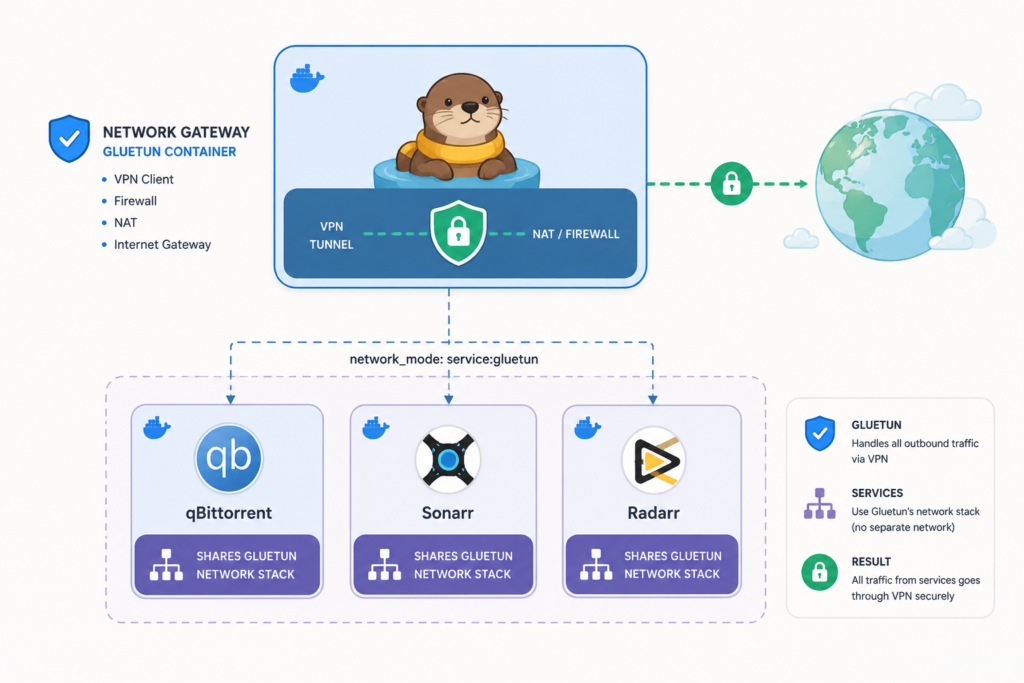
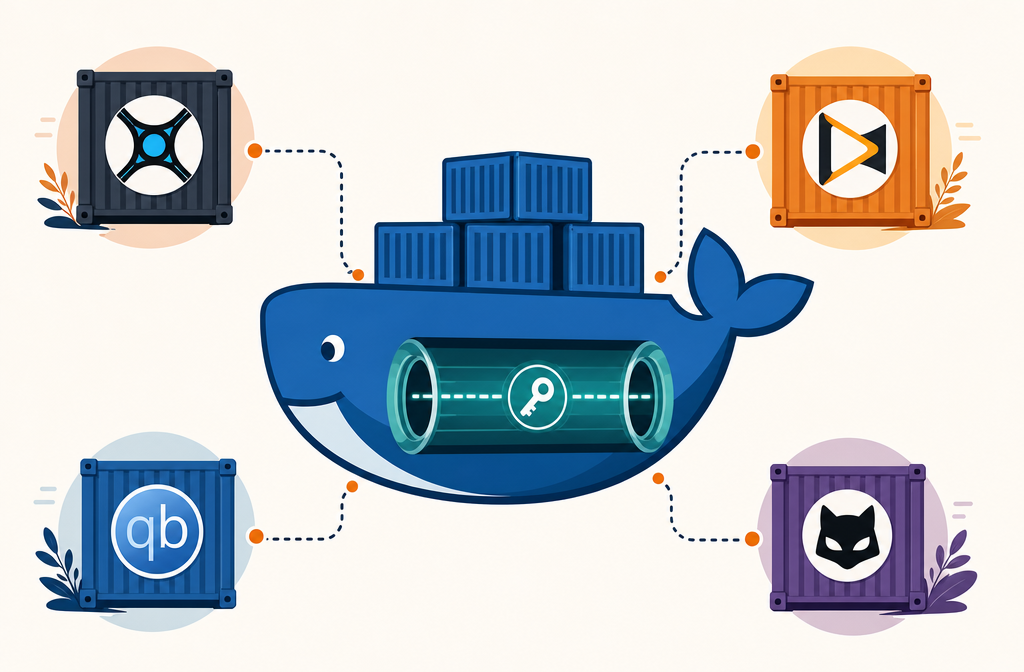
If you run a self-hosted media or download stack, Gluetun is the answer to the question “how do I make sure my torrent client physically cannot connect without the VPN?” It is a single Docker container that holds a WireGuard or OpenVPN tunnel and exposes a network namespace other containers join via network_mode: "container:gluetun". When the tunnel drops, the entire namespace loses connectivity, no kill-switch race condition, no leak window.
What makes it stand out from a hand-rolled wg-quick container is the integrated firewall, the built-in DNS-over-TLS resolver, the per-provider config wizard (60+ providers prepacked, including Mullvad, ProtonVPN, AirVPN, IVPN), and the HTTP control server that exposes tunnel state and public IP as JSON, so Sonarr or your monitoring stack can react to a reconnection in seconds.
For a Sonarr-Radarr-qBittorrent-Prowlarr stack, three lines of docker-compose give you a leak-proof setup that survives container restarts, host reboots, and provider key rotations. Once it is running you stop thinking about it, which is the highest praise a self-hosted VPN tool can earn.
Read the full Gluetun review for the docker-compose template, provider-specific quirks (Mullvad’s port forwarding deprecation matters for torrenting), and how to wire up the control-server health checks.
2. WG Tunnel: The WireGuard client Android actually deserved
Platforms: Android 8+, Wear OS, Windows (beta) | Price: Free, MPL-2.0 | GitHub: github.com/zaneschepke/wgtunnel, 2,500+ stars
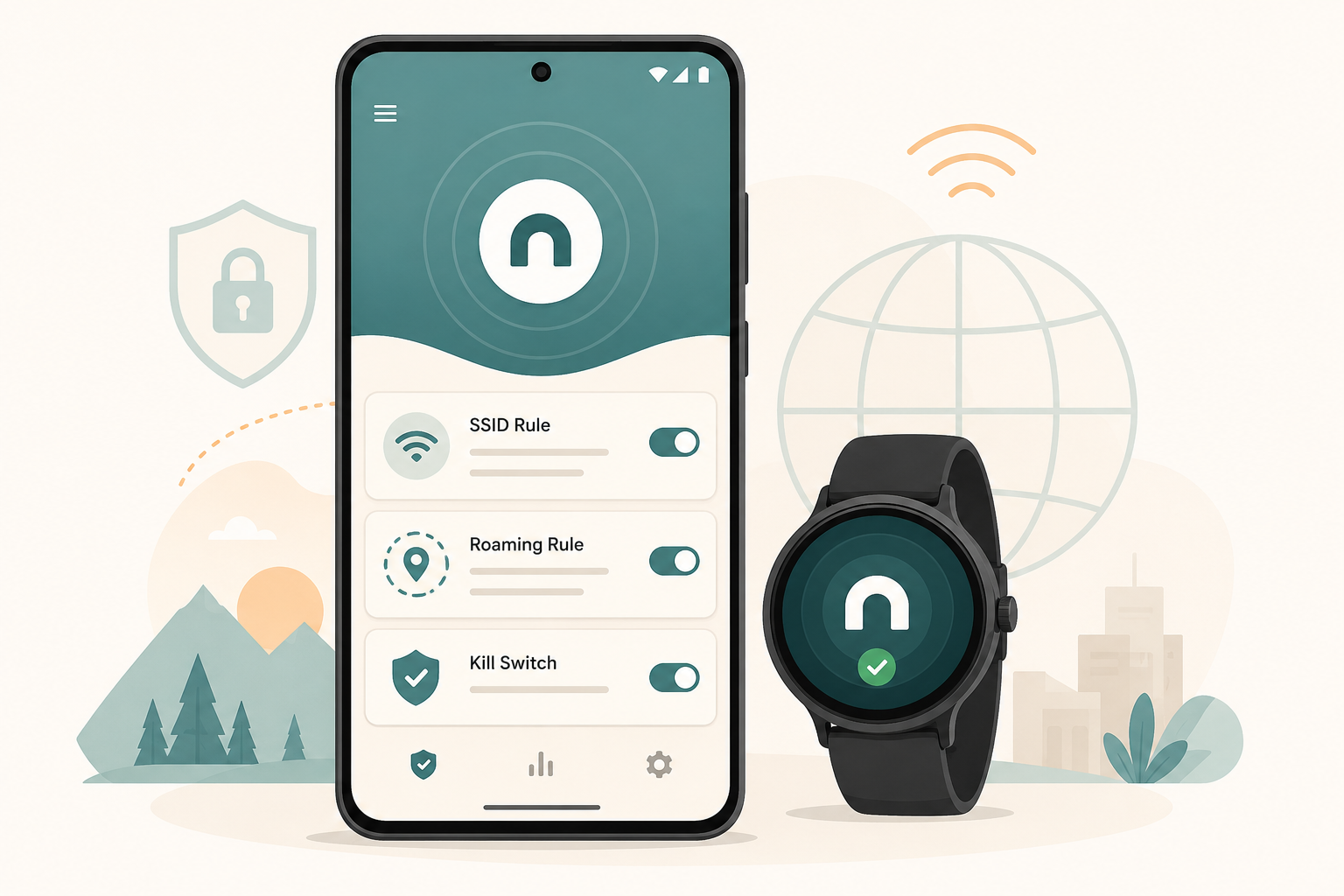
The official WireGuard for Android client is fine. WG Tunnel is what you actually want. It imports the same .conf files, ships in F-Droid and Google Play, and adds the four features the official app refuses to: auto-tunneling (rules that bring the tunnel up by SSID, mobile-data state, ethernet, or specific apps), a real kill switch that survives reboots, AmneziaWG obfuscation for censored networks, and a Wear OS companion for managing tunnels from your watch.
The auto-tunneling logic is the killer feature. “On any untrusted Wi-Fi, connect. On home Wi-Fi, disconnect. When mobile data is in roaming, connect.” Three rules, zero ongoing toggling. The official client makes you tap Connect every time you join a coffee-shop network.
Kill switch is system-level, implemented through Android’s VpnService.Builder.setUnderlyingNetworks(null) and DNS hardening, so traffic genuinely cannot leak between handshake attempts. We tested with airplane-mode toggles, SIM swaps, and forced VPN-server outages; no packets escaped.
Full WG Tunnel review covers AmneziaWG parameter setup, the Wear OS workflow, and how to chain it with a self-hosted WireGuard server on a $5 VPS.
3. WireSock: Split tunneling, kill switch, and DPI evasion for Windows WireGuard
Platforms: Windows 10/11 | Price: Free for personal use, paid commercial license | License: Proprietary (NT Kernel Resources)
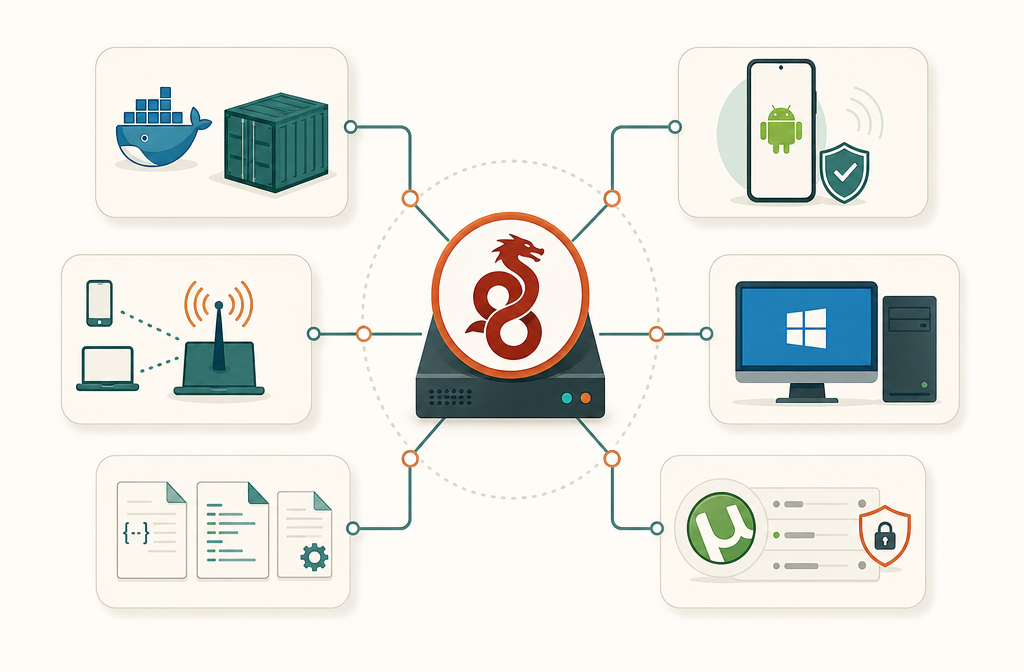
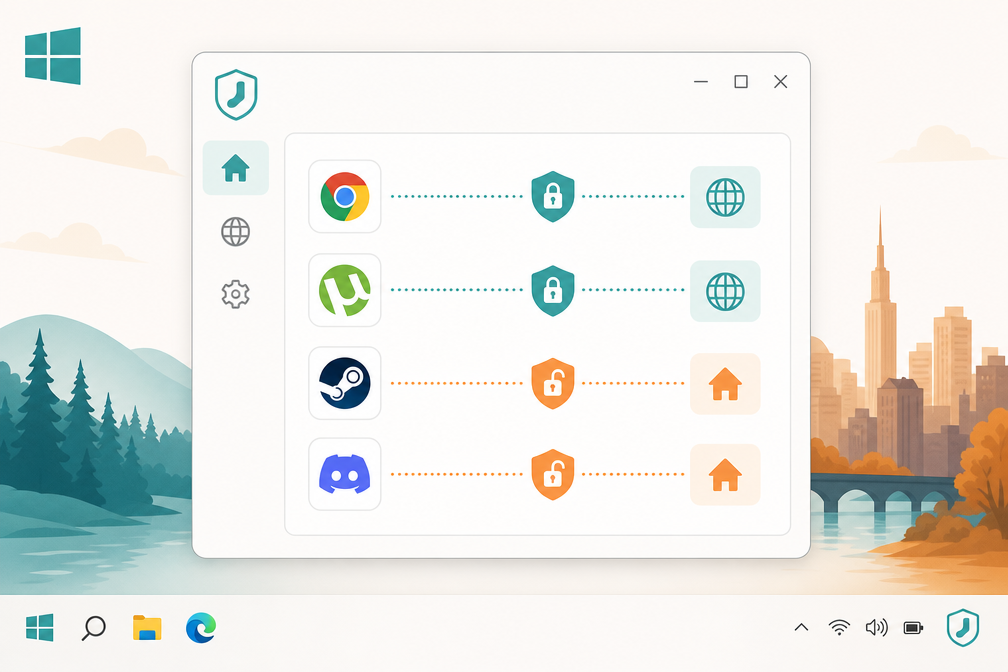
The official WireGuard for Windows client gives you a tunnel and nothing else. WireSock gives you per-app split tunneling, per-IP allow/deny rules, a real kill switch (Network Lock), QUIC and DNS packet emulation to defeat DPI, and full AmneziaWG 2.0 parameter support, all working without admin rights once the service is installed.
For a Windows power user already running a self-hosted WireGuard server, the most useful trick is per-app routing: send Chrome and your torrent client through the tunnel while Steam, Discord, and your local LAN stay on the physical adapter, no manual route table editing, no PowerShell scripts. The official client has no equivalent.
For users on a network that fingerprints WireGuard’s UDP signature (corporate firewalls, some hotel Wi-Fi, state-level DPI), WireSock can wrap handshakes as QUIC traffic or inject junk packets to break pattern matching. We confirmed it punches through a network that drops the official WireGuard client on the handshake.
The full WireSock review documents Virtual Adapter Mode vs TCP Socket Termination, AmneziaWG 2.0 H1-H4 parameters, and SOCKS5 proxy chaining.
4. VPN Binding Guide: Bind your torrent client to the VPN interface
Covers: qBittorrent, Deluge, Transmission across Windows, macOS, Linux, Android, iOS | Price: Free
This is the only entry on this list that is not a binary. It is a setup pattern, and it stops more torrent leaks than every kill switch we have tested combined.
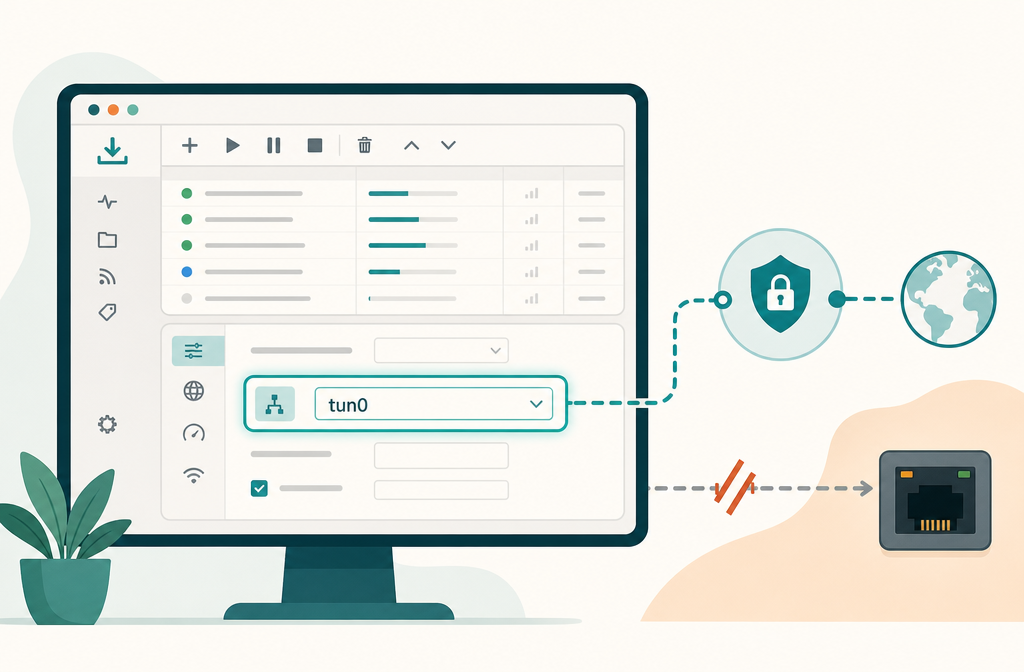
The idea is simple. Instead of trusting your VPN’s kill switch to catch every tunnel drop, you tell qBittorrent (or Deluge, or Transmission) to bind exclusively to the VPN’s network interface (tun0, utun3, wg0, depending on platform). If the interface goes down, the torrent client cannot open new sockets, period. No race condition, no “firewall rule didn’t apply fast enough,” no leaked first few seconds of a session.
What makes the Wispy Docs binding guide worth treating as a peer of the actual clients in this list: it is the only public resource that covers every OS, names the correct interface for each VPN protocol (utun for macOS WireGuard, tun for OpenVPN, wg for native Linux WireGuard kernel module), and includes a toggle-test method for identifying the right interface when your system has several.
Apply this even if you also use a kill switch. Belt and braces.
5. Free VPN Configs: Raw WireGuard and OpenVPN files, no app, no account
Platforms: Anywhere a .conf or .ovpn file works (Windows, macOS, Linux, Android, iOS, routers, containers) | Price: Free
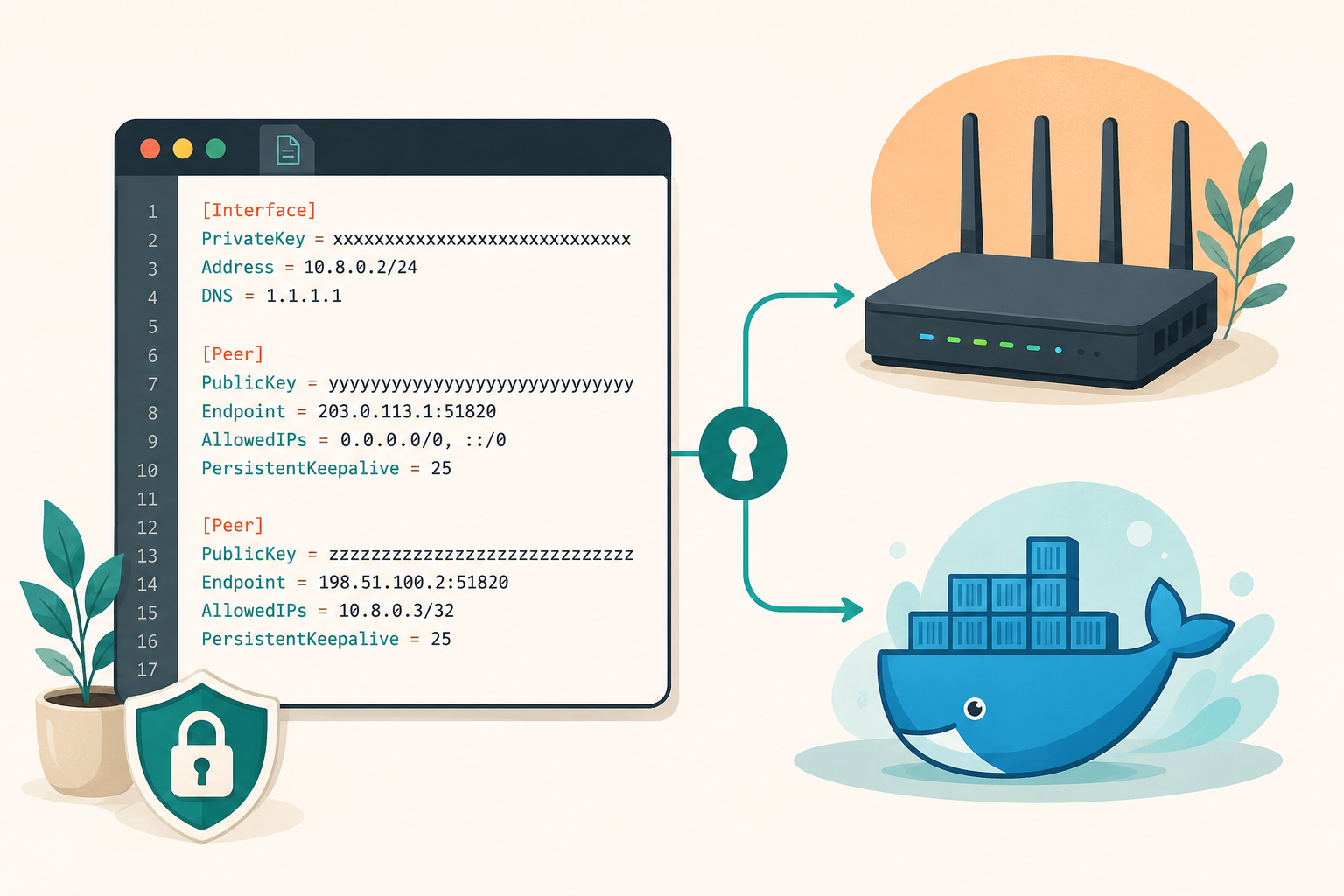
If you want to learn how a VPN actually connects, or you need VPN access on a device that cannot install another app, Free VPN Configs (notably the VPNBook free OpenVPN bundles and the various free WireGuard config aggregators) hands you the raw protocol files.
You import them into the official WireGuard client, OpenVPN Connect, your router’s GUI, or a Docker container, no proprietary binary in the path. Everything is auditable: you can read the endpoint, the keys, the cipher suite, the routes before you connect. There is no closed-source app collecting telemetry or silently changing DNS.
Limitations are real. Shared free endpoints get hammered, speeds vary wildly, credentials rotate without warning, and there is no SLA. We do not recommend Free VPN Configs as a daily-driver privacy tool, but it is the cleanest way to put a working VPN on a router running OpenWrt, a server with no GUI, or a container that needs a tunnel for one outbound task.
Full Free VPN Configs review covers the active free providers, credential rotation cadence, and how to chain a free WireGuard config behind a paid Mullvad endpoint for an extra hop.
6. VPN Hotspot: Share your phone’s VPN to laptops, TVs, and IoT junk
Platforms: Android (rooted, Magisk) | Price: Free, Apache 2.0 | GitHub: github.com/Mygod/VPNHotspot, 5,800+ stars
The most niche entry on the list, but the only entry that solves its problem. Android does not, by default, route hotspot client traffic through your phone’s active VPN. Plug a laptop into your phone’s Wi-Fi hotspot with Mullvad running, and the laptop goes out over your raw cellular IP. VPN Hotspot patches that at the iptables level so every tethered device inherits the tunnel.
Use cases are specific and real: covering a Nintendo Switch or smart TV that cannot run a VPN client, blanketing a hotel room of devices with one Mullvad subscription, dodging Mullvad’s 5-device cap when a household has 8 devices, or pushing a corporate VPN to a laptop without installing IT’s client on personal hardware.
The hard requirement: root access via Magisk. That disqualifies the vast majority of Android users in 2026, voids most warranties, breaks Play Integrity (banking apps, Google Wallet, streaming services), and trips Samsung Knox permanently. If you are not already rooted, do not root just for this; buy a GL.iNet travel router instead.
For the right rooted user, see the full VPN Hotspot review for the F-Droid install path, the kill-switch caveat (none at hotspot layer, so pair with a VPN client that has device-level kill switch), and the DNS-leak verification step.
Comparison: which tool fits which setup
| Tool | Type | Best Platform | Price | Best For |
|---|---|---|---|---|
| Gluetun | Docker VPN gateway | Linux, any container host | Free, MIT | Self-hosters with Sonarr, Radarr, qBittorrent stacks |
| WG Tunnel | WireGuard client | Android, Wear OS | Free, MPL-2.0 | Self-hosters needing auto-tunneling + kill switch on mobile |
| WireSock | WireGuard client | Windows | Free personal / paid commercial | Windows power users routing specific apps |
| VPN Binding Guide | Setup pattern | All platforms | Free | Torrent users who want leak-proof routing |
| Free VPN Configs | Raw protocol files | Routers, containers, any OS | Free | Sysadmins, devs, app-free VPN on any platform |
| VPN Hotspot | Tethering router | Android (rooted) | Free, Apache 2.0 | Rooted Android users sharing one VPN to many devices |
Pick by problem, not by ranking
- You run Docker on a home server and want torrent traffic locked to the tunnel. Gluetun, full stop. Nothing else gives you a network namespace that physically loses connectivity when the tunnel drops.
- You manage your own WireGuard server and use Android daily. WG Tunnel, with auto-tunneling rules so you never tap Connect again.
- You need per-app routing on Windows. WireSock. Send your browser through the tunnel, keep Steam and your LAN local.
- Your VPN keeps leaking on torrents despite a kill switch. Apply the VPN Binding Guide on top of whatever you already use.
- You need VPN on a router, a NAS, or a server with no UI. Free VPN Configs, imported into the platform’s native client.
- You travel with multiple devices and one Mullvad subscription, and you are already on a rooted Android phone. VPN Hotspot.
If you’d rather pay for a managed VPN
Every tool above assumes you are willing to run, or pick from a list, your own VPN endpoint. If you would rather pay a vendor that runs the servers, audits the logs, and handles support, three providers are worth considering, and they all show up repeatedly across our individual reviews as recommended endpoints:
- Mullvad VPN is the cleanest no-logs, flat-rate option (€5/month, no annual discount, no account email required, anonymous cash payment accepted). WireGuard-native, ships its own clients on every platform, and is the most common endpoint our reviewed clients (WG Tunnel, WireSock, Gluetun) are configured against. The one weakness: Mullvad deprecated port forwarding in 2023, which matters if you torrent through a single peer.
- Proton VPN is the right pick when you want a polished GUI on every platform, integrated Tor-over-VPN routing, and a credible free tier (three countries, unlimited bandwidth). Paid plans start around $4.99/month annually. Proton runs its own infrastructure, publishes a transparency report, and the Swiss jurisdiction is genuinely useful.
- Tailscale is not a commercial VPN in the conventional sense, it is a managed WireGuard mesh that gets you encrypted peer-to-peer networking across your own devices, with key exchange and NAT traversal handled for you. Free for up to 100 devices personal use. Pick it when your goal is reaching your home server from your laptop on the road, not changing your apparent country.
None of these replace the six tools above for the use cases each tool targets, you still want Gluetun even if you pay for Mullvad, because Mullvad’s app cannot lock a Docker network namespace, but they are the right starting point if “set up a VPN endpoint” is itself the part you do not want to do.
Frequently asked questions
Is a self-hosted VPN safer than a commercial VPN service?
Not automatically. A self-hosted WireGuard server on a $5 VPS you rent from Hetzner or DigitalOcean is still hosted on someone else’s hardware and tied to your payment details. The privacy gain is that the VPN server itself does not have a database of other users’ traffic to confuse yours with, and you control the logging policy. The risk is that you are responsible for keeping the server patched, the keys rotated, and the firewall correct. For most users the right answer is a hybrid: use a commercial endpoint (Mullvad, Proton VPN) for privacy and a self-hosted endpoint for reaching your own infrastructure.
Can I use Gluetun with a self-hosted WireGuard server instead of a commercial provider?
Yes. Gluetun supports VPN_TYPE=wireguard with a custom config block where you paste your own server’s Endpoint, PublicKey, and AllowedIPs. The provider wizard is just a convenience; the underlying tunnel is standard WireGuard. Same applies to OpenVPN with custom config files.
What is the difference between a kill switch and VPN binding?
A kill switch is reactive: when it detects the tunnel is down, it blocks traffic, usually by flipping firewall rules. There is a window between the tunnel dropping and the firewall reacting, and there are edge cases where the kill switch never fires (sleep/wake on macOS, fast network handoff on Android). VPN binding is structural: the application is configured to use only the VPN’s network interface, so when that interface disappears, the application cannot send packets at all. There is no detection step and no race condition. Use both.
Do any of these tools hide my IP from the VPN provider?
No. Your VPN provider always sees the connection from your real IP at the handshake. What changes per tool: WireSock can proxy the handshake through a SOCKS5 layer to a different host, hiding the VPN endpoint from your local network. Tor-over-VPN (available natively in Proton VPN and configurable by chaining clients) hides your IP from the VPN endpoint, but at large speed and latency cost. For the threat model where your VPN provider must not know your IP, only Tor accomplishes this reliably.
Why is WireGuard preferred over OpenVPN in modern self-hosted setups?
WireGuard is roughly 4x faster on the same hardware, has a code base small enough that one engineer can audit it in an afternoon (4,000 lines vs OpenVPN’s ~100,000), uses modern cryptography by default (no negotiation, no downgrade attacks), and survives network changes without reconnecting from scratch (the tunnel is stateless). The trade-off is that vanilla WireGuard has no built-in obfuscation, which is why tools like AmneziaWG and WireSock’s QUIC emulation exist on top of it.
Will any of these tools work with NordVPN or ExpressVPN?
Partially. NordVPN’s WireGuard protocol (NordLynx) is a modified WireGuard that requires their client to authenticate, so it does not import into Gluetun or WG Tunnel as a standard .conf file. ExpressVPN’s Lightway is a proprietary protocol that only their client speaks. If you want self-hosted-style tooling with a commercial VPN, pick a provider that hands out standard WireGuard or OpenVPN config files: Mullvad, Proton VPN, AirVPN, IVPN all do this.
The bottom line
If you run a Docker stack, Gluetun is non-negotiable; install it first and stop thinking about torrent leaks. If you operate your own WireGuard server, WG Tunnel on Android and WireSock on Windows together cover both daily-driver platforms with kill-switch and split-tunneling features the official clients still do not match in 2026. Add the VPN Binding Guide as a structural fix for torrent clients, regardless of which client you use. Free VPN Configs stays in the toolkit for routers, NAS boxes, and containers that need a tunnel without an app. VPN Hotspot is only for the small population of rooted Android users with multi-device travel needs, but for them it is unmatched.
If you want a managed service to point any of these at, Mullvad is the default, Proton VPN is the polished alternative, and Tailscale is the right pick for mesh access to your own infrastructure. For the broader privacy toolkit (ad blockers, password managers, DNS filtering), see our pillar pages on best ad blockers of 2026 and best password managers of 2026.