
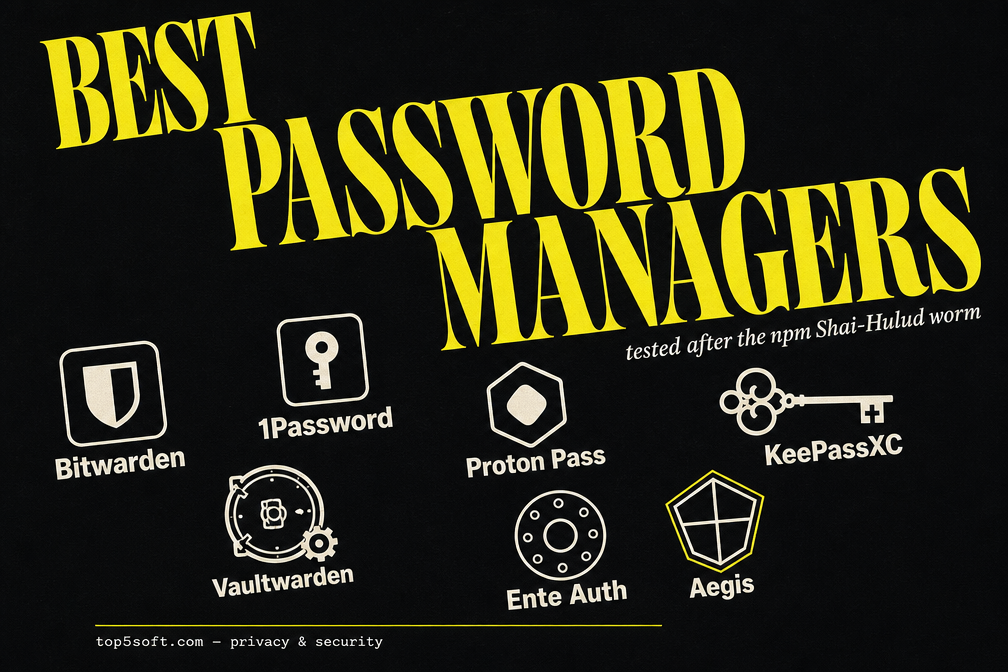
We tested 7 password managers and 2FA apps in 2026, post-Shai-Hulud and post-clickjacking. Honest picks for cloud, self-hosted, local-only, and TOTP-only setups.
Why this list is shorter than the rest of the internet’s
Most “best password manager” articles in 2026 still read like they were written before April 22, 2026.
On that morning, a malicious version of @bitwarden/[email protected] shipped to npm carrying the Shai-Hulud worm. It was live for about 90 minutes, harvested credentials from CI environments, and was pulled the same day. Roughly 334 confirmed downloads. Vaults were never at risk, Bitwarden’s zero-knowledge architecture means the server never sees plaintext, but the incident did something more useful than scare people: it made the supply chain part of “password manager security” finally legible to everyday users.
It was also the second time in a year a household-name password manager landed in the headlines. The first was Marek Tóth’s August 2025 disclosure of a DOM-clickjacking class that affected roughly 40 million browser-extension installs. Six months later, Dashlane, Keeper, Proton Pass, NordPass, RoboForm, and KeePassXC-Browser had shipped full fixes. 1Password, Bitwarden, and LastPass had shipped only partial mitigations.
If you’re picking a password manager in 2026, those two stories matter more than the feature checklist you’ll see on most affiliate sites.
We tested seven tools, five password managers and two 2FA apps, over the last six weeks. We installed them on real Windows, macOS, Linux, iOS, and Android setups. We imported and exported real vaults of 200+ items. We verified GitHub release activity, audit dates, and incident timelines. We checked which extensions had patched the 2025 clickjacking class.
The seven that made the list are the ones we’d give to a family member without footnotes. Everything else got cut.
How we picked these 7
Five non-negotiables. A tool either met all five or it didn’t make this list.
1. Zero-knowledge architecture, verified. The vendor must not be able to decrypt your vault, ever. We discounted any service that synced unencrypted metadata (Google Authenticator’s cloud sync, for example, still has no E2EE as of 2026, the EFF’s January “Encrypt It Already” campaign called this out by name).
2. Recent third-party audit or transparent code. Either a 2024-or-newer independent security audit (Cure53, Recurity Labs, Trail of Bits) or fully open-source code with active community review. Bitwarden, 1Password, Proton Pass, and Dashlane have published audits in the last 18 months. KeePassXC, Vaultwarden, Aegis, and Ente Auth are open source under GPL or AGPL.
3. Active maintenance, measured in commits per week, not months. We pulled the last 30 days of commit activity on every open-source candidate. Anything below 5 commits/week on the main branch got cut as “effectively unmaintained.”
4. Clickjacking patched, or local-vault by design. If your password manager runs as a browser extension and didn’t patch the 2025 DOM-clickjacking class, it goes in the no pile. KeePassXC-Browser, Proton Pass, Dashlane, NordPass, patched. Several closed-source paid managers, partial fixes only. We say so in the individual reviews.
5. Real export path. Every recommended tool can export your full vault in a standard format (CSV, JSON, KDBX, or the new FIDO CXF). The reason: a manager you can’t leave is a manager that owns you. Authy’s 2024 desktop shutdown, with no export feature, is what happens when you ignore this rule.
Five additional tiebreakers, in order: passkey support with cross-device sync (now ~5B active passkeys per the FIDO Alliance), real self-host story, family/sharing UX, watch and CLI clients, and price-to-feature honesty after the 2026 round of price hikes.
1. Bitwarden: Still the default recommendation, even after a rough year
Bitwarden remains the password manager we recommend to most people, and the fact that we’re still saying this after a supply-chain attack and a price hike tells you something about how good the underlying product is.
What stayed great in 2026
The core architecture didn’t budge under the Shai-Hulud attack. End-to-end encryption with PBKDF2 (or Argon2id, if you turn it on, and you should) means the npm CLI worm could exfiltrate the CLI binary’s environment variables but not anyone’s actual vault. Bitwarden published a clean 2026.4.1 within hours and the postmortem on the Bitwarden blog is unusually candid about what was missed.
2026 also brought Passkey Unlock for the web vault and browser extension, you can now unlock Bitwarden itself with a passkey, not just store passkeys inside it. Combined with native Windows 11 passkey integration shipped jointly with Microsoft, this is the most consequential UX upgrade Bitwarden has done in three years.
Other wins worth naming: the new phishing blocker (Premium only), vault health alerts with password coaching, item archiving so deleted items aren’t permanently gone, and mTLS support on iOS for enterprise SSO scenarios.
The price hike, honestly
January 2026: Premium went from $10/year to $19.80/year. That’s a 98% increase, the biggest move in nine years. The Families plan jumped to $3.99/month.
Is it still worth it? Yes, if you use any of Premium’s actual features: integrated TOTP storage, 1GB encrypted file attachments, vault health reports, emergency access, or hardware-key (Yubikey/FIDO2) login. If you only use the password vault and sync, the free tier is still genuinely free, still unlimited devices, still unlimited items. That part hasn’t changed and is what we recommend to most people.
Loyalty pricing: existing subscribers got a 25% renewal discount the year of the hike. Worth checking your renewal email before assuming the full bump.
The clickjacking story is awkward
As of January 2026, Bitwarden’s browser extension had a partial fix for the Tóth clickjacking class, not a full one. The mitigation reduces the attack surface but doesn’t eliminate it; the full fix requires reworking how the extension renders autofill prompts inside untrusted page contexts. Bitwarden has publicly committed to the full fix. Verify the current state of chrome.extension.bitwarden before you trust this paragraph by the time you read it.
Verdict
The combination of open-source clients, a credible self-host story (the official server is AGPL, and Vaultwarden, see #5, exists as a lighter alternative), and a free tier that’s still genuinely free is unbeaten in 2026. The supply-chain incident and the partial clickjacking fix are real concerns; they’re also the kind of concerns every cloud-synced manager has, and Bitwarden’s handling of both has been better than most.
Read more: Full Bitwarden review, including a 30-day comparison of the free vs Premium tier on real-world usage.
2. 1Password: Polished, expensive, and quietly the most ambitious
1Password is the manager you give to family members who think “open source” sounds like a vegetable. And in 2026, it’s also the manager doing the most interesting cryptographic work in the industry.
What changed in 2026
Post-quantum hybrid key exchange shipped in 1Password’s browser products in April 2026. They’re the first major password manager to ship a hybrid Kyber-768 + classical key exchange in production. “Harvest now, decrypt later” attacks against today’s TLS-protected sync are no longer theoretical, and 1Password is the only mainstream PM that has actually done something about it.
Credential Exchange Protocol (CXP) for passkey export landed on iOS and Android, meaning you can finally move passkeys between password managers and platforms. This is the FIDO Alliance standard everyone said was coming for two years.
1Password Unified Access Pro extended the platform to manage human credentials, machine identities (API keys, certs), and AI-agent credentials in one place, the OpenAI Codex integration is the headline use case. If your team has agents that need to call APIs on your behalf, this is the first password manager that has a clean answer for that.
Also shipped: native macOS AutoFill via Apple’s Passwords API (May 2026 beta), SCIM provisioning without an external bridge for Teams/Business, and passkey export via CXP.
The price reality
March 27, 2026: Individual went from $35.88/year to $47.88/year (+33%). Family went from $59.88 to $71.88/year (+20%).
That puts 1Password Individual at roughly 2.4× Bitwarden Premium and 1Password Family at the same price tier as Proton Unlimited (which bundles Mail, VPN, and 500GB of Drive storage). The premium has to be earned by the UX and the feature delta, and for many people, it is. The family-sharing UX, the Travel Mode (selectively hide vaults at border crossings), the per-vault granular sharing, and the support for non-technical family members continue to lead the industry. Watch app and Apple Vision Pro support are also one-of-one.
The clickjacking story, again
As of the latest data we could verify (January 2026), 1Password’s extension had also shipped only a partial clickjacking mitigation. Like Bitwarden, they’ve committed to the full fix and the mitigation reduces but doesn’t eliminate exposure. We weight this less heavily here than for free competitors because 1Password’s response time on critical bugs has historically been fast, but it’s a real footnote.
Verdict
For families, small teams, and anyone who would rather pay than configure, 1Password is still the best paid password manager in 2026. The post-quantum work and CXP support put them ahead of the curve on the next five years of cryptography. The price is the price, for a tool you use 50 times a day, the math usually works out.
Read more: Full 1Password review, including a head-to-head against Bitwarden Premium across 12 daily-use criteria.
3. Proton Pass: The metadata-encryption answer to Bitwarden
Proton Pass is the only major password manager that encrypts your URLs and usernames in addition to the password field. That sounds like a footnote until you realize that for every other cloud-synced PM, your provider knows which sites you have accounts on. Proton doesn’t.
Why metadata encryption matters
If Bitwarden, 1Password, or LastPass were subpoenaed, they could be compelled to reveal which sites you have accounts on (even though the passwords themselves are unreadable). For most people that’s a low-grade concern. For journalists, activists, and people in domestic-abuse situations, it’s the entire threat model. Proton encrypts URLs, usernames, item names, and attachments, the server only sees opaque blobs.
What shipped in 2026
The April 2026 Recurity Labs audit, the first deep external audit of Proton Pass, rated the codebase “well above average” with no remote exploits and no encryption-bypass paths found. All minor issues were resolved by v1.39.2. Plus a Cure53 audit from 2023. Two independent audits in two years is more than most paid competitors can claim.
2026 feature shipments: SSH Agent (use Pass as your SSH key store), AI Access Tokens with full audit logging, a real CLI with Personal Access Tokens, folders and subfolders (long requested), biometric unlock in the extension on macOS and Chromium, and Proton Sentinel AI threat monitoring for suspicious login attempts.
The browser extension fully patched the 2025 clickjacking class, unlike Bitwarden’s and 1Password’s partial fixes.
The SimpleLogin angle
Proton acquired SimpleLogin in 2022 and integrated it into Pass. Free Pass users get 10 email aliases; Plus users get unlimited. This is the cleanest “never give a service your real email” workflow in any password manager. Used right, every account gets a unique alias, alias-level on/off control, and full visibility into who sold your address to whom.
Where Proton Pass is still behind
No self-host option. Proton has not committed to a self-hosted Pass server on any public roadmap. If self-hosting is your dealbreaker, Vaultwarden (#5) is what you want.
Free tier is now unlimited items, but the family-sharing UX is less polished than 1Password’s. Cross-vault search is fast but the conflict-resolution UI when two devices edit the same item is rough.
Pricing: Pass Plus is €35.88/year (currently 40% off the standalone €59.88 list price). Proton Unlimited at €9.99/month is the real value if you also want Mail, VPN, and Drive, that’s the bundle math that makes Proton Pass effectively free if you’re already in the ecosystem.
Verdict
For anyone whose threat model includes a hostile state, a hostile employer, or a hostile family member, Proton Pass is the answer. For anyone who just wants the best privacy-per-dollar in a cloud-synced PM, it’s also the answer, particularly in the Unlimited bundle.
Read more: Full Proton Pass review, including a side-by-side decryption-flow comparison against Bitwarden and 1Password.
4. KeePassXC: The cloud-skeptic’s pick, and surprisingly safer than the cloud in one specific way
KeePassXC is what you use when you don’t trust any cloud sync, yours, your provider’s, the FIDO Alliance’s. The database is a single KDBX file on your disk. You’re responsible for backing it up. You’re also responsible for syncing it across devices, which usually means Syncthing or a cloud-storage drive that holds the encrypted file.
This sounds like a step backward in 2026. In one specific way, it’s actually a step forward.
The clickjacking story, reversed
KeePassXC-Browser is one of the few extensions that fully patched the August 2025 DOM-clickjacking class. Combined with the fact that the database lives locally, there’s no cloud sync server to attack, no shared infrastructure to compromise, no “forgot password” reset flow to phish, a KeePassXC + Syncthing setup is arguably safer in 2026 than several cloud-synced commercial managers that still have partial clickjacking fixes.
That’s a sentence we didn’t expect to write a year ago.
What’s new in 2026
Version 2.7.12 shipped March 10, 2026. 2.8.0 is in snapshot. ~27K GitHub stars, ~1.7K forks, 390 contributors. GPL-2/3 licensed.
Passkey support landed in the 2.7.x line via the desktop client + browser extension. KeePassXC can now create, store, and autofill passkeys, no cloud, no sync, no third party. The trade-off is that your passkeys are bound to that one database file; cross-device use means syncing the file itself, not the credentials inside it.
2026 also brought improved Quick Unlock (TouchID, Windows Hello, FIDO2), a redesigned settings UI, OPVault import for 1Password migrations, and Argon2id as the default key derivation function for new databases.
The KeeLoader warning
February-March 2025 saw a campaign called KeeLoader, typosquatted domains and Bing ads serving a trojanized KeePass build that exfiltrated databases and chained into ransomware. The malware wasn’t a KeePassXC bug. It was a download-source hygiene problem. The lesson: download KeePassXC only from keepassxc.org or your distribution’s package manager. Never search-engine your way to it.
What KeePassXC isn’t
It is not your aunt’s password manager. The mental model, encrypted file plus sync, is a fundamentally different abstraction than “app that knows my stuff.” Family sharing means “hand each family member a copy of the file and a recovery plan,” which works for technical families and not for others. There is no native mobile client; on Android you use KeePassDX or Keepass2Android, on iOS you use Strongbox or KeePassium (both of which add a Pro tier).
Verdict
If you’re comfortable with the file-plus-Syncthing model and you want the most paranoid, most auditable, most truly-yours password setup in 2026, KeePassXC is the answer. For everyone else, it’s the answer in a category of one, and that’s exactly the point.
Read more: Full KeePassXC review, including the Syncthing-based three-device setup we recommend, and the mobile client comparison.
5. Vaultwarden: Bitwarden-compatible self-host on a Raspberry Pi
Vaultwarden is a Rust reimplementation of the Bitwarden server, compatible with every official Bitwarden client. You run it. The official Bitwarden iOS app, Android app, browser extension, desktop, and CLI all talk to it as if it were Bitwarden’s production server. The difference: it’s your server, on your hardware, running ~60-100 MB of RAM instead of the 2 GB the official server expects.
Why it exists
The official Bitwarden server is open source, but it’s a C# + SQL Server + Identity Server stack designed for cloud scale. It’s a chore to self-host on a Pi 4 or a small VPS. Vaultwarden, originally bitwarden_rs, was written to fit on a Pi while keeping wire-protocol compatibility. Six years later, it’s at ~60K stars, 170 contributors, and the most actively maintained self-host story for any password manager.
What you get vs. paying Bitwarden
Everything that would normally be Bitwarden Premium ($19.80/year) or Families ($3.99/month) ships unlocked in Vaultwarden: integrated TOTP, file attachments, Yubikey 2FA, emergency access, and family/organization sharing. No license server, no subscription, no analytics call-home.
Things you give up: Bitwarden’s enterprise SSO features, Bitwarden’s hosted backup, Bitwarden’s threat-monitoring telemetry, and Bitwarden’s customer support. You’re on your own for backups (we recommend rclone to a different geography), updates (Watchtower handles Docker, your distro’s package manager handles bare-metal), and the inevitable “my Pi’s SD card died” recovery scenario.
2026 status
v1.36.0 shipped May 3, 2026 with security fixes the maintainer flagged as urgent, update immediately if you self-host. Web vault parity is at v2026.4.1. Item archiving is supported. The CVE-2026-43640 SCIM bug that affected official Bitwarden Server was not applicable to Vaultwarden (different code path entirely).
Notably, Vaultwarden was unaffected by the April 2026 Shai-Hulud npm worm, the worm hit the Bitwarden CLI on npm, not the server, and Vaultwarden ships its server as a single Rust binary or Docker image, with no npm in the chain.
The cost calculation
A used Raspberry Pi 4 (4GB) plus a microSD: ~$60 one-time. Electricity: ~$5/year. Wireguard or Tailscale for remote access: free. Compared to Bitwarden Families at $47.88/year, the break-even is under two years if you’re a multi-person household. If you already self-host other services (Pi-hole, AdGuard Home, Nextcloud), Vaultwarden adds essentially zero marginal cost.
The fine print
Vaultwarden is not officially supported by Bitwarden, Inc. It’s a community project. The maintainer (Daniel García) is responsive and active, but it’s one person plus volunteers. If you can’t read a docker-compose.yml or troubleshoot a reverse proxy, don’t run this, pay Bitwarden the $19.80/year.
Verdict
For anyone already running a homelab, Vaultwarden is a no-brainer. It’s the only realistic self-hosted password manager with full first-class client support in 2026.
Read more: Full Vaultwarden review, including the Pi 4 + Caddy + Tailscale setup we use in-house.
6. Ente Auth: The 2FA app that finally got cloud sync right
Until 2025, the trade-off in 2FA apps was binary: either get cloud sync and trust the vendor (Authy, Google Authenticator) or stay local and Android-only (Aegis) or rely on awkward manual exports (2FAS, for some flows). Ente Auth broke that trade-off by shipping end-to-end encrypted sync across every major platform, iOS, Android, Windows, macOS, Linux, and Web, for free.
Why it matters in 2026
Google Authenticator’s cloud sync, available since April 2023, still has no end-to-end encryption in 2026. Google can read your TOTP seeds. The EFF’s January 2026 “Encrypt It Already” campaign called this out by name. The 2023 Retool breach demonstrated the real-world risk: an attacker who compromises a Google-account-holder’s session can lateral-move into the 2FA seeds and unlock every account that supposedly relied on TOTP for second-factor protection.
Ente Auth’s sync model is the same as Ente Photos’: everything encrypted client-side, the server holds opaque blobs, the recovery is gated by a passphrase the server never sees. Same team, same architecture, applied to TOTP seeds instead of photo files.
What shipped in 2025-2026
v4.4.15 (December 2025) added andOTP import, Google Authenticator export support, gallery scan for QR codes saved as screenshots, and multi-select operations. v4.4.17 (February 2026) is the current stable.
New in this cycle: Linux desktop builds reached parity with macOS and Windows. The Web client got offline-mode caching. Search and tags landed across all platforms. The Android widget can now display upcoming codes without unlocking the app.
Open source through and through
Server and client are both open source under AGPL-3.0. ~17.6K GitHub stars across the monorepo. You can self-host the server (the same one Ente Photos uses) if you don’t want to rely on Ente’s hosted infrastructure, that’s a real option, not a marketing line.
The competitive landscape
2FAS is the closest competitor, also open source, also cross-platform, also free, with a nice browser extension push-to-fill workflow. The reason we put Ente Auth at #6 and 2FAS as a runner-up: Ente’s E2E sync is more battle-tested (same architecture handling Ente Photos since 2020), the Linux client is more mature, and the company’s funding model (paid Photos tier subsidizes free Auth) feels more sustainable than 2FAS’s donation model.
Aegis (next) covers the “no cloud, ever” case, which Ente cannot match by design.
Verdict
If you’ve been on Authy and finally want out, Ente Auth is where you go. If you’re on Google Authenticator and have been ignoring the EFF for two years, Ente Auth is where you go. If you’re starting from scratch in 2026, Ente Auth is where you start.
Read more: Full Ente Auth review, including the migration scripts from Authy, Google Authenticator, and Aegis.
7. Aegis Authenticator: The no-cloud-ever Android pick
Aegis is Android-only by design. The vault is encrypted on-device. There is no sync. There is no companion app on any other platform. The only way to get your TOTP seeds off Aegis is to export them yourself, as an encrypted JSON file, to wherever you put it.
For a specific kind of user, that is exactly the right shape.
Why it’s still on the list in 2026
With Ente Auth offering free, open-source, E2E-synced 2FA across every platform, you might wonder why Aegis still warrants a slot. Two reasons.
First, threat model purity. Some people genuinely do not want their TOTP seeds touching a network, ever, under any encryption guarantee. Aegis is the cleanest answer in that category. Vault-encrypted at rest with a separate password, biometric unlock optional, no telemetry, no analytics, no “recovery email” social-engineering surface.
Second, Android-only honesty. Some people have one Android phone, no tablets, no laptops they trust, and no interest in syncing anything anywhere. For them, Aegis is faster, simpler, and more secure than Ente Auth, fewer moving parts, no account, no recovery flow to compromise.
What’s new in 2026
v3.4.2 (February 24, 2026): redesigned floating action button menu, otpauth URI import from clipboard, Android 16 quick-settings tile fix, and improved import compatibility with Google Authenticator’s new QR export format.
~12.4K GitHub stars, 530 forks, 73 releases. GPL-3.0. Java/Kotlin.
Aegis is on F-Droid (the truly auditable channel, F-Droid builds from source) and the Play Store. Use F-Droid if you can; the Play Store build is identical but the supply chain is a few steps longer.
Backups, the manual way
Aegis offers an encrypted JSON export and an Android-system-managed backup. The export-and-encrypt-yourself workflow is the recommended one: dump the file to your password manager (Bitwarden file attachment, KeePassXC attachment, Vaultwarden) or to a thumb drive in a drawer. Every 90 days, run the export again. This is the kind of backup discipline that Aegis users tend to actually do, because the alternative, losing your phone, is concrete and obvious.
Verdict
Aegis is the niche pick. It belongs in this list because the niche is a real one, and because every “best 2FA app” list that only names cloud-synced options is doing readers a disservice. Pair Aegis with a password manager that has good file-attachment support (Vaultwarden, Bitwarden Premium, KeePassXC) and you have one of the most paranoia-friendly 2FA setups available in 2026.
Read more: Full Aegis Authenticator review, including the encrypted-JSON export workflow we use.
Comparison: which password manager (or 2FA app) fits which user
| Tool | Best For | Open Source | Sync | Price |
|---|---|---|---|---|
| Bitwarden | Most people, free or paid | Yes (clients) / official server too | Cloud (or self-host the server) | Free / $19.80/yr Premium / $3.99/mo Families |
| 1Password | Families, teams, UX-first users | No (proprietary) | Cloud | $47.88/yr Individual / $71.88/yr Family |
| Proton Pass | Privacy maximalists, journalists | Yes (GPL-3) | Cloud, E2E with metadata encryption | Free / €35.88/yr Plus / €9.99/mo Unlimited |
| KeePassXC | Cloud-skeptics, technical users | Yes (GPL-2/3) | Local file + Syncthing/cloud drive | Free |
| Vaultwarden | Homelab self-hosters | Yes (AGPL-3) | Self-hosted server, official clients | Free + hardware cost |
| Ente Auth | Anyone wanting cross-platform 2FA with real E2E sync | Yes (AGPL-3) | E2E cloud sync | Free |
| Aegis | Android-only TOTP purists, no-cloud-ever | Yes (GPL-3) | None (manual encrypted export) | Free |
A few honorable mentions that almost made the list and what would put them on the next one:
Dashlane, fully patched the 2025 clickjacking class, has a Trail of Bits audit, and ships a built-in VPN. Closed-source, and at $4.99/month for the cheapest tier it’s competing against 1Password without the cryptographic ambition. If you specifically want the VPN bundled, it’s worth a look.
NordPass, XChaCha20 encryption (uncommon, debatably better than AES-256 for some threat models), Cure53 audit 2024, fully patched the clickjacking class. Closed-source, same parent as NordVPN, no self-host. Reasonable budget paid option.
2FAS, open source, cross-platform, free. Lost to Ente Auth on the strength of Ente’s track record with E2E sync on Photos. If Ente disappeared tomorrow, 2FAS is what we’d switch to.
Google Authenticator, still no E2EE on cloud sync as of 2026. We do not recommend it. Migrate to Ente Auth or 2FAS using the export-via-QR-code feature.
Authy, desktop shutdown March 2024 with no export feature. If you’re still on Authy, re-enrolling every site is your migration. Sorry.
How to choose: a decision tree
Start here: do you want a password manager, a 2FA app, or both?
If both, the right setup in 2026 is one of each, from different vendors. Putting your passwords and your TOTP seeds in the same vault is a single point of compromise. Bitwarden Premium and 1Password both let you store TOTP inside the password manager; we recommend against it for any account you care about. Pair Bitwarden + Ente Auth, or Proton Pass + Ente Auth, or KeePassXC + Aegis. Two vaults, two passwords, two recovery paths.
For the password manager
Just want it to work, for free? → Bitwarden free tier.
Family of four, technical+non-technical? → 1Password Family or Bitwarden Families.
Already running a homelab with Pi-hole or AdGuard Home? → Vaultwarden in Docker, plus Bitwarden’s free clients pointed at it.
Threat model includes a hostile state or employer? → Proton Pass, especially in the Proton Unlimited bundle if you also want Mail/VPN/Drive.
Do not trust any cloud sync, including your own provider’s? → KeePassXC + Syncthing.
Already in the Apple ecosystem hard, value polish over openness? → 1Password (you’ll feel at home with the macOS Apple Passwords integration).
For the 2FA app
One phone, no cross-platform need, want zero sync? → Aegis.
Multiple devices, want E2E synced TOTP across all of them, free? → Ente Auth.
Currently on Authy? → Ente Auth, migration involves re-enrolling, but Ente’s import wizard handles the bookkeeping.
Currently on Google Authenticator? → Ente Auth, use the new QR-code multi-export feature in Google Auth to migrate cleanly.
One thing to do right now, regardless of which tool
Turn on passkey-based account recovery for your email provider (Gmail, Proton Mail, Fastmail). Passkeys at ~5B in active use as of 2026, the cryptography is mature, the UX has caught up, and your email account remains the single most catastrophic recovery vector for every other account you have. A phished email password defeats every password manager you’ll find in any list, including this one.
Frequently asked questions
Is Bitwarden still safe after the April 2026 npm worm?
Yes. The Shai-Hulud worm in @bitwarden/[email protected] hit the CLI binary distributed via npm, it stole environment variables from CI environments where the CLI was running. No actual vaults were compromised, because Bitwarden’s zero-knowledge architecture means the server has never seen plaintext data. The fix shipped within hours (2026.4.1). The incident raised legitimate questions about supply-chain hardening across the JS ecosystem, but it did not break Bitwarden’s security model.
Should I store TOTP codes inside my password manager?
For low-value accounts (Reddit, hobby forums), sure, the convenience is fine. For anything that matters (email, bank, work SSO, crypto exchange), no. The whole point of 2FA is that compromising one factor doesn’t compromise the other. Stored in the same vault, they become one factor.
What’s a passkey and do I need one?
A passkey is a cryptographic credential that replaces both your password and the second-factor TOTP code for that account. Instead of “password + 6-digit code,” you get a public-key challenge that’s bound to your device or password manager. ~5 billion of them are in active use in 2026; 75% of consumers have at least one (per FIDO Alliance). For accounts that offer passkeys (Google, Apple, Microsoft, GitHub, most major services), they’re more phishing-resistant than passwords + TOTP. Yes, you want them. All five password managers we recommend can create and sync passkeys; KeePassXC stores them locally without sync.
Is 1Password worth 2.4× the price of Bitwarden Premium?
If you’re a single user, usually no, unless you value the post-quantum work or the family-sharing UX is the unblocker for your household. If you’re sharing across a non-technical family, usually yes. If you’re a small team without IT staff, yes, 1Password Teams is the easiest paid PM to administer.
Can I trust a self-hosted password manager?
Vaultwarden + the official Bitwarden clients is a setup we’d run for a journalist. The risks are the same as running any self-hosted service: you’re responsible for updates, backups, and the threat model of “my Pi gets stolen.” The trade-off you get back is that your vault never touches a vendor’s infrastructure. Whether that’s worth the operational overhead depends on whether you’d run Pi-hole for ad blocking, same kind of comfort with command lines required.
What about LastPass?
Not on the list. The 2022 breach is still being adjudicated (UK ICO fined them £1.2M in December 2025 over the same incident), the customer-protection story remains weaker than competitors’, and the 2025 phishing campaigns targeting their userbase (CryptoChameleon, fake-breach-alert) suggest the brand is now itself a phishing target. There’s no good 2026 reason to start with LastPass; if you’re on it, Bitwarden is the easiest migration target.
How do I migrate from Google Authenticator to Ente Auth?
Google Authenticator now supports QR-code multi-export (Settings → Transfer accounts → Export accounts). Generate the QR codes, then in Ente Auth tap Import → Google Authenticator and scan each code. Verify a few accounts work before deleting them from Google Authenticator. Total migration time: ~10 minutes for 30 accounts.
Will any of this still be true in 2027?
The post-quantum transition is the biggest unknown. 1Password is first to ship hybrid Kyber; others will follow over 2026-2027. The clickjacking class will be fully patched across the industry by mid-2026 (it has to be, regulators are watching). Passkey export via FIDO CXF/CXP will be standard across all major managers by end of 2026. Bitwarden’s price is the new normal; expect 1Password and Proton Pass to hold their lines.
The bottom line
For most people in 2026: Bitwarden free + Ente Auth. Two vaults, two vendors, two passwords, zero dollars. Both are open-source, both have credible security stories, both work across every platform you actually use.
For families and teams who want polish over purity: 1Password Family + Ente Auth. Worth the $71.88/year for the sharing UX and the post-quantum work; Ente Auth stays separate for the same reason we keep TOTP separate from passwords.
For privacy-first users: Proton Pass (in the Proton Unlimited bundle) + Aegis or Ente Auth. Metadata encryption matters more than feature parity for this audience, and the SimpleLogin alias integration is the cleanest “never give a service your real email” workflow in any password manager.
For self-hosters: Vaultwarden + Bitwarden’s official clients + Ente Auth (or self-hosted Ente). The most ownership you can have over your credentials in 2026, at a hardware cost well under one year of Bitwarden Families.
For cloud-skeptics: KeePassXC + Syncthing + Aegis. The most auditable, most truly-yours setup, with a learning curve.
The April 2026 Shai-Hulud incident did not change which password manager you should use. It changed how we think about the supply chain that delivers it, and that change is healthy. Two-vendor setups, regular exports, real backups, and a hard look at what your vendor sees about you are the practices that will still matter in 2027. The seven tools above are the ones we trust to support those practices.