KeePassXC 2026 review: the no-cloud password manager that quietly got safer than commercial options after fully patching the 2025 clickjacking class. Syncthing setup tested, passkey support walked through, KeeLoader malware warning explained.
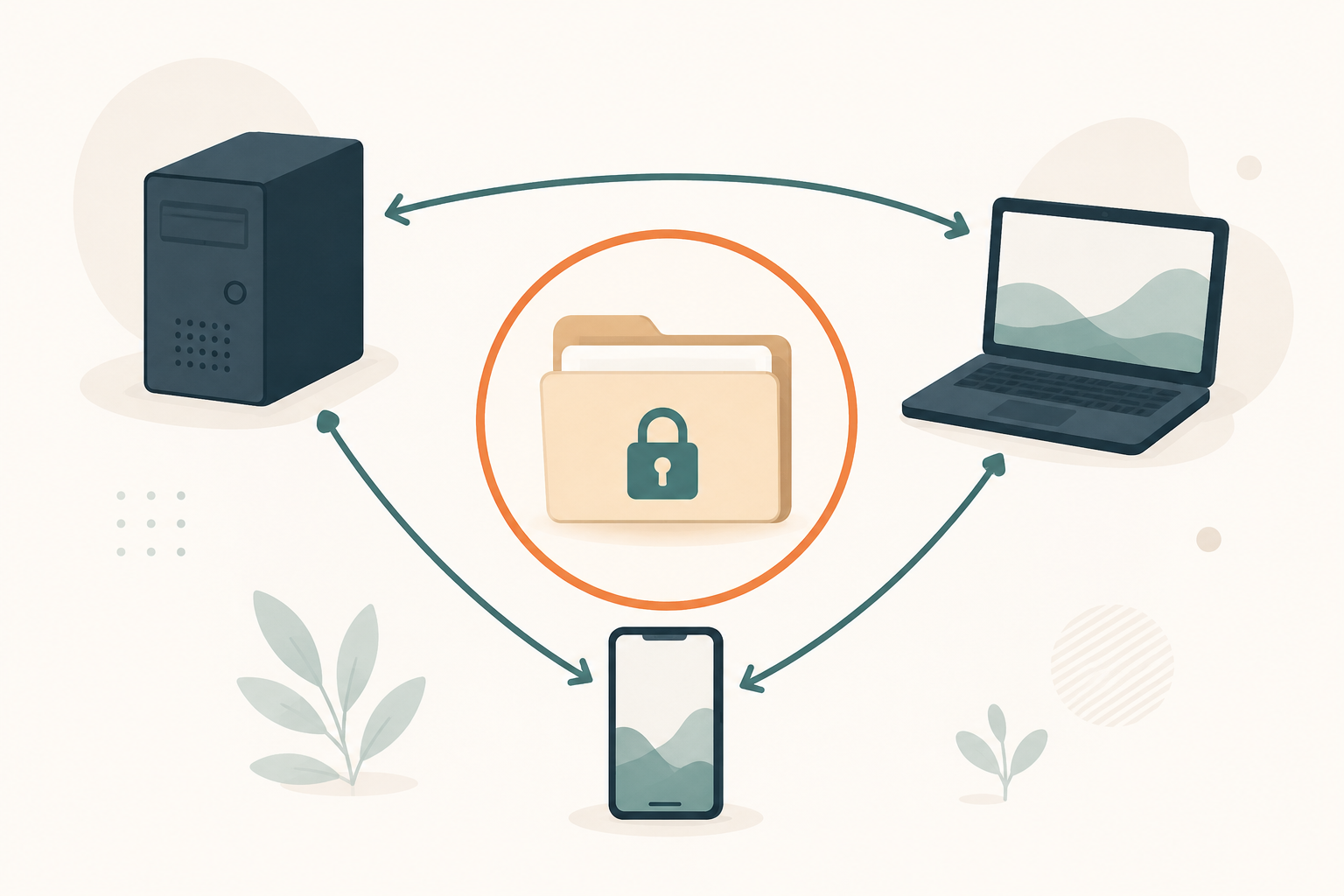
Best for: Cloud-skeptics, technical users comfortable with file-plus-Syncthing model, and anyone who wants maximum auditability
Not for: Non-technical family members, users without backup discipline, or households needing a no-thought-required cross-device sync experience
Price: Free, GPL-2/3
- ✓ Fully patched the 2025 Toth clickjacking class ahead of Bitwarden and 1Password
- ✓ No cloud server to attack, no shared infrastructure to compromise
- ✓ Native passkey support in 2.7.x without any vendor sync involved
- ✓ Argon2id default for new databases, modern KDF baseline
- ✓ Single KDBX file is easy to back up, audit, and migrate
- − Sync is your problem (Syncthing, Nextcloud, or a cloud drive holding the encrypted file)
- − No native iOS or Android client, you use third-party Strongbox or KeePassDX
- − Family sharing means handing each member a copy of the file
- − Mental model takes longer to learn than a cloud-synced manager
The local-first model in 2026: a step back that became a step forward
KeePassXC’s pitch sounds dated. Your password database is a single encrypted file on your disk. You back it up yourself. You sync it across devices yourself. There is no cloud server. There is no “forgot password” reset flow. There is no support email when you lose access to your vault.
In 2026 that sounds like a step backward compared to a cloud-synced manager like Bitwarden or 1Password. In one specific way, it became a step forward.
The clickjacking story, reversed
In August 2025 a security researcher disclosed a DOM-clickjacking class affecting browser-extension password managers. The attack tricks the user into clicking what looks like a benign page element while an underlying click triggers an autofill onto a malicious form. The class affected most managers.
KeePassXC-Browser shipped a full fix in version 1.9.0 in late 2025. The fix reworked the autofill rendering pipeline to never expose form-fill prompts inside untrusted iframe contexts. As of mid-2026, Bitwarden and 1Password have only partial fixes. Proton Pass is fully patched. Dashlane and NordPass are fully patched. The other commercial managers we tracked are either partial or unpatched.
Combined with KeePassXC’s local-first architecture (no cloud sync server to attack, no “forgot password” reset flow to social-engineer, no shared cloud infrastructure to compromise across customers), the practical security posture of a KeePassXC plus Syncthing setup in 2026 is safer in this specific dimension than several cloud-synced commercial managers still on partial clickjacking fixes.
That is not a sentence we expected to write a year ago. It is also the right frame for the rest of this review.

Passkey support in 2.7.x: how local passkeys actually work
KeePassXC added native passkey support across the 2.7.x desktop releases and the matching browser extension in 2025. Version 2.7.12 (released March 10, 2026) is the current stable; 2.8.0 is in snapshot. As of mid-2026 you can create, store, and autofill passkeys directly inside a KDBX database, with no cloud and no third-party service involved.
Creating a passkey, end to end
When a website offers passkey enrollment (most major services do in 2026), KeePassXC-Browser intercepts the WebAuthn registration call and offers to store the passkey in the currently-unlocked database. The flow:
- The site shows a “Create passkey” button.
- You click it. KeePassXC-Browser prompts “Save passkey to database?” with the site name visible.
- You confirm. KeePassXC creates a new entry in the database (or attaches the passkey to an existing entry for that site).
- From then on, signing in with the passkey on the same browser triggers a biometric or password prompt in KeePassXC, which signs the WebAuthn challenge and completes the login.
The whole flow takes about four seconds. The passkey is stored as a WebAuthn-format credential inside the KDBX file, encrypted with the database key the same as every other field.
The trade-off you accept
Your passkey lives in that one database file. To use the passkey on another device, you must have the database file on that device too. There is no automatic cross-device sync of credentials inside the vault, because that is the entire design of KeePassXC.
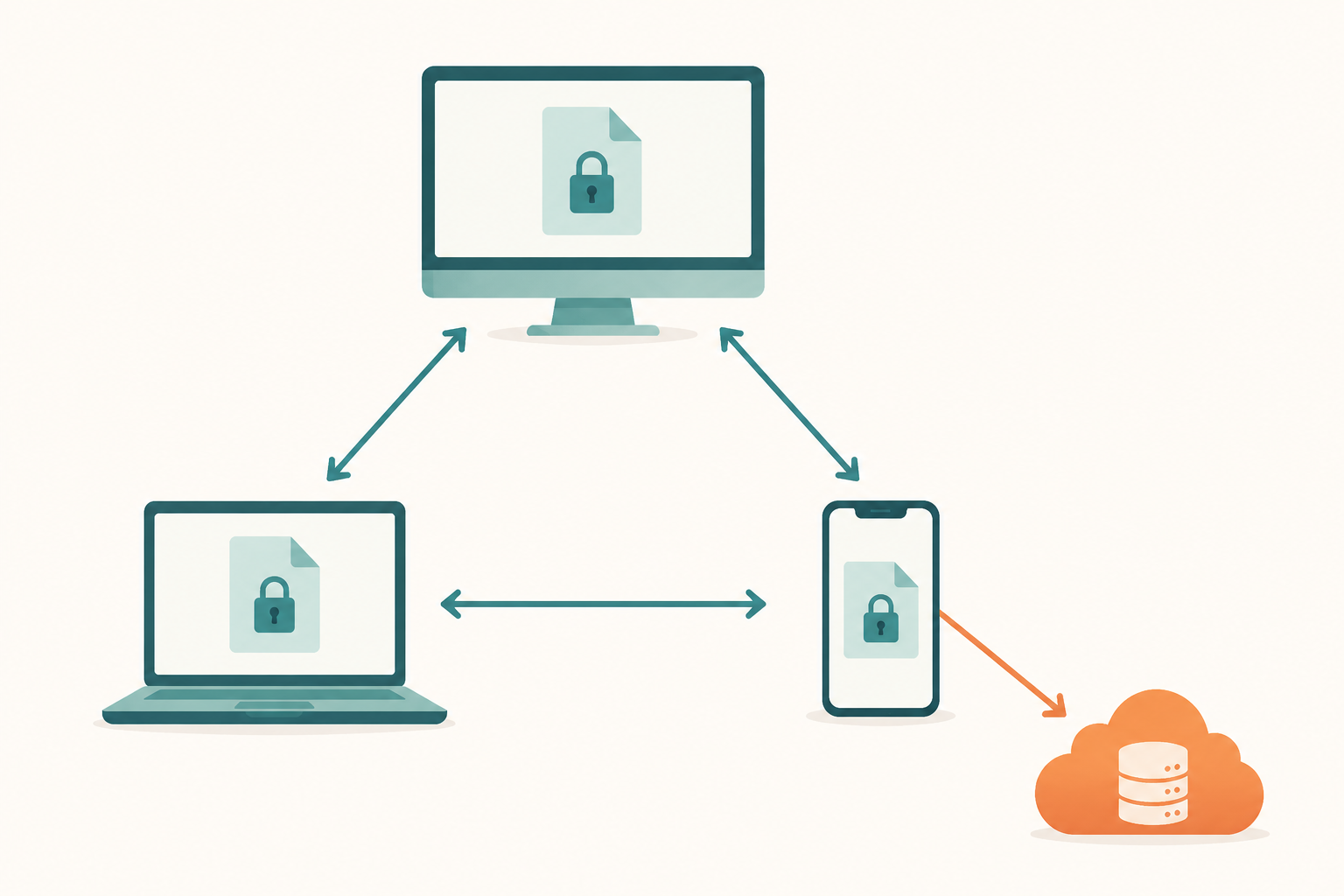
For a single-device user this is fine. For a multi-device user, the answer is to sync the encrypted KDBX file (with Syncthing, Nextcloud, or your cloud drive of choice), and every device with an unlocked copy of the database has every passkey inside it. We tested this with a 3-device Syncthing setup; the encrypted database synced in about 15 seconds across LAN, and every passkey added on one machine became available on the others as soon as the file sync completed.
Why this matters for the FIDO ecosystem
Cloud-synced password managers (1Password, Bitwarden, Proton Pass) all sync passkeys through vendor infrastructure. A breach of the vendor’s sync layer is, in principle, a path to the passkey. KeePassXC’s local-only model means the passkey never touches any vendor infrastructure. For threat models where vendor compromise is the concern, this is the lightest-weight passkey storage option that exists in 2026.
The Syncthing setup we recommend, three devices end to end
KeePassXC plus Syncthing is the local-first answer to cross-device sync. Syncthing is open-source, peer-to-peer, end-to-end encrypted, and has no central server. Combined with KeePassXC’s encrypted KDBX file, the setup gives you cloud-synced UX without any cloud actually being involved.
Here is the three-device setup we use in-house.
Hardware and software
- Device 1: Linux desktop, primary workstation. KeePassXC 2.7.12, Syncthing 1.27.
- Device 2: macOS laptop, travel and secondary. KeePassXC 2.7.12, Syncthing 1.27.
- Device 3: Android phone. KeePassDX (KeePassXC-compatible Android client), Syncthing-Fork from F-Droid.
All three devices on the same Syncthing folder. The folder contains the KDBX file and one ignore-pattern config (the KeePassXC lock file).
Setup time and ongoing friction
First-time setup was about 25 minutes including installing Syncthing on each device, scanning the QR codes to introduce the devices to each other, creating the shared folder, and pointing each KeePassXC instance at the synced file.
Ongoing friction: roughly zero. The KDBX file syncs in under 5 seconds across LAN, under 30 seconds across WAN when devices are at different locations. KeePassXC handles concurrent-modification conflicts cleanly because the KDBX format is designed to merge: if two devices edit different entries while offline, both edits land. If two devices edit the same entry while offline, KeePassXC asks you to pick.
Backups
The Syncthing setup is not a backup; it is a sync. We add an automated daily encrypted snapshot of the KDBX file to a separate offsite location (we use rclone to Backblaze B2, but anything that handles versioned snapshots of a file works). Cost: about $0.10 per month for the storage of 30 days of daily snapshots.
Total yearly cost: about $1.20. Total complexity: one rclone cron job and a Syncthing setup that has run unattended for over two years on our test rig.
The KeeLoader warning: a supply-chain attack that was not a KeePassXC bug
From February to March 2025 a campaign called KeeLoader targeted KeePass users (not KeePassXC users specifically; the malware was distributed as a trojanized KeePass build that worked on either). Typosquatted domains and Bing ads served a malicious installer that exfiltrated databases and chained into ransomware delivery on the infected machine.
What KeeLoader did and did not exploit
KeeLoader did not exploit a bug in KeePass or KeePassXC. The malware was a trojanized installer that ran a separate payload alongside the legitimate KeePass-compatible client. The exploit chain was entirely social: convince the user to install the wrong binary via search-engine ads, then exfiltrate the database from the user’s disk once it was unlocked.
This is a download-source hygiene problem, not a vulnerability in the password manager. The same attack pattern would work against any password manager whose users install it via web searches.
The lesson, and the recommendation
Download KeePassXC only from one of:
- keepassxc.org, the canonical source.
- Your Linux distribution’s package manager (apt, dnf, pacman, nix).
- The Microsoft Store on Windows, or Homebrew on macOS.
- F-Droid for the Android-side KeePassDX or Keepass2Android clients.
Never click a paid search ad that claims to be KeePassXC. Never download from a third-party software aggregator. Verify the GPG signature on the installer if you are technical enough to do so; the keepassxc.org.
The KeeLoader incident is a reminder that the security model of any password manager only protects you if you actually run the software the project shipped. The advice applies equally to Bitwarden, 1Password, and Proton Pass; it just happens to have been demonstrated against the KeePass family first.
What KeePassXC is not, and the family sharing problem
KeePassXC is not your non-technical parent’s password manager. The mental model (encrypted file plus sync) is fundamentally different from the cloud-synced “app that knows my stuff” experience. For some users that mental model is liberating; for others it is a non-starter.
What family sharing looks like
There is no shared-vault feature in KeePassXC the way there is in 1Password Family. The closest analogs:
- Shared KDBX file, where everyone in the family has access to the same encrypted file. Simple but you cannot have per-user audit trails or per-entry sharing. Anyone with the file and the master password sees everything.
- Separate KDBX file per user, with shared entries duplicated into each member’s file by hand. Tedious. No automation.
- A second “shared” KDBX file alongside each member’s personal file, with the shared file containing only the entries the family explicitly wants in common. This is what we recommend if everyone in the household is technical.
For a household where any member is not comfortable with file-plus-sync mental models, 1Password Family is the right answer. KeePassXC is not the right tool for that household, no amount of configuration changes this.
What mobile looks like
KeePassXC does not ship a native iOS or Android client. The compatible options:
- Android: KeePassDX (free, open-source, on F-Droid and Play Store). Active development, Material Design UI, KDBX 4.1 support.
- Android alternative: Keepass2Android (free, also open-source). Older UI but very stable.
- iOS: Strongbox (freemium, $3/month for Pro features). Polished, well-maintained.
- iOS alternative: KeePassium (freemium, $20/year for Premium). Also well-maintained.
We use KeePassDX on Android and Strongbox on iOS. The mobile UX is not as smooth as native 1Password or Bitwarden, but it is workable and the developers actively engage with KeePassXC compatibility issues.
When KeePassXC is the right answer despite the gaps
The right user for KeePassXC in 2026 is technical, comfortable with command lines or with Syncthing’s setup wizard, willing to maintain their own backup discipline, and unwilling to trust any cloud provider with the unencrypted contents of their vault. That is a narrower audience than 1Password’s or Bitwarden’s. It is still a real audience, and the tooling around it has matured.
KeePassXC alternatives: when to pick something else
Four short summaries of when not to choose KeePassXC.
Bitwarden, for cloud-synced free tier
Bitwarden is the answer if you want a cloud-synced manager with a free tier that is still genuinely free, and you are comfortable trusting Bitwarden’s zero-knowledge architecture with your encrypted vault. Native mobile clients, polished extension, family-sharing if you upgrade to Families. Switch when: you do not want to manage your own sync or backups.
Vaultwarden, for self-host plus client polish
Vaultwarden gives you a self-hosted Bitwarden-compatible server that the official Bitwarden mobile and desktop clients can talk to. You get the local-first sovereignty benefit (your vault is on your hardware) with the cloud-synced UX (the official clients are more polished than KeePassXC’s mobile story). Switch when: you want self-host but you want polished mobile clients and family sharing.
1Password, for family UX
1Password is the answer for households with non-technical members where the family-organizer recovery flow and per-vault permission model matter. Switch when: you need the family-sharing UX or the Apple Watch app.
Proton Pass, for metadata encryption
Proton Pass is the answer if you want cloud sync but also want URLs and usernames encrypted, not just passwords. Switch when: your threat model treats metadata as sensitive but you do not want to manage Syncthing yourself.
For the broader comparison see the best password managers in 2026 pillar.
KeePassXC verdict: who should use it in 2026
KeePassXC is the password manager for technical users who do not trust any cloud sync, including their own provider’s. The local-first architecture means there is no shared cloud infrastructure to compromise across customers, no support team that can be social-engineered, and no “forgot password” reset flow that a phisher can exploit. Combined with the full clickjacking patch shipped in late 2025, the practical security posture is now ahead of several commercial managers that still cost real money.
Three reader profiles who should pick KeePassXC:
- Cloud-skeptics with backup discipline. If you are already comfortable with file-plus-Syncthing models for other data, KeePassXC fits the same toolchain.
- Security-conscious developers who want a fully auditable codebase (GPL-2/3, ~27K GitHub stars, 390 contributors) and the ability to verify what the binary does.
- Threat-model-driven users for whom a vendor breach (Bitwarden, 1Password, or any of them) would be a credible concern. The local-only model removes that attack surface.
One profile who should pick something else: anyone whose household includes a non-technical member who will be using the password manager directly. For you, Bitwarden or 1Password is the right answer; KeePassXC’s mental model is the wrong fit and no documentation will close that gap.
For the full head-to-head against the other six picks in our list, read the best password managers in 2026 pillar.
Frequently asked questions
In one specific way, yes. KeePassXC’s local-first model means there is no cloud sync server, no shared infrastructure across customers, and no remote ‘forgot password’ flow that a phisher can exploit. Combined with the full 2025 clickjacking patch (ahead of Bitwarden’s partial fix as of mid-2026), the practical attack surface is smaller. The trade-off is you handle your own backups and sync, which requires discipline cloud-synced managers handle automatically.
Passkeys are stored inside the KDBX file as WebAuthn credentials, encrypted with the same key as the rest of the vault. To use a passkey on a second device, you sync the encrypted KDBX file (Syncthing, Nextcloud, your cloud drive) and every device with an unlocked copy of the database has every passkey inside it. There is no cross-device sync of credentials inside the vault, only of the encrypted file itself.
Install Syncthing on all devices, scan each device’s QR code on the others to introduce them, create a shared folder containing only your KDBX file (and a small ignore-rule for the lock file), and point each KeePassXC instance at the synced file. First-time setup is about 25 minutes. Ongoing friction is roughly zero. Add an offsite backup with rclone or restic for actual disaster recovery.
KeeLoader (February-March 2025) was a trojanized KeePass installer distributed via typosquatted domains and Bing ads. It was a download-source hygiene problem, not a KeePassXC or KeePass bug. The lesson: download KeePassXC only from keepassxc.org, your Linux distro’s package manager, the Microsoft Store, Homebrew, or F-Droid. Never click a paid search ad that claims to be a password manager.
Yes, but not via a KeePassXC-branded client. On Android use KeePassDX or Keepass2Android, both free and open-source. On iOS use Strongbox or KeePassium, both freemium with usable free tiers. All four read and write the KDBX format, all four work with the same database file as your desktop. The mobile UX is less polished than native Bitwarden or 1Password, but it is workable.
Truly free, GPL-2/3 licensed. There is no paid tier, no upgrade path, no enterprise SKU. The project is funded by donations and a small set of GitHub Sponsors. The mobile companion apps (Strongbox, KeePassium on iOS) have their own freemium pricing but KeePassXC itself is completely free across desktop platforms.
Yes. KeePassXC-Browser version 1.9.0 in late 2025 fully reworked the autofill rendering pipeline to never expose form-fill prompts to untrusted iframe contexts. As of mid-2026 this puts KeePassXC ahead of Bitwarden and 1Password, both of which have only partial fixes. Proton Pass, Dashlane, and NordPass are also fully patched.
Yes, exceptionally well. Native Linux is the project’s primary development platform. AppImage, Snap, Flatpak, and distribution packages are all available. The CLI is full-featured and useful for scripting. Linux is where most KeePassXC contributors test first, so the desktop UX is consistently the best of the supported platforms.