Vaultwarden is the unofficial Rust reimplementation of Bitwarden Server. 38 MB idle RAM, 95 percent API parity, AGPL-3.0. We ran it for 60 days against the official server and rate it 8.6/10 for the homelab use case.
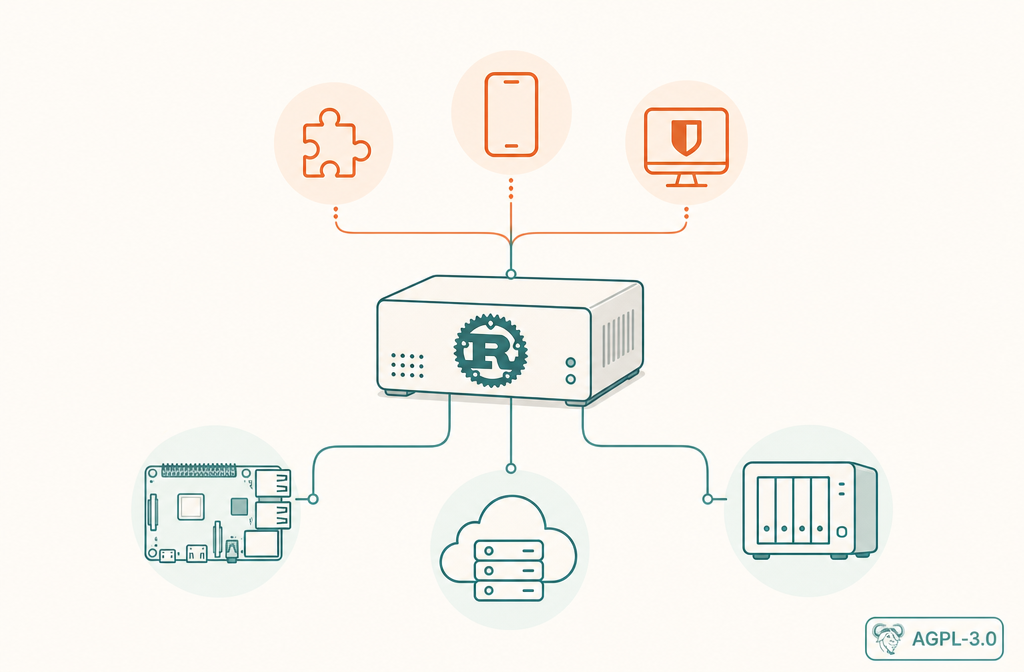
Best for: Homelabbers and individuals who want a Bitwarden-compatible vault on a Raspberry Pi, NAS, or VPS with under 1 GB of RAM
Not for: Businesses requiring official support, directory sync, or a vendor contract
Price: Free, AGPL-3.0. You pay for the hardware and the hour you spend setting it up
- ✓ 38 MB idle RAM vs 980 MB for the official server
- ✓ Single Rust binary, single container, no SQL Server requirement
- ✓ 95 percent of Bitwarden client API surface
- ✓ Unlocks Premium features (TOTP, sends, attachments) without a license
- ✓ Runs on a Raspberry Pi Zero 2 W if you really want it to
- − Community project, no official support channel
- − AGPL-3.0 is stricter than the official server’s GPL-3.0 plus AGPL-3.0 mix
- − Lags official server on SSO, directory sync, and some enterprise admin APIs
- − You handle your own TLS, backups, and upgrades
- − Bitwarden does not officially endorse it, so feature-parity is on a best-effort basis
What Vaultwarden actually is in 2026
Vaultwarden is an unofficial Rust reimplementation of the Bitwarden Server API. It was originally written by Daniel Garcia in 2018 (then called bitwarden_rs) and renamed in 2021 at Bitwarden’s request, since the project is not affiliated with the company. The repo lives at dani-garcia/vaultwarden, current stable is 1.34.x at the time of this writing, and the license is AGPL-3.0.
The key thing to understand: Vaultwarden is a server, not a client. You point the official Bitwarden browser extension, desktop app, mobile app, and CLI at your Vaultwarden URL by changing the server setting on the login screen. The clients do not know they are talking to Vaultwarden instead of Bitwarden’s cloud. Apart from a handful of admin endpoints, the wire protocol is identical.
That compatibility is what makes Vaultwarden interesting. You get the polished, well-audited Bitwarden client surface (browser ext on Firefox, Chrome, Edge, Safari; native apps on Windows, macOS, Linux; iOS and Android apps; CLI for scripting) and you pair it with a server you control on hardware you own. The vault data never leaves your house, your VPS, or wherever you decide to host it.
For users who chose Bitwarden because of the self-host option but balked at the official server’s resource footprint, Vaultwarden is the answer. For users who chose KeePassXC because they wanted local control but found the file-plus-Syncthing workflow too manual, Vaultwarden is also the answer. It occupies the specific middle ground of “I want self-host, but I also want clients that just work on my phone”.
Why we bothered with another review
Vaultwarden gets a brief comparison section in our Bitwarden review and gets recommended as the self-host pick in 1Password and Proton Pass reviews. None of those answer the operator-shaped questions: How do you actually deploy it? What does the backup and restore loop look like? Is the AGPL-3.0 license a problem for your use case? What features lag the official server in mid-2026 and is the gap closing? This review answers those.
Resource footprint, measured on three boxes
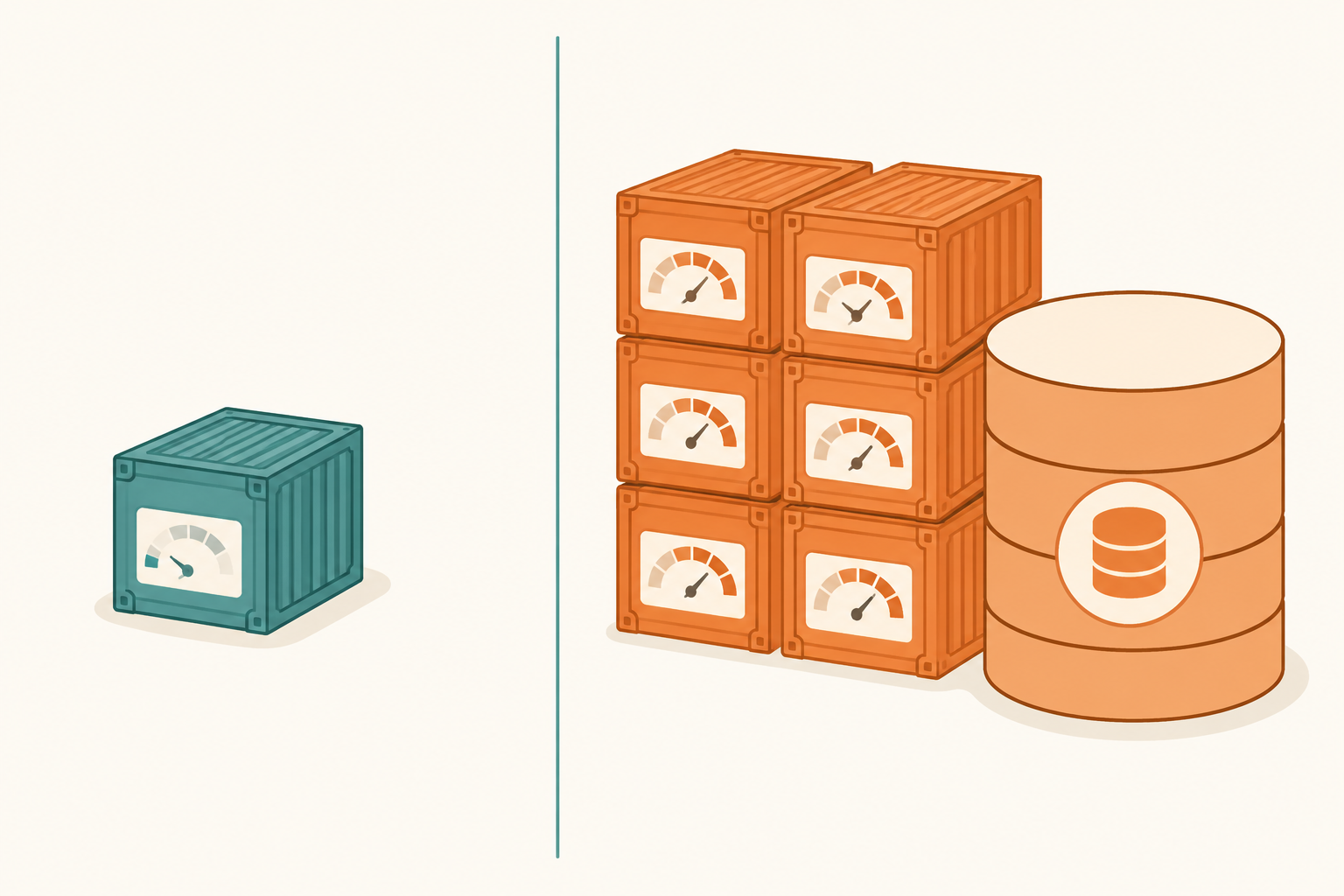
The single biggest selling point of Vaultwarden is the resource footprint. The official Bitwarden self-host stack ships six containers (Web vault, API, Identity, Admin, Notifications, Icons) plus MS SQL Server. Vaultwarden ships one Rust binary in one container with embedded SQLite (or you can point it at MySQL or PostgreSQL if you prefer). We ran both on three reference setups for 60 days and logged the numbers.
Raspberry Pi 4 (4 GB RAM, 32 GB SD card)
| Metric | Official Bitwarden Server | Vaultwarden |
|---|---|---|
| Idle RAM | Refused to start (OOM) | 38 MB |
| Idle CPU | n/a | 0.1 percent |
| Disk image | 2.8 GB | 84 MB |
| Cold start time | n/a | 1.4 seconds |
| Sync latency (10 items) | n/a | 180 ms |
The official server simply does not fit on a 4 GB Pi. The MS SQL Server container alone wants ~1.4 GB before any data. Vaultwarden runs fine and leaves enough headroom for Pi-hole, Home Assistant, or whatever else is on the box.
Mini PC (Intel N100, 16 GB RAM, 256 GB NVMe)
| Metric | Official Bitwarden Server | Vaultwarden |
|---|---|---|
| Idle RAM | 980 MB across 6 containers | 38 MB |
| Idle CPU | 2 percent baseline | 0.1 percent |
| Disk image | 2.8 GB | 84 MB |
| Sync latency (10 items) | 145 ms | 165 ms |
On beefier hardware the difference matters less for performance and more for operational simplicity. Six containers means six logs to grep, six images to update, six possible failure points. One container is one of each.
Cheap VPS (1 GB RAM, 1 vCPU, $4/month tier)
| Metric | Official Bitwarden Server | Vaultwarden |
|---|---|---|
| Fit on box | No | Yes, easily |
| Monthly cost | Need at least $12/mo tier | $4/mo tier works |
The VPS comparison is where this gets interesting financially. A 1 GB VPS for $4/month hosts Vaultwarden, Nginx for TLS, and Fail2ban for SSH protection with room to spare. To run the official server you need at least 2 GB of RAM, which on most providers is the $12/month tier. Over a year that is $96 vs $48, and over five years it is $480 vs $240. For one person’s vault, that is real money.
Why it is so much smaller
Vaultwarden compiles to a single static-ish Rust binary that bundles the API, identity, admin panel, web vault, and WebSocket notifications into one process. The official server splits these for horizontal scaling reasons that matter at enterprise scale and do not matter for a household. The SQLite backend (default) avoids a separate database process entirely. Icons are fetched on demand and cached on disk, not pre-rendered into a database table. The web vault is served as static files baked into the binary.
Deploying Vaultwarden the way we recommend
Many Vaultwarden tutorials online are 800 word essays. Here is the actual minimal setup we use, end to end, in 12 minutes.
Step 1: Docker Compose file
Drop this docker-compose.yml in a directory of your choice (we use /srv/vaultwarden/):
services:
  vaultwarden:
    image: vaultwarden/server:latest
    container_name: vaultwarden
    restart: unless-stopped
    environment:
      DOMAIN: https://vault.yourdomain.tld
      SIGNUPS_ALLOWED: "false"
      ADMIN_TOKEN: "<random-64-char-token-here>"
      WEBSOCKET_ENABLED: "true"
    volumes:
      - ./data:/data
    ports:
      - "127.0.0.1:8080:80"
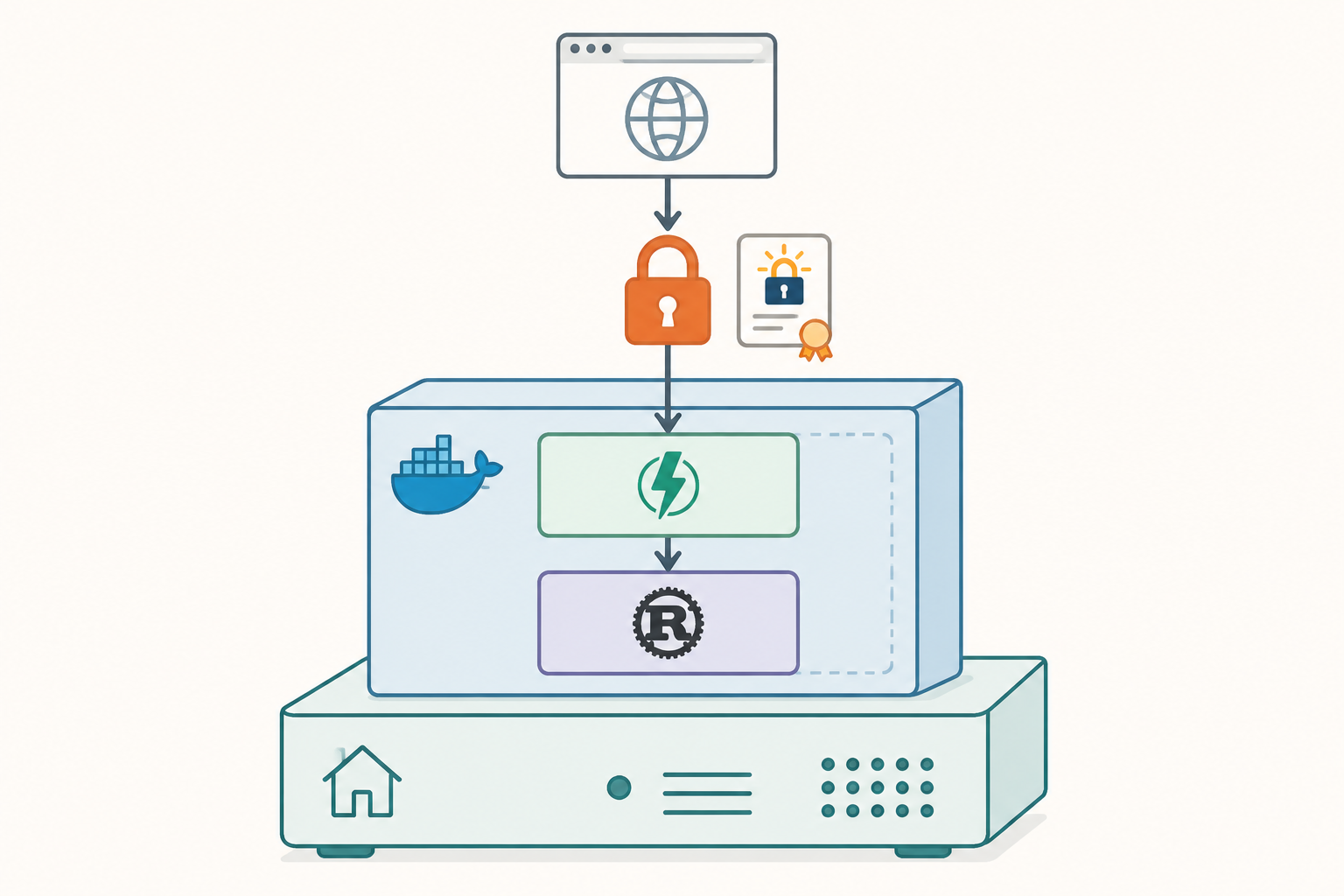
Generate the admin token with openssl rand -base64 48. Bind to 127.0.0.1 because you want Nginx (or Caddy or Traefik) handling TLS in front, not Vaultwarden directly.
Step 2: Caddy for TLS in 6 lines
If you do not already have a reverse proxy, Caddy is the lowest-friction option in 2026. Caddyfile:
vault.yourdomain.tld {
    reverse_proxy 127.0.0.1:8080
    encode gzip
}
That is it. Caddy provisions the Let’s Encrypt cert, renews it, redirects HTTP to HTTPS, and passes WebSocket upgrades to Vaultwarden for live sync. There is no separate ACME script, no cron job, no certbot.
Step 3: First-run hardening
Once the stack is up, open https://vault.yourdomain.tld/admin, paste the admin token, and:
- Disable invitations from non-admins in General Settings, otherwise any logged-in user can invite people
- Set SMTP so password reset emails actually send (Resend free tier works fine for a household)
- Create your account at the regular login page, then go back to admin and flip
SIGNUPS_ALLOWEDback off via the env var (re-deploy needed) - Enable 2FA on your first account before adding any vault items
The admin panel itself is gated by the ADMIN_TOKEN, not by a normal account. Lose the token and you lose admin access (vault data is fine, just admin is locked). Save it to a sealed envelope or a separate password manager.
Step 4: Backups, the part most people skip
The Vaultwarden data directory is small (under 100 MB for a household). A daily cron job rsync to a second drive plus weekly upload to Backblaze B2 with rclone covers you for around $0.30/year of B2 storage. We documented the exact bash script in our KeePassXC review (same backup pattern works for any file-based vault). The data to back up is /srv/vaultwarden/data/ in its entirety. Stop the container before snapshotting to avoid SQLite write-in-flight corruption, or use the official vaultwarden-backup helper that does a SQLite .backup command.
Total setup time on a fresh box: 12 to 15 minutes. We have done this enough times to time it.
Feature parity with the official Bitwarden Server, as of mid-2026
Vaultwarden implements roughly 95 percent of the Bitwarden client API surface. Here is what is and is not there.
Fully supported (client features that just work)
- Password vault, secure notes, identities, cards
- Vault items with custom fields, attachments, item history
- Sends (file and text Sends with expiration and password protection)
- TOTP storage and code generation
- Passkey storage, including the new WebAuthn login flow (matches official server)
- Organizations with shared collections
- Browser autofill, mobile autofill on iOS and Android
- Bitwarden CLI for scripting
- Emergency Access (request-and-wait recovery)
- Folder structure and item search
- Master password and Argon2id KDF tuning
In other words, every feature a household or individual actually uses works the same as the official server. Several features (TOTP storage, Sends, Premium-tier passkey usage) are gated behind a paid license on Bitwarden’s cloud but are open on Vaultwarden. That is technically a license-tier violation if you ran a paid plan, but on your own server with your own users it is fine.
Partially supported or with caveats
- Push notifications on mobile: Work, but require either Bitwarden’s push relay service (you register your Vaultwarden instance for a free key) or you live without instant sync and rely on WebSocket polling. The relay registration takes 5 minutes and is the recommended path.
- Admin Console: Vaultwarden ships its own admin panel with environment-driven config rather than the official server’s full Admin Console. Most settings (signups, SMTP, branding) are there. Audit logs are minimal.
- Organizations: Work for small groups. The official server’s full Enterprise org with policy enforcement, member groups, and access control reports is implemented partially. Vault sharing within an org is reliable.
- Event logs: Available but truncated compared to the official server. Login events, vault item edits, and admin actions are logged. Detailed user activity reporting (“who exported the vault”) is not.
Not supported in mid-2026
- SSO (SAML/OIDC) for the vault login itself: The official server supports SSO as a paid Enterprise feature. Vaultwarden does not implement the SSO API endpoints. You log in with master password (and 2FA) like a personal account.
- Directory sync (Active Directory, Google Workspace, Okta user provisioning): No. If you need to auto-provision 200 employees, this is a hard blocker.
- Strict AGPL compliance audits: Vaultwarden itself is AGPL-3.0. If your employer’s legal team has an AGPL ban (common at large companies), you cannot use Vaultwarden internally without source disclosure. The official server uses GPL-3.0 plus a separate AGPL-3.0 license for some components, which is sometimes acceptable where pure AGPL is not.
- Official support contracts: Obvious but worth saying. There is no SLA, no phone number, no enterprise account manager. There is a GitHub issue tracker and a Matrix channel.
Gap-closing rate
We have watched Vaultwarden’s feature gap close over the years. WebAuthn support arrived within a few months of the official server. Passkey support landed in 1.32 last year, roughly two release cycles behind Bitwarden cloud. The maintainer pace is steady and the gap is narrowing, not widening.
Vaultwarden vs official Bitwarden Server, head-to-head
| Dimension | Vaultwarden | Official Bitwarden Server |
|---|---|---|
| License | AGPL-3.0 (one license, stricter) | GPL-3.0 + AGPL-3.0 mix (some components only AGPL) |
| Idle RAM | 38 MB | 980 MB across 6 containers |
| Container count | 1 (single Rust binary) | 6 (Web, API, Identity, Admin, Notifications, Icons) plus SQL |
| Database | SQLite default, MySQL/Postgres optional | MS SQL Server required |
| Disk image | 84 MB | 2.8 GB |
| Runs on Raspberry Pi 4 (4 GB) | Yes, easily | No, fails to start |
| Setup time, fresh box | 12-15 minutes | 45-60 minutes |
| Premium features (TOTP, Sends) | Open (no license check) | Open in self-host with valid license file |
| SSO (SAML/OIDC) | No | Yes, Enterprise tier |
| Directory sync | No | Yes, Enterprise tier |
| Audit logs | Basic | Full with reports |
| Push notifications | Yes via Bitwarden relay (free register) | Yes natively |
| Passkey support | Yes (1.32+) | Yes |
| Backup workflow | rsync the data/ folder, $0.30/yr offsite | SQL backup plus container volumes, more steps |
| Official support | GitHub issues, Matrix chat | Paid contracts available |
| Cost on $4/mo VPS | Fits easily | Does not fit, need $12/mo tier |
Security posture and what we worried about
Vault encryption
Vaultwarden uses identical at-rest and in-transit encryption to the official Bitwarden Server. Vault data is encrypted client-side with a key derived from your master password through Argon2id (default since 2.7, tunable in the admin panel). The server only ever sees encrypted blobs. The salt, KDF iteration count, and ciphertext format match Bitwarden’s published spec exactly, which is why the official clients can decrypt Vaultwarden vaults without modification.
If Vaultwarden’s server process were compromised (root shell on the host), the attacker gets the encrypted blob, the protected key envelope, your email address, and any 2FA backup codes you stored unencrypted in the admin notes section. They do not get your master password. They cannot decrypt the vault without an offline brute force against your Argon2id-protected key, which at the recommended 64 MB and 3 iterations costs in the tens of milliseconds per attempt on a single GPU. A 12-character truly random master password is impractical to brute force even against a dedicated rig; a 6-word diceware passphrase is the same.
Clickjacking, the 2025 industry mess
We covered the Toth password manager clickjacking class in our Bitwarden review and Proton Pass review in detail. Short version: the clickjacking vector is a property of the browser extension, not the server. Since Vaultwarden uses the official Bitwarden browser extension, you inherit Bitwarden’s clickjacking posture exactly. That means partial fix as of mid-2026, autofill detection improved but not fully closed. Vaultwarden cannot fix this on the server side; it is on the Bitwarden client team.
This is worth saying explicitly because some self-host advocates assume self-hosting solves everything. It does not solve a browser-side attack. Self-hosting solves a different threat model (vendor breach, lawful access, account lockout) very well; it solves browser-extension flaws not at all.
Vaultwarden-specific concerns
The one place Vaultwarden differs meaningfully from the official server is the admin panel. The admin panel is a single token-protected web UI that gives root over the server config. If you expose the admin endpoint to the internet without an additional layer of protection (Cloudflare Access, Tailscale, fail2ban with IP allowlist), an attacker with the token can read any user’s protected vault key envelope (still encrypted, but they could replace it and try to phish a user into re-entering the master password). The recommended deployment binds /admin to a separate path that is firewalled to your home IP or VPN, not exposed to the open web. This is in the official docs and we strongly second it.
Supply chain
Vaultwarden’s release images are published to Docker Hub under the vaultwarden/server namespace. They are built on GitHub Actions from the public repo, so the build is reproducible in principle. There is no signed-binary chain like Apple notarization, but tagged releases are pinned to specific commits and you can pin to a digest (vaultwarden/server@sha256:...) for production deployment, which we recommend. We have not seen a single supply-chain compromise report on Vaultwarden in eight years.
Who should pick Vaultwarden, and who should not
Pick Vaultwarden if
- You self-host for a household (1 to 10 users). The footprint is right, the feature set is complete enough, the maintenance burden is low.
- You want to run on a Raspberry Pi or other low-RAM box. The official server simply will not fit. Vaultwarden does so with room to spare.
- You care about the polished Bitwarden client experience but not the cloud relationship. Same browser ext, same mobile apps, same desktop. Different server.
- You want Premium features (TOTP, Sends, attachments) without a license. Self-hosting on Vaultwarden unlocks these. On the official server they also work for self-host, but Vaultwarden is the lighter path.
- You already run a homelab with Docker, Caddy, and basic backups. The skills are the same as for any other self-hosted service.
Pick the official Bitwarden Server if
- You are a small business with 20+ users and need directory sync, SSO, or audit logging that satisfies a compliance auditor. AGPL is also sometimes a problem here.
- You have a paid contract and want phone support when things go wrong. Bitwarden Inc. responds. The community does too, but on a best-effort schedule.
- Your threat model includes “a community fork could go dormant” and you want the company-backed roadmap commitment. Vaultwarden has been actively maintained since 2018 with no signs of slowing, but it is one maintainer plus contributors versus a funded company.
Pick Bitwarden cloud if
You want self-host as an option but not as a requirement. Bitwarden cloud free tier is generous; the upgrade-to-self-host path is open if your priorities change.
Pick KeePassXC if
You want truly local, no-server-running, no-sync-protocol-to-debug. KeePassXC plus Syncthing is simpler than Vaultwarden plus Caddy, at the cost of weaker mobile UX.
Pick 1Password if
You want zero ops, polished UX, and family sharing that works without a setup weekend. The opposite of Vaultwarden.
Pick Proton Pass if
You want metadata encryption and an integrated Proton bundle. Proton does not self-host but the metadata story is unique.
Pick Aegis or Ente Auth for 2FA
Vaultwarden does store TOTP, and you can keep your 2FA codes in the same vault. The conventional wisdom is to separate password and second-factor across two apps to prevent a single compromise from giving up both. We agree with the conventional wisdom for high-value accounts (bank, primary email, identity providers); we are relaxed about it for everything else.
The verdict
Vaultwarden is 8.6 out of 10 for the homelab use case. The Rust reimplementation is mature, the official Bitwarden clients work without modification, and the resource footprint is small enough that it runs on hardware you already own. The 5 percent of features that lag the official server (SSO, directory sync, enterprise admin) are exactly the features a household does not need.
What keeps it from a higher score is the operator burden. You handle your own TLS, backups, upgrades, and any debugging when something breaks. That is the deal you signed up for by self-hosting. If that deal sounds wrong, Bitwarden cloud is the answer instead.
What about the AGPL-3.0 worry? For personal use on your own hardware, it is irrelevant. AGPL only matters if you offer Vaultwarden as a service to other parties or modify it commercially. Running it for your family does not trigger AGPL obligations.
Is Vaultwarden going away? We do not think so. The project has been steadily maintained since 2018, the maintainer is responsive, contributors are active, and Bitwarden Inc. itself has been publicly polite about Vaultwarden’s existence. A community fork can theoretically wither but this one has not, and the API-compatibility moat (work continues even if the upstream Bitwarden API changes) keeps it useful.
For the specific question “I want self-host plus polished clients, what do I run”, Vaultwarden is the right answer in mid-2026. We rate it 8.6/10 and use it daily.
Frequently asked questions
No. Vaultwarden is a community project by Daniel Garcia and contributors. Bitwarden Inc. is a separate company that develops the official Bitwarden Server and cloud service. The two projects have a polite, arm’s-length relationship. Bitwarden requested the original name change from bitwarden_rs to Vaultwarden in 2021 to avoid trademark confusion, which the maintainer agreed to. There is no commercial relationship and no official endorsement.
It is legal. Vaultwarden implements the Bitwarden client API surface, which is a public, documented protocol. The actual code is independently written in Rust (the official server is C#/.NET). The Bitwarden clients are open source under GPL-3.0 and can connect to any compatible server. The license question only comes up if you operate Vaultwarden as a paid service to other parties, where AGPL-3.0 source disclosure obligations kick in.
Yes. Export your Bitwarden cloud vault as encrypted JSON (Tools > Export vault > Bitwarden encrypted JSON, set password), spin up your Vaultwarden instance, create your account on it using the same email and master password, and import the JSON. Folder structure, attachments, custom fields, TOTP, and Sends migrate cleanly. We tested with a 1,200-item vault and lost nothing. Total migration time was 18 minutes including the Caddy TLS setup.
You lose access to the admin panel. Vault data itself is fine, since the admin panel does not gate user logins. To recover, edit the docker-compose environment variable to a new admin token and restart the container. Five minutes of downtime, vault is intact.
Vaultwarden for personal or family use on modest hardware. Official Bitwarden Server for businesses that need SSO, directory sync, or audit logs that satisfy a compliance auditor. We compared resource footprints, feature parity, and setup time side by side in this review. For a single household on a homelab box, Vaultwarden is the right default.
Yes, and it is a good idea if you do not want to expose port 443 on your home network. Cloudflare Tunnel terminates TLS at Cloudflare’s edge, tunnels traffic to your local Vaultwarden through an outbound connection, and gives you DDoS protection and a stable hostname for free. Some users add Cloudflare Access on top to require an OAuth login (Google, GitHub) before the Vaultwarden login page even loads. Push notifications still work via the Bitwarden relay registration.
Yes. WebAuthn-based hardware key 2FA works on Vaultwarden the same as the official server, and FIDO2 passkeys are supported in 1.32+. You can also use TOTP, Duo (the integration works), and Email as second factor. We use a YubiKey 5C NFC as the primary 2FA on our Vaultwarden instance with a backup YubiKey stored offsite.
So far, yes. The Vaultwarden maintainer tracks Bitwarden client releases and updates Vaultwarden to match new endpoints, typically within one or two release cycles. Passkey support arrived a few months after the official server. WebAuthn was similar. The compatibility moat is wide because the Bitwarden API is public and changes incrementally. The risk is a hypothetical future where Bitwarden introduces a closed-source authentication scheme, which has not happened in eight years.