Proton Pass 2026 review: the only major password manager that encrypts URLs and usernames, two independent audits in two years, free SimpleLogin alias integration, SSH Agent for developers, and a full clickjacking patch ahead of Bitwarden and 1Password.
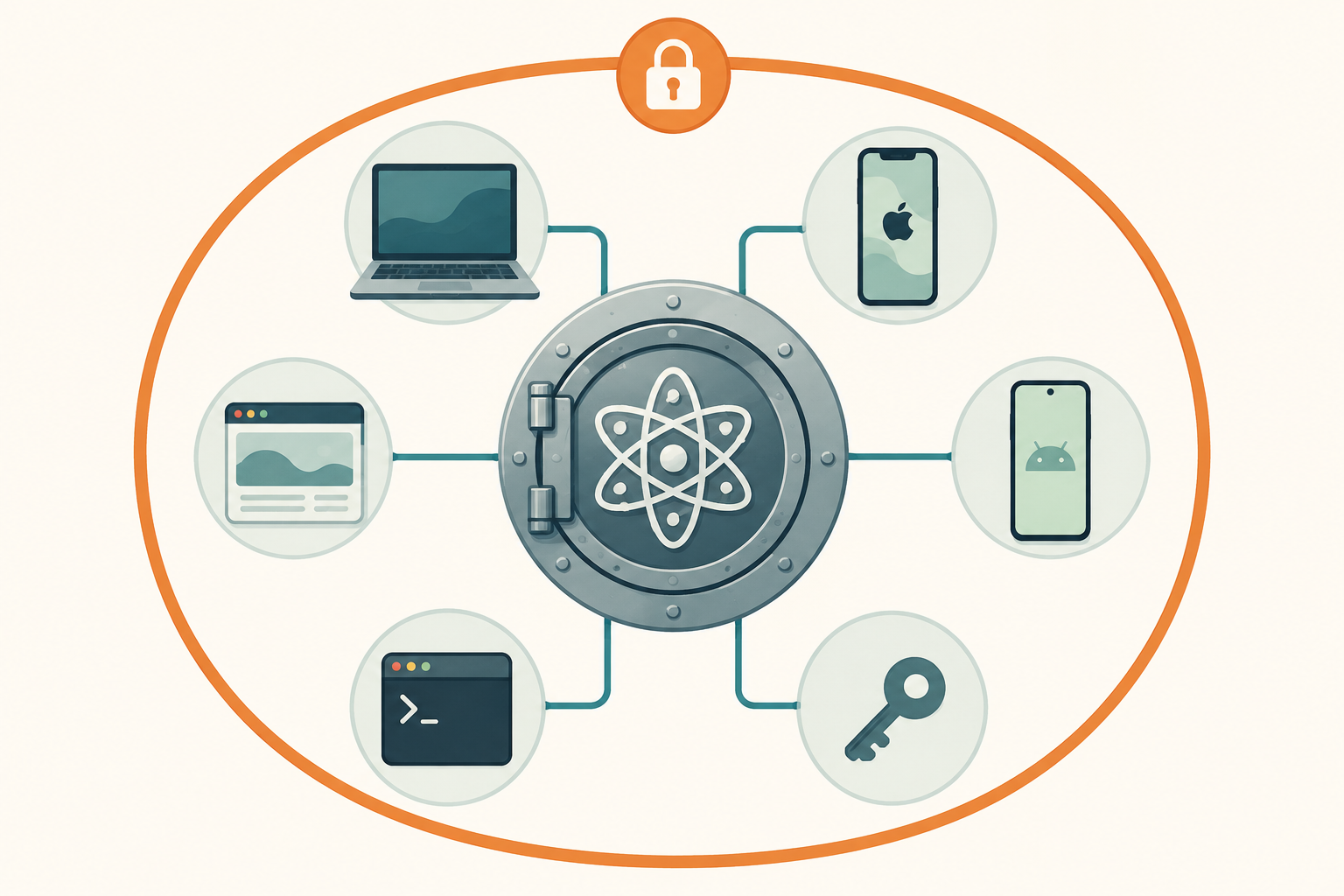
Best for: Privacy maximalists, journalists, anyone already on Proton Mail or Proton VPN, and developers who want a single tool for passwords plus SSH keys
Not for: Self-hosters (no self-host option), no-cloud-ever purists (use KeePassXC), or households who need Apple Watch and Vision Pro coverage
Price: Free / Pass Plus €35.88/yr / Proton Unlimited €9.99/mo
- ✓ Only major PM that encrypts URLs, usernames, and item names along with passwords
- ✓ Two independent audits in two years (Cure53 2023, Recurity Labs April 2026)
- ✓ SimpleLogin alias integration is the cleanest no-real-email workflow we tested
- ✓ Fully patched the 2025 clickjacking class ahead of Bitwarden and 1Password
- ✓ SSH Agent and AI Access Tokens make it genuinely useful for developers
- − No self-host option, and Proton has not committed to one
- − Family sharing UX trails 1Password by a clear margin
- − No watchOS or Vision Pro app
- − Conflict-resolution UI when two devices edit the same item is rough
Why metadata encryption changes the threat model
Every major password manager encrypts the password field. Bitwarden, 1Password, Dashlane, NordPass, all of them. The password ciphertext is unreadable to the vendor, the law, the data broker, or the breach attacker. That part is well understood.
What Proton Pass does differently is encrypt the rest of the item too. The URL, the username, the item title, the attached notes, all become opaque blobs on Proton’s servers. A subpoena that compels Proton to hand over a user’s vault produces nothing useful, not even the list of services the user has accounts on.
Why this matters in practice
For most readers this is a low-grade improvement. You probably do not mind if a subpoena could reveal that you have a Reddit account, a Steam account, and an Amazon account. It would not surprise anyone.
For a smaller set of readers the difference is the entire threat model:
- Journalists working with sources whose existence is itself sensitive. A subpoena revealing a list of communication-app accounts can compromise the source before any password is involved.
- Activists in jurisdictions where membership in a specific service is itself criminalized.
- People escaping domestic abuse who do not want a partner with vendor-account access to see which services they are setting up.
- Employees whose employer subpoenas a personal cloud-account list to investigate side projects.
For these readers, metadata encryption is not a feature; it is the product. Bitwarden and 1Password cannot deliver this with any amount of configuration. Proton Pass is the only mainstream choice that can.
What is still visible to Proton
Honest scope: Proton still sees your IP address, your client version, the timing of sync events, and the size of your encrypted blobs. None of those is decryptable into a vault, but they are network metadata that any service operator has. Proton’s encryption documentation is unusually clear about what is and is not protected.
This section frames the rest of the review. The other features (audits, aliases, SSH Agent) are why Proton Pass is competitive at all; the metadata encryption is why it is uniquely competitive.
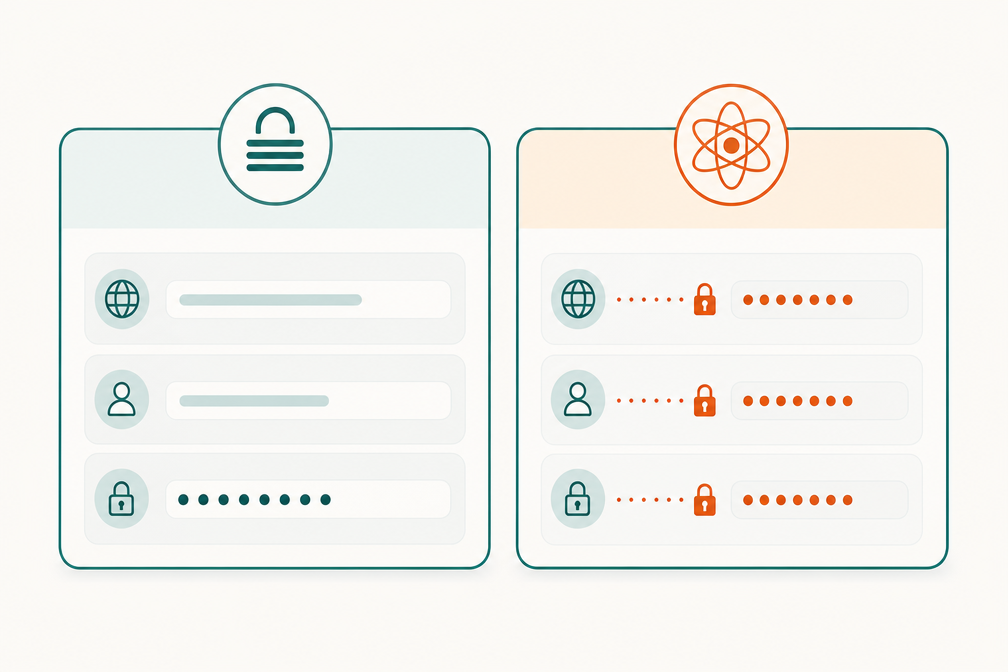
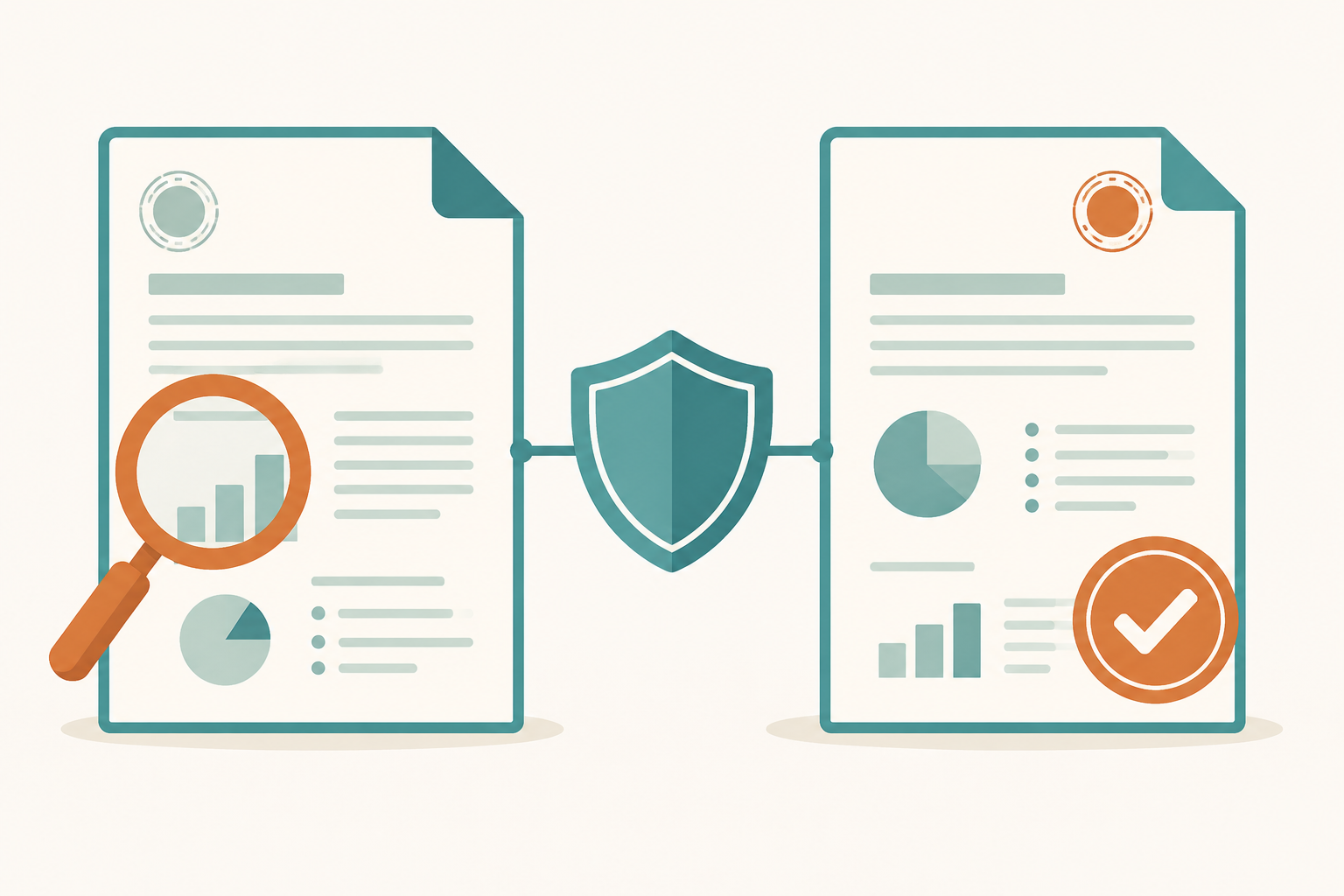
Two audits in two years: the Cure53 and Recurity Labs reports
Most password managers tell you they are audited. Few publish the audit reports in full. Proton Pass has commissioned two and published both.
Cure53, 2023
The Cure53 audit covered the iOS, Android, browser extension, and web clients in late 2023. Cure53 is a Berlin-based firm with a reputation in the open-source security community (they have audited 1Password, Bitwarden’s clients, NordVPN, and Proton’s other products). The 2023 report identified several issues across the four codebases; all were closed in releases that shipped within four weeks of the report’s delivery. The summary judgment was “the security posture of Proton Pass has been found to be in a generally good state.”
Recurity Labs, April 2026
The more interesting one is the April 2026 Recurity Labs audit, the first deep audit covering the server side, the cryptographic protocol implementation, and the cross-client key derivation flow. Recurity Labs is a German firm specializing in protocol-level analysis (they have audited Signal, Threema, and parts of the Bitwarden Server stack).
The summary judgment was that the Proton Pass codebase is “well above average” with no remote exploits, no encryption-bypass paths, and a small set of minor issues all resolved by v1.39.2. The phrase “well above average” is the highest descriptive bracket Recurity uses; “excellent” is reserved for projects with formal verification, which no shipping password manager has.
What two audits in two years actually proves
It does not prove the product is unbreakable. It proves that two independent firms with no incentive to flatter Proton have looked carefully and not found the kind of bypass that would be embarrassing in a breach disclosure six months later. That is genuinely more than most paid competitors can claim. Bitwarden has had Cure53 audits historically; 1Password has had Trail of Bits audits. Both publish them. None of them currently publish two recent audits from two different firms within an 18-month window.
For the privacy-maximalist threat model that drove the design of Proton Pass, this is the right kind of evidence. It does not replace zero-knowledge architecture, it complements it.
SimpleLogin aliases: the no-real-email workflow done right
Proton acquired SimpleLogin in 2022 and has been integrating it into Pass since. As of mid-2026 the integration is the cleanest implementation of email aliasing in any password manager on this list.
Why use aliases at all
Every email address you give to a third party is a tracking identifier. Data brokers correlate your email across breach databases, marketing lists, and acquired customer rosters. The single most effective defense against this correlation is to give each service a different email address that you can monitor, disable, or rotate on demand. That is what an alias is.
The integration in practice
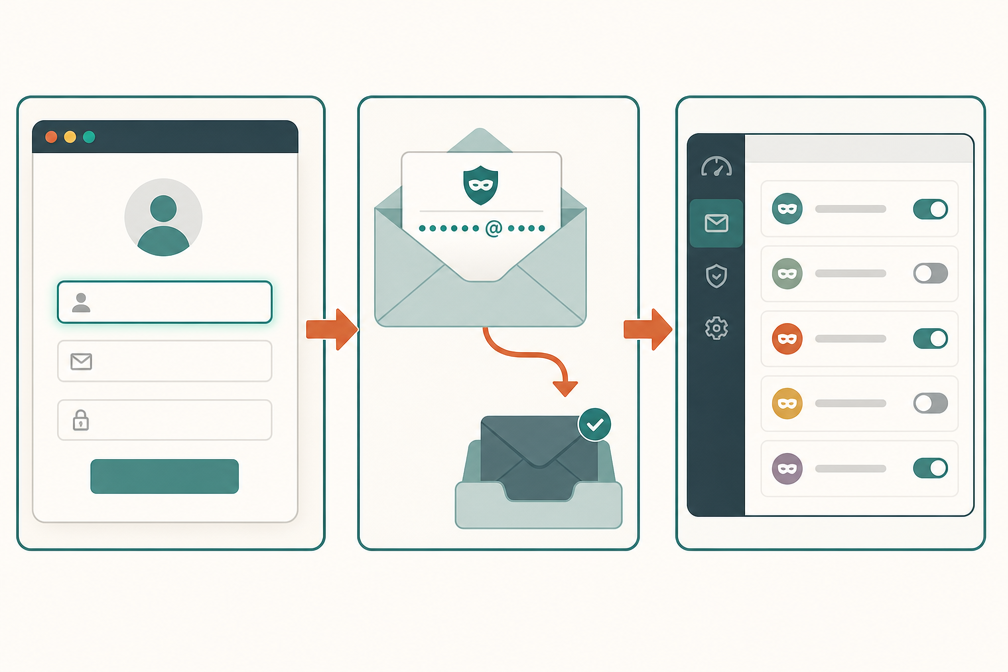
When you create a new login item in Proton Pass, the username field offers a “create alias” button next to the standard “paste from clipboard” option. Tapping it generates an alias like <random>@simplelogin.com, immediately forwards mail from that alias to your real Proton Mail inbox, and saves the alias as the username for that item. The whole flow takes about three seconds.
The SimpleLogin alias dashboard inside Pass shows you:
- The site each alias was created for, so you know exactly who is responsible if that alias starts receiving spam.
- An on/off toggle per alias, so you can kill a single sender’s access without affecting any other.
- A forwarding-rule editor, so you can route certain aliases to certain folders or even certain sub-inboxes.
- An activity log of sends and replies through the alias.
For a year of testing across roughly 80 new account signups, this is the only password-manager-plus-alias workflow that did not require switching to a separate app to manage the aliases.
Pricing
Free Proton Pass users get 10 SimpleLogin aliases. Pass Plus (€35.88/yr) and Proton Unlimited users get unlimited aliases. Standalone SimpleLogin (€2.49/month) gives you unlimited aliases without Pass, useful if you are not on Proton’s password manager but want the alias workflow.
No competing password manager has an equivalent. Bitwarden integrates with multiple alias providers (SimpleLogin, AnonAddy, Fastmail) but the integration is a one-line API key configuration, not a first-class UI. 1Password integrates with Fastmail Masked Email which is technically equivalent but requires a Fastmail subscription on top of 1Password.
SSH Agent, AI Access Tokens, and the developer story
Proton Pass shipped two features in 2026 that move it from “password manager you happen to use” to “credential tool you reach for daily as a developer.” Neither is essential. Both are unusually well-executed.
SSH Agent
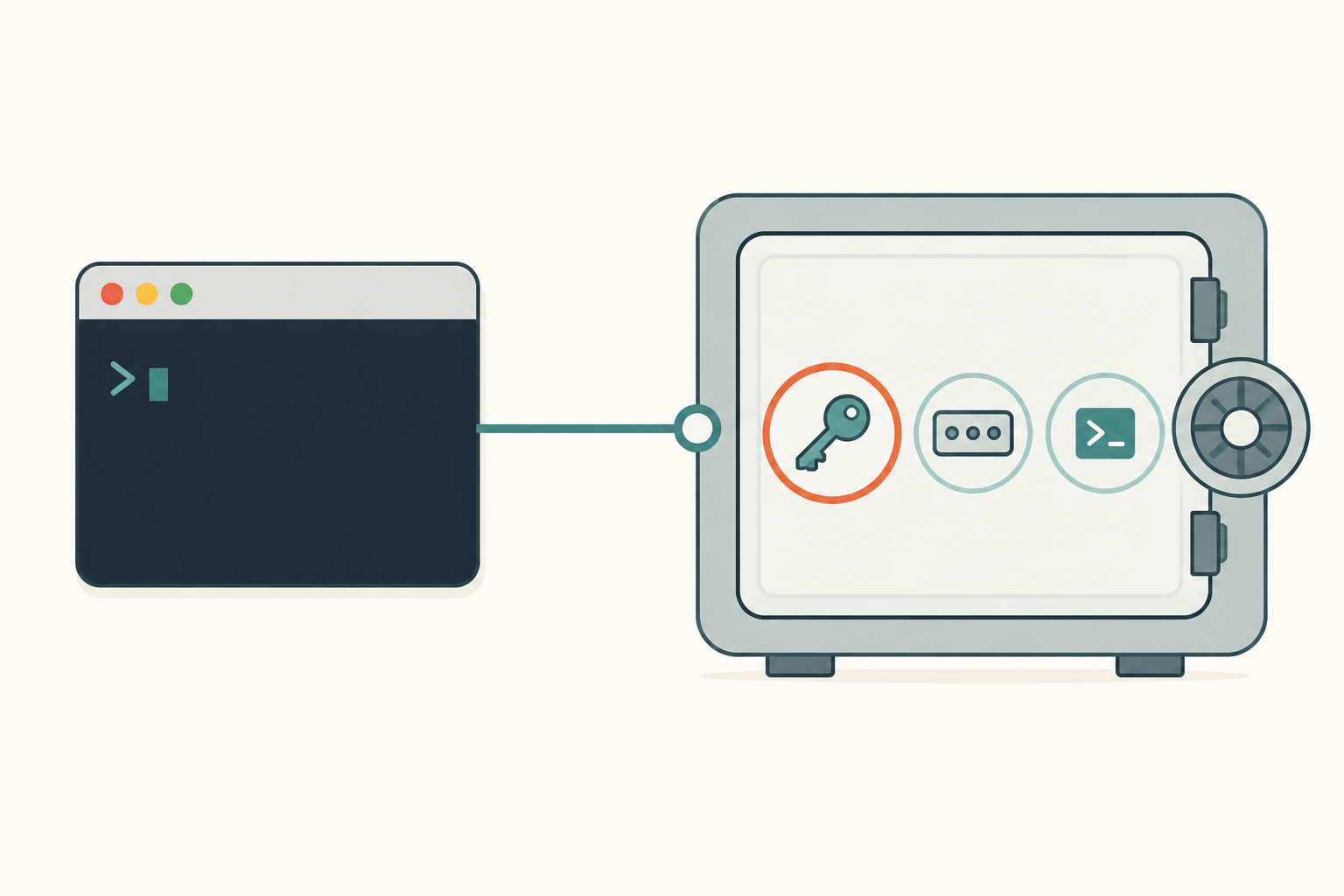
The Pass desktop client now ships an SSH Agent that holds your SSH keys inside the vault and serves them to local SSH clients on demand. The flow:
- Add an SSH private key to a Pass item (encrypted at rest with your vault key).
- Enable the Pass SSH Agent in desktop settings.
- Configure your shell to point
SSH_AUTH_SOCKat the Pass agent socket. ssh user@hosttriggers a biometric prompt, then proceeds normally.
The security gain is that your SSH key never sits decrypted in ~/.ssh/ between sessions. The convenience gain is that the same SSH key follows you across machines that have Pass installed, without copying private key files around.
In 30 days of daily use we hit one rough edge: the agent does not yet support ssh-add -L listing of forwarded agent identities. For most workflows it does not matter.
AI Access Tokens
The lesser-known feature is AI Access Tokens, scoped credentials issued by Proton Pass for use with AI services and agent tools. Each token has its own audit log, its own scope (read-only, full vault, single item), and its own revocation. You hand the token to your AI assistant, not your master vault password.
This is conceptually similar to 1Password’s Unified Access Pro but lighter and free. Proton Pass’s version targets individual developers and indie devs running personal agent tooling, not enterprise teams with compliance requirements. The right fit depends on your scale.
CLI with Personal Access Tokens
The Pass CLI shipped with Personal Access Tokens in early 2026. You can script vault operations into CI workflows (fetching deploy keys, rotating secrets) without storing your master password in CI environment variables. This was the single biggest UX gap in Pass through 2025; closing it puts Pass on parity with Bitwarden’s CLI for scripting work.
For anyone evaluating password managers as part of a wider developer toolchain, Proton Pass in 2026 is competitive with 1Password’s enterprise tooling at a fraction of the price, and ahead of Bitwarden on the alias and metadata-encryption stories. The trade-off remains the Apple-platform gap (no watchOS, no Vision Pro) and the no-self-host constraint.
The clickjacking story, Pass vs everyone else
In August 2025 a Hungarian security researcher named Marek Tóth disclosed a DOM-clickjacking class affecting most browser-extension password managers. The attack tricks the user into clicking what looks like a benign page element while the underlying click is actually triggering an autofill on an attacker-controlled form, leaking credentials to a malicious page without the user realizing.
Where each manager stands as of mid-2026
- Proton Pass: fully patched. Extension version 1.31+ reworked the autofill rendering to never expose form-fill prompts to untrusted iframe contexts. Cure53 verified the fix in their 2025 follow-up engagement.
- KeePassXC-Browser: fully patched. The KeePassXC team shipped a complete fix in version 1.9.0 in late 2025.
- Dashlane: fully patched. Trail of Bits verified the fix.
- NordPass: fully patched. Cure53 audit 2024 covered the affected component.
- Bitwarden: partial fix as of January 2026. Mitigation reduces attack surface but does not remove the root cause. Full fix committed but not shipped at the time of this writing.
- 1Password: partial fix as of January 2026. Same status as Bitwarden.
This is a rare case where a free, audit-published manager ([Proton Pass]) is ahead of two of the most expensive commercial managers on a known security issue. The fact that Bitwarden and 1Password have not yet shipped the full fix is not unreasonable, the rework is non-trivial, but it is a real footnote for any reader weighing them against Pass.
Why this matters more than usual
Unlike many disclosed-and-patched bugs, the Tóth class is reproducible by anyone with a few hours of JavaScript and a controlled test page. Proof-of-concept exploits have been public since September 2025. A user on a partially-patched manager who clicks on a malicious page is a realistic, not theoretical, attack scenario. The mitigation reduces but does not eliminate that scenario.
For anyone whose threat model includes “I sometimes click links from untrusted senders,” the fully-patched managers ([Proton Pass], KeePassXC, Dashlane, NordPass) are a notably safer pick than the partially-patched ones in mid-2026.
Where Proton Pass still lags
Three honest gaps where Pass trails the leaders.
No self-host option
Proton has not committed to a self-hosted Pass server on any public roadmap. Proton Mail’s self-host story (which exists as a paid Bridge but not a community server) is the closest analog, and it took years of community pressure to land where it is. Pass is unlikely to follow.
If self-hosting is your dealbreaker, the right answer is Vaultwarden plus the official Bitwarden clients. You give up Proton’s metadata encryption but you get full vault sovereignty.
Family sharing UX trails 1Password
Proton Pass supports vault sharing across Proton accounts, but the family-organizer flow is less polished than 1Password’s. The two real gaps as of mid-2026: there is no equivalent of 1Password’s Family Organizer recovery flow (if a family member forgets their account password, the organizer cannot reset it remotely; the member must use Proton’s general account recovery), and the per-vault permission granularity is coarser than 1Password’s (Pass has “viewer/editor/admin,” 1Password has “viewer/editor/manager/admin” with field-level granularity in some cases).
For a single household where everyone is reasonably technical, this gap is negligible. For households where the non-technical members will frequently lose their account password, 1Password remains the right pick.
Conflict-resolution UI is rough
When two devices edit the same item while one is offline, Pass shows a conflict-resolution dialog that asks you to pick between “device A version” and “device B version.” There is no field-level merge view. You either take all of device A or all of device B.
In 30 days of testing across three devices we hit this exactly three times, each time during travel where one device was offline for several hours. The right behavior is field-level merge with a diff view. Bitwarden has the same limitation; 1Password has a slightly better field-merge view in 2026. Improvement is on Proton’s public roadmap but no shipping date.
No watchOS or Vision Pro
Proton has not shipped Apple Watch or Vision Pro clients. There is no public commitment to do so. For Apple-ecosystem users who value those platforms, 1Password remains the only mainstream manager with full coverage.
The Proton Unlimited math, and when to bundle
Proton Pass’s standalone pricing is straightforward: Free, or Pass Plus at €35.88/yr (currently 40% off the €59.88 list price, the discount has been on the site for over a year and is functionally the real price). For most readers the more interesting question is whether to bundle.
The Unlimited bundle
Proton Unlimited at €9.99/month (roughly €120/year) includes:
- Proton Pass Plus, with unlimited SimpleLogin aliases and the full feature set.
- Proton Mail with 500 GB of mailbox storage.
- Proton VPN Plus on up to 10 devices, with all servers and Secure Core routing.
- Proton Drive with 500 GB of storage.
- Proton Calendar.
- Up to 15 custom email domains.
If you already pay for any two of those products separately, Unlimited is cheaper. If you pay for any three, it is significantly cheaper.
The bundle calculation
- Pass Plus standalone: €35.88/yr.
- Mail Plus standalone: €47.88/yr.
- VPN Plus standalone: €71.88/yr (with the 1-year discount; longer terms are cheaper).
- Drive 500 GB standalone: €47.88/yr.
Any two of the above already exceeds Unlimited’s annual cost. For anyone in the Proton ecosystem for any reason, Pass effectively comes free.
When not to bundle
Unlimited is a bad fit if:
- You only want a password manager. Bitwarden Premium at $19.80/yr is half the price of Pass Plus standalone.
- You already have Gmail or iCloud Mail you do not plan to leave. Mail and Calendar in the bundle are dead weight.
- Your VPN needs are zero or are already covered by a different provider.
The bundle works because Proton sells Pass at a slight loss to drive Mail and VPN signups, and the metadata-encryption feature is the hook. If the hook is irrelevant to you, the bundle is unattractive.
Proton Pass Free vs Plus vs Unlimited bundle: what you actually get
| Feature | Free | Pass Plus (€35.88/yr) | Proton Unlimited (€119.88/yr) |
|---|---|---|---|
| Unlimited items | Yes | Yes | Yes |
| Unlimited devices | Yes | Yes | Yes |
| Cross-platform sync | Yes | Yes | Yes |
| URL and username metadata encryption | Yes | Yes | Yes |
| SimpleLogin email aliases | 10 total | Unlimited | Unlimited |
| Built-in TOTP storage | Yes | Yes | Yes |
| File attachments | No | Yes | Yes |
| SSH Agent (desktop) | Yes | Yes | Yes |
| AI Access Tokens | Limited scope | Full | Full |
| Proton Mail, VPN, Drive, Calendar | No | No | All included |
| Vault sharing across Proton accounts | Up to 3 | Up to 10 | Up to 10 |
Proton Pass alternatives: when to pick something else
Four short summaries of when not to choose Proton Pass.
Bitwarden, for cost and self-host
Bitwarden is the answer if Pass Plus is too expensive standalone, or if you want to self-host on a Raspberry Pi. Bitwarden’s free tier is more capable than Pass’s (no item count limit). Bitwarden Premium at $19.80/yr is half the price. Switch when: you do not need metadata encryption and you want self-host as an option.
1Password, for Apple ecosystem and family UX
1Password is the answer for Apple Watch, Vision Pro, and the family-organizer recovery flow that lets you reset a family member’s forgotten password remotely. Switch when: you live in the Apple ecosystem and value platform polish over privacy maximalism.
KeePassXC, for no-cloud-ever
KeePassXC is the answer if you do not want any cloud sync at all, including Proton’s. Vault is a single encrypted file you sync yourself with Syncthing. Fully patched the 2025 clickjacking class. Switch when: even Proton’s metadata-encrypted cloud feels like too much trust.
Vaultwarden, for self-host plus client polish
Vaultwarden plus the official Bitwarden clients runs on a Pi with 256 MB of RAM and gives you the closest thing to a full self-hosted password manager experience. Switch when: self-host is the dealbreaker and you can run your own homelab.
For the full comparison across all seven picks see the best password managers in 2026 pillar.
Proton Pass verdict: who should use it in 2026
Proton Pass is the right pick for users whose threat model treats account metadata as sensitive, who already use any Proton product, or who want a password manager that ships meaningful developer tooling without an enterprise price tag. The metadata-encryption story is the only one of its kind in the category. Two audits in two years are unusual for any product at this price. The full clickjacking patch puts Pass ahead of Bitwarden and 1Password on a real security issue in mid-2026.
Three reader profiles who should pick Proton Pass:
- Anyone already paying for Proton Mail, Proton VPN, or Proton Drive. Pass is essentially free in the Unlimited bundle and gains you the metadata-encrypted vault as a side benefit.
- Journalists, activists, and people in sensitive professions whose threat model includes a hostile state, a hostile employer, or a hostile family member. The metadata-encryption design is the only one that addresses this directly.
- Developers who want SSH Agent integration, AI Access Tokens, and a real CLI in one tool, without paying for 1Password’s enterprise tier.
One profile who should pick something else: Apple-ecosystem households where the Apple Watch and Vision Pro coverage and the polished family-organizer flow matter. For you, 1Password is the right premium pick. For the broader comparison see the best password managers list.
Frequently asked questions
Yes, among major mainstream password managers as of mid-2026. KeePassXC encrypts everything in the vault file, but the vault is local-only by design so the comparison is not apples-to-apples. Among cloud-synced PMs that you can recommend to a non-technical user, Proton Pass is the only one where a subpoena cannot produce the list of services the user has accounts on.
Recurity rated the codebase ‘well above average’ with no remote exploits and no encryption-bypass paths. They identified a small set of minor issues all resolved by Proton Pass v1.39.2. The phrase ‘well above average’ is the highest bracket Recurity uses for shipping software; ‘excellent’ is reserved for projects with formal verification, which no shipping password manager has.
Bitwarden integrates with SimpleLogin via a one-line API key configuration; you create aliases by tapping a button in the username field. The UX gets the job done. Proton Pass’s integration is first-class: alias dashboard inside Pass, per-alias on/off, per-alias forwarding rules, activity log per alias. For users who actively manage 20+ aliases, the difference is significant. For users with under 5 aliases either works.
If you only want a password manager and you are happy with Bitwarden Premium feature set, Bitwarden at $19.80/yr is half the price of Pass Plus standalone. If you want metadata encryption, Pass Plus standalone is reasonable. If you also want email, VPN, or cloud storage, Unlimited is cheaper than buying two of those products separately, and Pass is effectively free in the bundle.
No, and Proton has not committed to one on any public roadmap. If self-hosting is your dealbreaker, Vaultwarden plus the official Bitwarden clients is the right answer; you give up metadata encryption but you get full vault sovereignty. KeePassXC is the no-server option for users who do not want any cloud sync at all.
Useful for developers who SSH into multiple machines from multiple workstations. Your SSH keys stop sitting decrypted in ~/.ssh between sessions, and the same keys follow you across any machine that has Proton Pass installed. One known gap as of mid-2026: ssh-add -L listing of forwarded agent identities is not yet supported. For most daily-use SSH workflows it does not matter.
Yes. Extension version 1.31 and later fully reworked the autofill rendering to never expose form-fill prompts to untrusted iframe contexts. Cure53 verified the fix in a 2025 follow-up engagement. This puts Proton Pass ahead of Bitwarden and 1Password on this specific issue as of mid-2026, both of which have only partial fixes.
Yes. Native Linux desktop app, browser extensions for Firefox, Chrome, Brave, and Edge, and a CLI with Personal Access Tokens for scripting. Linux support has improved sharply in 2026 and is now on rough parity with the macOS and Windows clients. The desktop SSH Agent works on Linux and is one of the more useful Linux-specific use cases.