
Disroot is a donation-funded privacy platform from the Netherlands that bundles email, cloud storage, chat, pastebin, forums, and collaborative docs under one account. This Disroot review focuses on the email side, because that is where the trade-off becomes sharp: you get free IMAP/POP3 access and a libre-software ethos, but you do not get automatic zero-access encryption like Proton Mail or Tuta.
The short version: Disroot is best for technical users who already understand Thunderbird, OpenPGP, and manual backups. It is not the easiest private email choice for everyday users. If you want the broader market context, start with our best email privacy and aliasing tools guide.
What is Disroot?
Disroot is a community-run, volunteer-supported platform founded in 2015 by activists in the Netherlands; the project publishes its service overview at Disroot services. Its email service runs on standard protocols, so you can use RainLoop webmail, Thunderbird, Apple Mail, K-9 Mail, or almost any IMAP client without a proprietary bridge. That alone makes it more flexible than Tuta, which requires its own apps because of its encryption model.
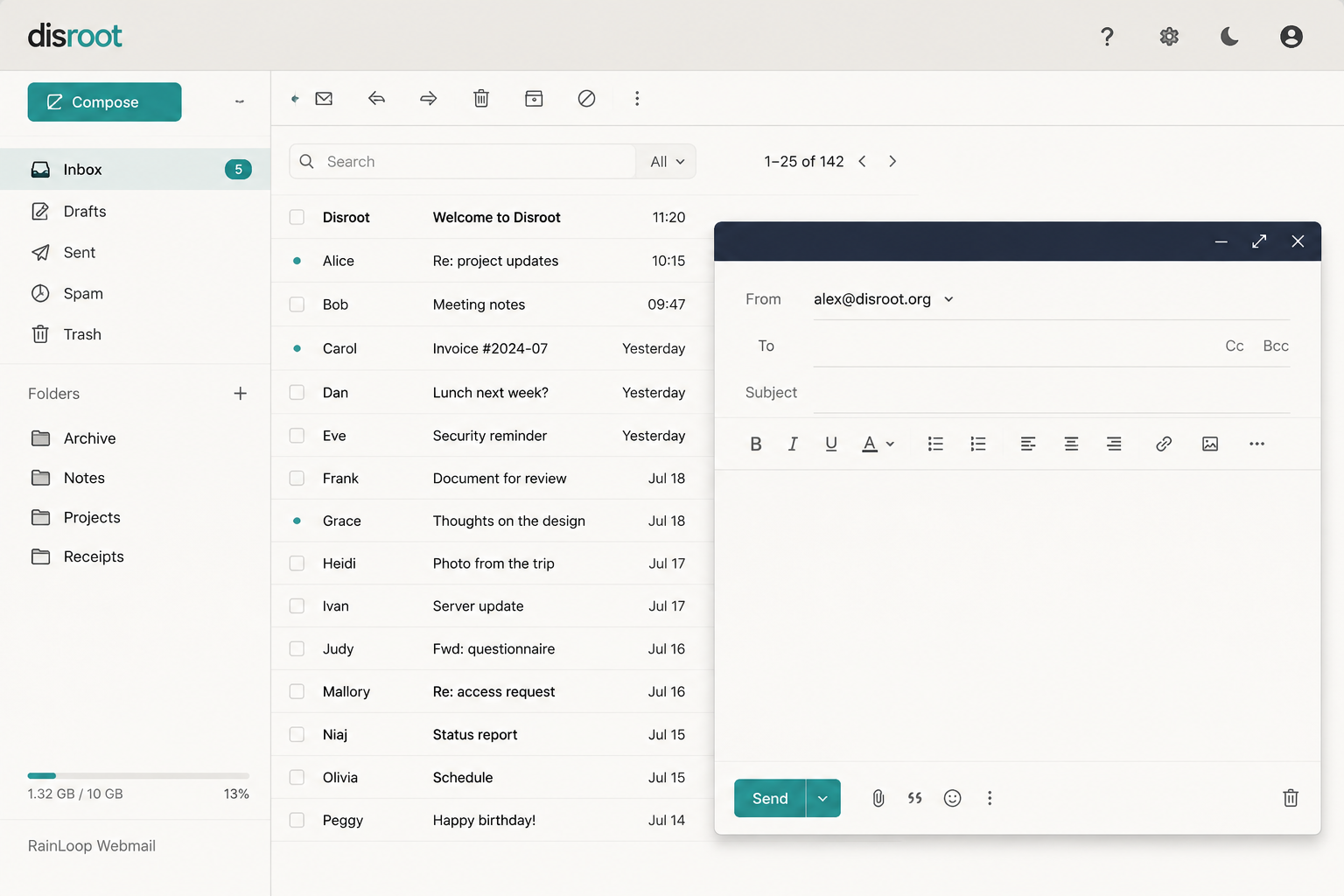
The catch is encryption. Disroot supports OpenPGP, but it does not encrypt all mailbox data by default. Unless you configure client-side PGP yourself, ordinary mail is stored on the server in readable form. That is a very different promise from Proton Mail’s zero-access mailbox design or Tuta’s automatic encrypted mailbox. Disroot gives you control and standard-client freedom; it does not remove the setup burden.
Beyond email, the account includes Nextcloud storage, XMPP chat, PrivateBin, forums, and collaborative pads. That ecosystem is useful if you want one community-run home for several lightweight tools, but email privacy remains the reason to be careful.
Standout features
Disroot’s best feature is standards-based access. Native IMAP/POP3 means you can bring your own mail client, archive mail locally, and avoid vendor lock-in. For users who already live in Thunderbird, that matters more than a polished web app.
Manual PGP is the second major feature in this Disroot review, but it is also the biggest risk. You generate your own OpenPGP key, protect the private key with a strong passphrase, share your public key with contacts, and verify fingerprints out of band. If you lose the private key, old encrypted mail is gone. If you skip fingerprint verification, you can encrypt to the wrong key. This is powerful, but it is not beginner-friendly.
The security model is therefore very different from Proton Mail. Proton automates key handling and protects mailbox contents by default, but you trust Proton’s infrastructure and account model. Disroot keeps the tooling open and portable, but you must do the encryption work yourself. Tuta sits on the other side of that trade-off: less standards flexibility, more automatic encryption.
Jurisdiction also matters. Disroot operates in the Netherlands, a Nine Eyes country subject to the 2017 Wiv intelligence law; the Dutch intelligence law is explained by the AIVD. If mail is stored unencrypted, legal pressure or server seizure can expose content. For a low-risk libre-software user, that may be acceptable. For a journalist, activist, or source handler, it is a serious reason to choose a zero-access provider.
Pricing
Disroot is free, with no paid tiers and no credit card requirement. The project runs on donations and volunteer labor. You get 1 GB of email storage, 2 GB of cloud storage, and access to the wider service bundle.

| Plan | Price | Storage | Key Features |
|---|---|---|---|
| Disroot Free | $0 | 1 GB email, 2 GB cloud | Email, cloud, chat, pastebin, docs |
| Proton Mail Free | $0 | 500 MB | Zero-access email, limited free tier |
| Tuta Free | $0 | 1 GB | Encrypted mailbox, one calendar |
The value is excellent if you want a free community service. The trade-off is support, polish, and default encryption.
Who should use Disroot?
Disroot is for people who value libre software, standard protocols, and community governance more than convenience. It fits Linux users, Thunderbird users, and anyone already comfortable managing PGP keys.
You should consider Disroot if:
- You want email plus cloud, chat, pastebin, and collaborative docs under one volunteer-run account.
- You prefer IMAP/POP3 over proprietary mail apps.
- You understand that encryption is manual unless you configure PGP.
- Your threat model does not require strong protection from state-level legal requests.
Skip Disroot if you want automatic encryption, simple recovery, polished mobile apps, or safer defaults for non-technical users. For that, Tuta or Proton Mail are easier recommendations. This Disroot review is blunt because the service is good for its niche but easy to misunderstand: free software does not automatically mean zero-access email.

Bottom line
This Disroot review lands on a narrow recommendation: Disroot is a principled, useful service for technical privacy users who want free email with standard-client access and a broader libre ecosystem. It is not the safest default for sensitive email because mailbox encryption is manual and the service operates under Dutch jurisdiction. Choose Disroot for openness and control. Choose Proton Mail or Tuta if you want automatic encryption and fewer chances to make a setup mistake.